Long-session builders with few free sockets
If you spend extended sessions building virtual railway layouts, the mouse’s power arrangement matters when your desk already has limited access to charging.


For a virtual-railway desk with few free sockets, choose a replaceable-battery wireless mouse if avoiding another charging routine matters most. A rechargeable wireless mouse still needs periodic USB power, while a wired mouse avoids batteries but uses a cable and USB port. Choose extra programmable controls only if you have repeated commands to assign and can reach the buttons comfortably.
If you spend extended sessions building virtual railway layouts, the mouse’s power arrangement matters when your desk already has limited access to charging.
If you often switch tools, views or commands, remappable controls may be useful—but only when their position suits your hand and the commands you actually use.
If you move between devices or need to keep a USB port free, a Bluetooth-capable mouse offers another connection option when the computer supports it.
Decide whether your main constraint is charging, shortcut access or the connection at your desk. Then check the mouse’s power type, controls and available modes against that priority.
| Concern | What to check | Who this matters to |
|---|---|---|
| Mouse power | Check for replaceable batteries or USB charging. For a published battery-life figure, check which connection mode and settings it assumes. | If I build layouts for long stretches, I want to avoid adding a regular mouse-charging task to a socket-limited desk. Around 46% of consumers put power management first. |
| Shortcut controls | Count the commands you would assign, then check button placement and the required remapping software. | When I repeatedly change tools or views, I want reachable controls rather than a button grid I will not use. Roughly 27% of consumers prioritise command mapping. |
| Desk connections | Check whether your computer has Bluetooth and whether the mouse also uses a 2.4 GHz receiver or supports wired USB. | If other peripherals occupy my USB ports, I want a connection choice that works with my computer. About 27% of consumers put connection flexibility first. |
Bluetooth can free a USB port on a compatible computer; battery type and runtime determine how you manage mouse power. One does not solve the other constraint.
Identify whether wall sockets, USB ports or cable clutter cause the problem, then check the mouse’s connection modes and power type.
CORSAIR describes 16 customisable buttons on the Scimitar Elite Wireless SE, but a dense side panel is useful only if you can comfortably reach the controls you intend to map.
List your repeated commands and inspect the button layout and shape before choosing a higher button count.
Razer publishes different maximum runtimes for the Basilisk V3 X HyperSpeed’s Bluetooth and HyperSpeed modes. Logitech G describes the G305’s rated runtime using one AA battery; the figures are not a like-for-like test.
Compare claims for the mode you intend to use and check the conditions attached to each figure.
A replaceable-battery mouse also means keeping compatible batteries available; a rechargeable model needs time and a USB source for charging.
UK government guidance says batteries and electrical products bearing the crossed-out wheelie-bin symbol should go to an appropriate collection point rather than household rubbish.
Use a suitable battery collection point for removable batteries and an electrical-waste collection route for the mouse.
The Basilisk range includes replaceable-battery wireless and wired options with different approaches to controls.
The Rival 3 Wireless is a replaceable-battery option with two wireless connection modes.
The G305 and G502 X LIGHTSPEED address different priorities: replaceable-battery use and a larger set of controls.
Its named wireless models include a tri-mode connection option and a separate design with many side controls.
These gaming mice offer wireless use for a virtual-railway desk, but their charging arrangements and control layouts call for different checks. If avoiding mouse charging altogether is your priority, pay particular attention to their power requirements.
 No image available
Consider its 10 programmable buttons if you have repeated layout commands to assign and the control positions suit your hand.
The title lists a 53 g weight and battery life of up to 750 hours; that runtime depends on low-power mode enabled through an updated driver. Its rechargeable battery still needs USB charging, and wireless use requires a USB receiver.
 No image available
Its listed Bluetooth, 2.4 GHz and USB-C modes give you connection choices if your computer supports the mode you intend to use.
The title lists a 63 g weight. This rechargeable model still needs a USB power source; check its button layout and expected charging frequency against your planned shortcuts and sessions.
 No image available
Consider this wireless option if keeping a mouse cable off the desk matters more than avoiding charging altogether.
It uses a rechargeable battery, so plan for periodic USB charging. Check whether its controls cover the shortcuts you intend to assign.
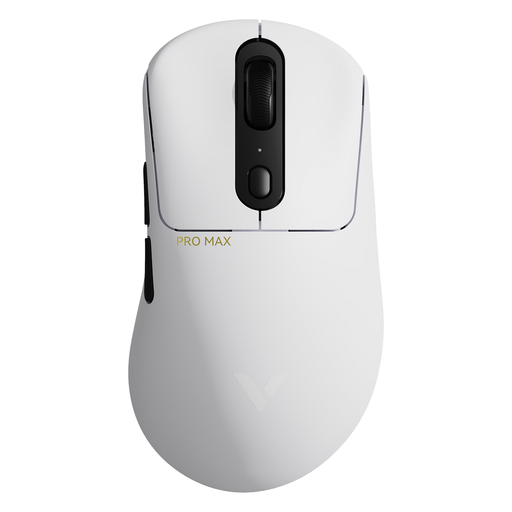 No image available
Consider its wireless or wired setup if you want to choose between a cable-free desk and a USB connection.
It has a rechargeable battery and still needs periodic USB charging. Confirm the connection modes, button layout and battery runtime for this variant before relying on them for your setup.
A replaceable-battery wireless mouse avoids a recurring mouse-charging connection, provided you keep compatible batteries available. A rechargeable wireless mouse still needs periodic USB power, so check where you would charge it.
Yes, if both the mouse and your PC support Bluetooth. SteelSeries lists Bluetooth alongside 2.4 GHz receiver mode for the Rival 3 Wireless; check which mode you intend to use before counting on a free port.
Choose enough reachable controls for the commands you repeatedly use, rather than choosing by button count alone. List your tool or view shortcuts, then check the mouse’s layout and remapping software against that list.
Use an appropriate recycling collection route rather than household rubbish. UK government guidance says batteries and electrical products bearing the crossed-out wheelie-bin symbol should go to a suitable collection point.