Players short on desk space
When mouse travel is restricted, shell size, weight and cable placement are useful starting points. A smaller mouse still needs to suit your hand and grip.


For ranked tactical matches at a small desk, choose a mouse whose shell fits your hand and grip before prioritising low weight or a high polling-rate figure. A compact wireless model is worth considering if you prefer a smaller shell; also check your mousing surface and how you will configure settings.
When mouse travel is restricted, shell size, weight and cable placement are useful starting points. A smaller mouse still needs to suit your hand and grip.
If you make frequent fine corrections or lift the mouse, compare shell shapes for your usual grip rather than choosing by polling rate alone. Razer positions its Viper line for claw and fingertip grips, while ZOWIE describes the U2-DW's inward-curved sides as part of its shape for multi-angle movement.
If you move between computers or prefer minimal software setup, check how the exact mouse handles DPI, polling rate and saved settings. ZOWIE describes the U2-DW as driverless, while Razer specifies onboard storage for the Viper V3 HyperSpeed.
Start with hand fit and available mouse space, then check the surface and connection features you will actually use. If several needs compete, decide which one would govern your choice.
| Concern | What to check | Who this matters to |
|---|---|---|
| Size and movement burden | Compare shell dimensions with your current mouse and check whether the smaller shape suits your grip. | If desk space restricts my mouse movement, I want a shell I can reposition without a cable crossing the area. Around 31% of consumers might put compactness and movement burden first. |
| Grip shape | Check the hump, sides and button placement against your usual grip; do not assume a symmetrical or right-handed shape suits every hand. | When I make small aim corrections, I need the shell to support the way I hold and lift it. For around 31% of consumers, grip shape might be the primary concern. |
| Surface and wireless features | Check your surface with an optical mouse and confirm the polling specification for the exact model. | If I play on a glossy desk or want a particular wireless polling mode, I need to check those conditions before relying on the setup in a match. Around 23% of consumers might prioritise tracking surface or wireless features. |
| Settings and software | Check whether the exact model needs software for your intended adjustments and whether it saves settings on board. | When I switch computers, I want my preferred controls to be practical to set up again. That could be the leading concern for around 15% of consumers. |
A compact mouse may suit limited space, but size alone does not establish hand fit. Logitech G links its compact PRO X SUPERLIGHT 2c SE shape to hand size and grip preference.
Use shell size as an initial filter, then compare the shape and button placement with your normal grip.
Logitech says optical gaming mice cannot be used on many transparent, glossy or less-reflective surfaces. A bare desk with one of those finishes may therefore be an unreliable place to judge a new mouse.
Allow room for a suitable mousepad and test tracking on the surface you intend to use.
A mousepad also takes up space on an already small desk.
ZOWIE's UK U2-DW page listed the model as discontinued and out of stock on 7 October 2026. A listing elsewhere needs its own checks for condition, variant and seller terms.
If you pursue the U2-DW, confirm the seller, exact model, included receiver and applicable warranty terms before ordering.
Its PRO X SUPERLIGHT family offers a compact wireless shape as well as a different, asymmetrical right-handed shape.
The Viper range is a shape route to examine if you use a claw or fingertip grip.
The U2-DW is a shape-led option to examine if you want driverless setup.
These wireless gaming mice offer different starting points for a small-desk setup. Compare each shell with your hand and grip; a stated weight or polling rate does not settle fit.
 No image available
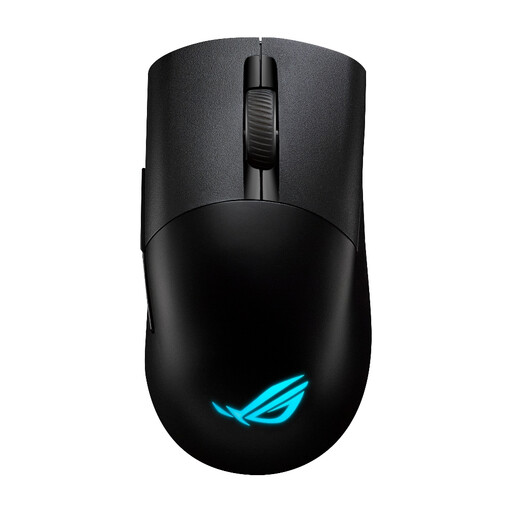
Consider this model if you want wireless movement and a stated low mouse weight, but compare its shell with your usual grip.
The listing states 53 g, 8,000 Hz wireless polling and 10 programmable buttons. Its stated battery life of up to 750 hours applies at 1,000 Hz; do not assume it applies at 8,000 Hz.
 No image available
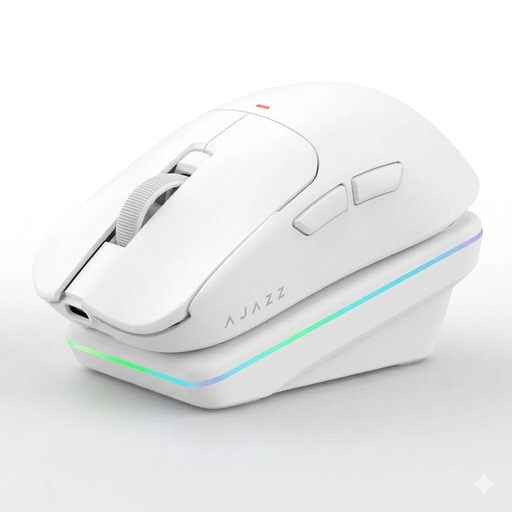
Consider this mouse if cable-free play and a charging base suit your setup; check its shape against your hand before choosing it for ranked matches.
The title states 56 g and 8,000 Hz polling, with 2.4 GHz wireless and wired modes. Confirm the maximum DPI for the exact variant, as the listing gives conflicting figures.
 No image available
If you are considering this wireless model for claw or fingertip use, check the shape and exact product identity before relying on its listed characteristics.
The title names the Keris Wireless AimPoint, but other listing details refer to Keris II Ace and give conflicting weights. Confirm which model and weight the seller will supply.
 No image available
Consider this model if its stated connection options and charging dock fit your desk setup; check the shell dimensions against your available space.
The title lists Bluetooth, 2.4 GHz and USB-C modes, a PAW3311 sensor and 24,000 DPI. Its weight differs across the listing's title, description and table, so confirm the mouse's actual weight before treating it as a low-mass choice.
 No image available
Consider this wireless model if avoiding a mouse cable matters more to you than choosing by a stated weight or polling figure.
Check its dimensions and grip fit for your desk and hand. If you need button remapping, confirm that the relevant HyperX software supports your system.
Do not assume it will. Logitech says optical gaming mice cannot be used on many transparent, glossy and less-reflective surfaces; use a suitable mousepad and test tracking on the surface you plan to use.
It depends on the model and the settings you want to change. ZOWIE describes the U2-DW as driverless and plug-and-play, while Razer Synapse 4 provides remapping and performance adjustments for compatible devices. Check the exact mouse and operating-system support.
They can if the exact mouse supports the onboard storage you need. Razer says the Viper V3 HyperSpeed retains its last used Synapse profile, including DPI, polling rate and lift-off distance; check other models individually.
Check the seller's change-of-mind return terms and the manufacturer's warranty for the exact model, alongside the seller's process for faulty or misdescribed goods. Confirm the variant and included receiver or cable before ordering; a voluntary returns policy is not the same thing as your rights when goods are faulty.
Check your local authority's instructions for electrical waste rather than putting the mouse in general waste. Oxfordshire County Council, for example, classifies items with electronic parts, a plug or a battery as waste electrical and electronic equipment and directs residents to its local disposal options.