What matters when choosing?
Start with a shape and connection you can use consistently, then decide whether a higher polling setting is useful for your drills and practical for your setup.
| Concern |
What to check |
Who this matters to |
| Input consistency |
Check the selectable polling modes and whether your PC and training application run steadily at the chosen setting. For wireless use, check which connection supports it. |
When practising rapid clicks and flicks, I want to keep mouse input settings steady between sessions. Around 36% of consumers put that consistency first. |
| Hand fit |
Check shell shape, handedness and grip fit; a lower weight alone cannot establish which shape will feel right. |
If my hand shifts on the mouse during longer drills, a secure grip matters more to me than a headline sensor figure. Roughly 29% of consumers prioritise fit. |
| Wireless routine |
Compare battery ratings at the polling mode you plan to use and follow the receiver guidance for that model. |
Moving between a laptop and a training desk makes cable freedom useful, provided I can plan charging or battery changes. Around 21% of consumers make that routine their main concern. |
| Simple setup |
Decide whether a direct cable connection and settings you can retain suit your desk better than managing wireless modes. |
At a fixed desk, I would rather keep a familiar sensitivity and avoid a charging task. For roughly 14% of consumers, that straightforward setup comes first. |
Joybuy mice for reaction drills
These mice cover high-polling wireless options and wired or multi-connection setups. Choose by the fit and settings needed for your drills; a mouse specification does not establish headphone-audio timing or a faster reaction score.
 No image available
MACHENIKE L9 X1 Wireless Mouse 8K-Blue 3395
Consider this model if you want to compare a light, symmetrical wireless mouse for repeated movement drills. Check its battery runtime at the polling setting you intend to use.
View on Joybuy
 No image available
AJAZZ AJ159 APEX Wireless Gaming Mouse with Magnetic Charging Base
For fast-response drills where you want a selectable high wireless polling mode, check whether its ambidextrous shape suits your grip.
The product title specifies 56 g, a PAW3950 sensor, up to 8 kHz polling and 2.4G wireless or wired connection. Confirm the exact variant’s DPI specification and battery runtime at the setting you plan to use.
View on Joybuy
 No image available
Razer DeathAdder V3 Ergonomic Esports Mouse
Consider this mouse for a fixed wired desk if its right-handed contour fits your grip. It is not a handedness-flexible alternative; check the polling and profile settings needed for your drills before choosing it.
View on Joybuy
 No image available
AJAZZ AJ200 AI MC Wireless Gaming Mouse with Charging Dock
This model is worth considering if you alternate between a wired desk and wireless devices, particularly if its intended palm or claw grip suits your hand.
The product title specifies a PAW3311 sensor and Bluetooth, 2.4G and USB-C connection modes. Confirm the exact variant’s weight before making a weight-based comparison.
View on Joybuy
 No image available
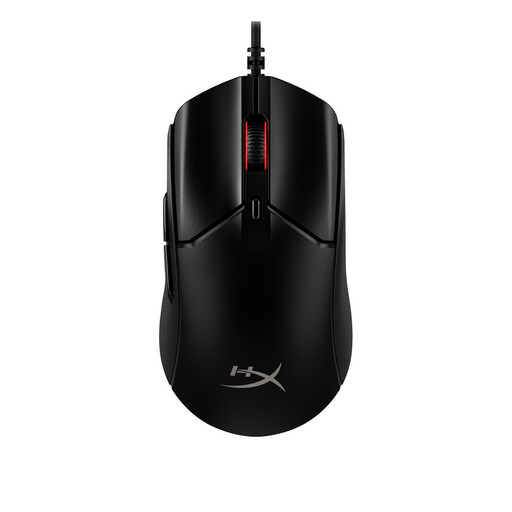
HyperX Pulsefire Haste 2 Black Wired Gaming Mouse
Consider this wired option for a fixed training desk where you would rather avoid a wireless charging routine. If polling rate, exact weight or DPI steps will determine your choice, confirm those figures for this model before ordering.
View on Joybuy
Common questions
Do headphones call for a particular gaming mouse?
No universal mouse specification follows from using headphones for reaction drills. Choose a mouse shape, connection and settings you can use consistently, then assess audio timing and the behaviour of your training application separately.
Should I use Bluetooth or a 2.4 GHz receiver for timing drills?
If the mouse offers a gaming-oriented 2.4 GHz mode, use that mode for a timing-focused wireless setup rather than assuming Bluetooth serves the same purpose. SteelSeries presents the Rival 3 Wireless 2.4 GHz connection for gaming and Bluetooth as a no-dongle option for other devices.
Will 8,000 Hz polling improve my reaction-time score?
An 8,000 Hz mouse setting does not, by itself, establish a better reaction-time score. Polling describes mouse reporting to the PC; the headphone cue, display, application and your response remain separate parts of the drill.
Where should I put a high-polling wireless receiver?
Follow the placement instructions for your exact receiver. For its HyperPolling wireless dongle, Razer advises keeping the tabletop receiver in line of sight and away from USB 3.0 ports; that guidance should not be assumed to apply unchanged to every mouse.
Can an old wireless mouse or its batteries go in household rubbish?
Do not put electrical products or batteries marked with the crossed-out wheelie-bin symbol in household rubbish. GOV.UK advises using an appropriate recycling route for electrical waste and batteries.


