Shortcut-heavy replay reviewers
If you repeatedly pause footage, change camera views or place markers, directly reachable buttons may reduce trips to the keyboard—provided your replay tool accepts those assignments.


Choose a multi-button mouse if your game or replay tool lets you assign frequently used camera, playback or marker commands to its buttons. If the same mouse is also for live competitive play, a lighter shape may matter more than extra shortcuts; check hand fit and button reach before prioritising a high polling rate.
If you repeatedly pause footage, change camera views or place markers, directly reachable buttons may reduce trips to the keyboard—provided your replay tool accepts those assignments.
If one mouse has to serve both tasks, weight, shape and connection may take priority over a large bank of side buttons.
If you spend extended periods reviewing or playing, consider whether an asymmetric right-handed shape puts the main controls within comfortable reach. Stated battery endurance is also worth checking on wireless models.
Start with the replay commands you actually use, then decide how much handling for live play matters alongside them. For each mouse, check the button positions as well as the stated specifications.
| Concern | What to check | Who this matters to |
|---|---|---|
| Replay shortcuts | Check button count and thumb reach, then whether your game or replay tool accepts the intended assignments. | If I keep reaching for camera controls or markers, I want those repeated actions close to hand. Around 36% of consumers put reachable replay shortcuts first. |
| Live-play handling | Compare stated weight and shell shape; consider how each fits your grip. | When I use the same mouse in competitive matches, I care more about how it handles than about a larger button grid. Live-play handling comes first for around 29% of consumers. |
| Long-session fit | Consider handedness and control reach; for wireless use, check stated battery life. | During a long review session, I need a shape I can hold comfortably without stretching for the controls. Around 21% of consumers prioritise fit and endurance. |
| High-rate input | Check the polling rate for the exact model and connection, alongside your PC and display setup. | If live play on a high-refresh display is my main priority, I may value high-rate input more than extra replay buttons. Around 14% of consumers put that need first. |
Extra buttons help only when the game or replay tool accepts the commands you intend to assign. A dense thumb grid can otherwise add controls you rarely use.
List your most repeated camera, playback and marker actions, then check how each can be bound before choosing a layout.
Polling rate describes how often a mouse sends data to the PC. It does not add replay shortcuts or establish whether the shape suits your hand.
For replay work, settle the button layout and fit first. Consider a higher rate in the context of the connection and high-refresh setup you use for live play.
SteelSeries specifies the shortcut-oriented Rival 5 at 85 g, while Razer specifies the Viper V3 Pro at 54 g. Those stated weights do not establish which shape will feel comfortable to you.
If you also play competitive matches, compare the exact model’s weight, grip shape and side-button reach rather than treating shortcut capacity as the only criterion.
GOV.UK says electrical products and batteries displaying the crossed-out-wheelie-bin symbol should be recycled rather than placed in household rubbish.
Use an appropriate electrical or battery collection point. If the battery cannot be removed, take the mouse to an electrical-product collection point.
These examples show different approaches to buttons and handling; the stated features apply to the named models, not every mouse from each brand.
The SCIMITAR ELITE WIRELESS SE is worth considering when directly accessible replay commands are the priority.
The wired Rival 5 offers a smaller side-button arrangement than a 12-button thumb grid.
The PRO X SUPERLIGHT 2 range is an option when one mouse must serve replay review and competitive play without a large side-button grid.
The Viper V3 Pro focuses on low stated weight and high-rate wireless input for buyers whose live play matters as much as replay review.
These gaming mice offer different approaches to replay shortcuts, connections and live-play handling. Check the controls you need against your game or replay tool before choosing.
 No image available
Consider this model if you want several assignable controls while using one mouse for replay review and live play; confirm that your replay tool accepts the intended bindings and that the buttons are within reach.
The product title specifies 10 programmable buttons, a 53 g weight and 8K wireless polling.
 No image available
This is a live-play-oriented option if you also review replays. Check its button count and layout before relying on it for several thumb-operated commands.
The product title specifies a 56 g weight, 8K polling and 2.4G wireless or wired use.
 No image available
Consider this wired model if you need only a few mouse-operated replay actions and its shape suits your grip. Check that your game or replay tool accepts the button assignments you plan to use.
 No image available
This model may suit a desk where connection options matter alongside replay controls. Check the actual button layout, binding support and weight before choosing it for long review or live-play sessions.
The product title lists Bluetooth, 2.4G and USB-C modes.
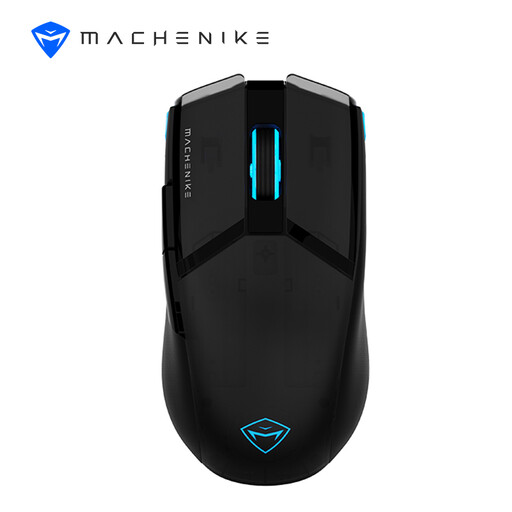 No image available
Consider this model if you switch between wired and wireless setups, but check its button layout and weight against the demands of your replay and live-play sessions.
The product title identifies a dual-mode design and PAW3395 sensor.
No—extra buttons are useful when your game or replay tool accepts the commands you repeat often. SteelSeries specifies nine programmable buttons for the Rival 5 and Corsair specifies 16 customisable buttons for the SCIMITAR ELITE WIRELESS SE, but a simpler layout may suit you if you keep most replay commands on the keyboard.
Do not choose that rate for replay navigation alone. Razer describes polling rate as the frequency of mouse-to-PC data transmission and says higher rates can support lower latency and smoother visuals with a high-refresh display; check the exact mouse, connection, PC and display if live competitive play is your reason for considering it.
Choose by hand fit, grip and access to the controls you use, not by shape label alone. Logitech G describes the PRO X SUPERLIGHT 2 DEX as asymmetric and right-handed, while Razer describes the Viper V3 Pro as symmetrical; neither description establishes which will feel better in your hand.
Use an appropriate electrical or battery recycling collection point rather than household rubbish for products bearing the crossed-out-wheelie-bin symbol, as GOV.UK advises. If the battery is not removable, take the mouse to an electrical-product collection point.