Ability-bar RPG players
If you regularly trigger skills, items and targeting actions, a thumb-accessible group of buttons may let you assign more of those commands to the mouse. Count the commands you actually use before choosing a dense grid.


For RPGs with many frequently used abilities and items, consider an MMO-style thumb grid. If you switch between game genres, a changeable side-button layout may suit you better; if you map only a few commands, a less crowded mouse may be enough. Wearing headphones does not call for a particular mouse layout, so focus on reachable buttons, hand fit, connection options and the software needed for your bindings.
If you regularly trigger skills, items and targeting actions, a thumb-accessible group of buttons may let you assign more of those commands to the mouse. Count the commands you actually use before choosing a dense grid.
If you move between RPGs and other games, consider whether you want the side-button layout itself to change. Razer’s Naga V3 Pro, for example, has three swappable side plates.
If you play for extended periods, check whether your usual grip puts the buttons within comfortable thumb reach. Razer directs its Naga fit guidance towards medium-to-large hands and palm or claw grips; that guidance is not a substitute for assessing your own fit.
For RPG play with headphones, start with the commands you want under your thumb, then consider whether the same layout works for your other games and your usual grip.
| Concern | What to check | Who this matters to |
|---|---|---|
| RPG commands | Count the skills, items and macros you want to assign, then compare that count with the exact button layout and remapping options. | If I use abilities and items throughout a session, I want their buttons within reliable thumb reach rather than simply the highest stated button count; around 42% of consumers put direct RPG command access first. |
| Layout across games | Check whether the side layout is fixed or changeable, and whether profiles can accommodate the games you play. | Switching between RPGs and other genres makes me wary of committing to one crowded side panel. Roughly 33% of consumers prioritise a layout that works across their games. |
| Fit and setup | Assess grip, hand size and thumb reach; for wireless models, compare connection and battery claims under the settings you intend to use. | During a long session, I need to reach the controls without stretching and manage the connection in a way that suits my setup; about 25% of consumers make fit and reach their primary concern. |
A 12-button grid is useful only if you can distinguish and reach the commands you assign. Razer’s Naga fit guidance is aimed at medium-to-large hands and palm or claw grips, while Corsair’s Scimitar Elite Wireless SE has a repositionable side panel.
Write down your frequently used RPG commands, then check the exact mouse’s layout against your grip and thumb reach.
Wireless runtime claims can change with connection mode and lighting. Corsair’s stated figures for the Scimitar Elite Wireless SE, for instance, assume RGB lighting is off and differ between 2.4 GHz and Bluetooth.
Compare claims under the connection and lighting settings you plan to use, and check the model’s charging or battery arrangement.
A charging routine or replacement batteries may become part of your play setup, depending on the mouse you choose.
Programmable controls still need setting up for your games. Logitech G identifies G HUB for macros and game-specific profiles, while Razer identifies Synapse for remapping and macro creation.
Check that the exact model’s configuration software works with your computer and supports the bindings you intend to make.
Razer’s Naga range offers MMO-style controls, from a fixed thumb-grid layout to the Naga V3 Pro’s swappable side plates.
The Scimitar Elite Wireless SE takes a dense-button approach with a 12-button side panel that Corsair says can be repositioned using its Key Slider.
The G502 X LIGHTSPEED offers programmable controls without a 12-button MMO thumb grid.
These gaming mice offer wired or wireless choices for RPG players considering a smaller set of mapped commands. Check the controls and configuration options of each model against your own ability bar before choosing.
 No image available
Consider this model if you want connection choices for RPG play rather than choosing solely by the number of side buttons.
The product name lists Bluetooth, 2.4 GHz and USB-C modes, a PAW3311 sensor and adjustable sensitivity up to 24,000 DPI. Confirm that its button layout suits the commands you want to assign, and check the exact weight if that affects your fit decision.
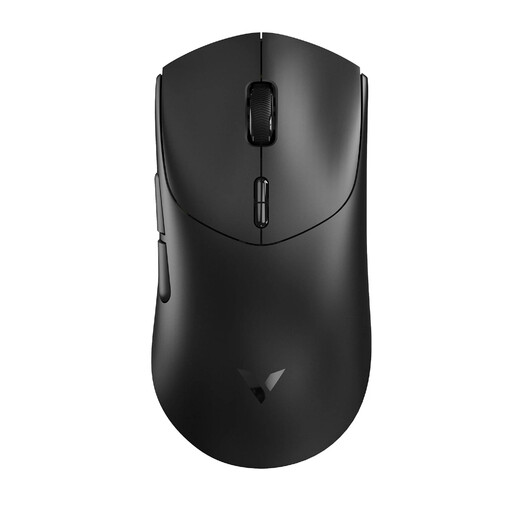 No image available
If you want to assign several RPG commands to mouse buttons, compare this model’s controls with your planned bindings.
The product name specifies 10 programmable buttons and a weight of 53 g. Its stated battery life is an “up to” figure conditional on 1,000 Hz operation; check runtime at the settings you intend to use.
 No image available
This is a wired option to consider if a cable suits your RPG setup.
Before choosing it for ability bindings, check how many buttons you can configure and whether the required configuration software works with your computer.
 No image available
For RPG play where you want a wired mouse, assess whether its controls cover the commands you use most.
Check the exact model’s button-configuration and software support before relying on custom bindings or macros.
 No image available
Consider this wireless model if you want to configure some mouse commands for RPG play.
Check its button count against your planned bindings and confirm that its configuration options suit your computer and games.
No particular mouse layout is required just because you wear headphones. Choose controls around your RPG commands and hand fit; if several wireless peripherals use USB receivers, check that your computer has room for the receivers you intend to connect.
No. A thumb grid is most relevant when you regularly assign many abilities, items or macros to the mouse. If you use fewer bindings or switch between game genres, compare a less crowded layout or changeable side plates instead.
Compare the stated connection and lighting conditions with how you will use the mouse. Corsair, for example, states different Scimitar Elite Wireless SE figures for 2.4 GHz and Bluetooth with RGB lighting off; neither figure is an unconditional runtime promise.
In the UK, GOV.UK says retailers supplying electrical equipment must offer take-back of waste equipment of the same type, subject to the applicable take-back arrangements. Check the retailer’s collection or in-store process before bringing in an old mouse.