Shared-bedroom night players
If someone else sleeps in the room, click sound may matter more than gaming controls. Look for a claim about the exact mouse’s clicks, assess its sound if you can, and check return terms before purchase.


For a virtual-hospital management game, choose a multi-button gaming mouse if putting repeated commands under your thumb matters most. A simpler wireless gaming mouse suits a less cluttered desk, but neither connection type nor gaming specifications establish quiet clicks. If avoiding disturbance is non-negotiable, consider a mouse with an explicit quiet-click claim, while accepting that a productivity model such as the Logitech Signature M650 is not a gaming-mouse equivalent.
If someone else sleeps in the room, click sound may matter more than gaming controls. Look for a claim about the exact mouse’s clicks, assess its sound if you can, and check return terms before purchase.
If you repeatedly reach for menus, camera controls or tools, accessible side buttons may be useful. Razer and SteelSeries describe gaming models with nine or more programmable controls, though the layout still needs to suit your hand and chosen commands.
If a cable gets in the way on a shared desk, weigh the connection method against battery upkeep and grip fit. Logitech G claims up to 250 hours of battery life from one AA battery for its G305.
Decide whether quiet clicks, command access or an easier desk setup takes priority; none of those features establishes the others.
Choose it when: you can identify repeated game commands worth moving to thumb-accessible controls.
Trade-off: a crowded layout takes practice, and programmable buttons do not establish quiet clicks.
Choose it when: keeping the shared desk clear matters more than having a large command array.
Trade-off: plan for battery upkeep and assess click sound separately.
Choose it when: reducing disturbance outweighs gaming-specific controls; Logitech makes a quiet-click claim for the Signature M650 for Business.
Trade-off: the M650 is a productivity mouse, not evidence of equivalent gaming features.
| Concern | What to check | Who this matters to |
|---|---|---|
| Click noise | Look for a quiet-click claim for the exact variant; where possible, assess its sound and read the seller’s return terms. | If someone is sleeping nearby, I would put avoiding disruptive clicks ahead of extra gaming controls. Around 40% of consumers would put quiet shared-room use first. |
| Repeated commands | Count usable thumb controls and check that your intended commands can be remapped. | Repeated trips to the keyboard for menus or tools make accessible bindings more valuable to me. Shortcut capacity would come first for around 30% of consumers. |
| Fit and desk setup | Check handedness and shape, then the connection method and battery or cable requirements. | For a long session at a shared desk, I need a shape and connection that work in my space. Around 30% of consumers would prioritise comfort and connection needs. |
Programmable controls, sensor settings and switch durability do not tell you how disruptive a click will sound to someone sharing the bedroom. Logitech’s claim of 90% less distracting click noise concerns its Signature M650 for Business productivity mouse, not the gaming models discussed here.
Make click sound a requirement for the exact model: seek an explicit claim, assess a demonstration if possible, and read the seller’s return terms before relying on a home trial.
Extra controls may be less useful if you cannot distinguish their positions by feel or keep pressing one accidentally.
Identify a few repeated game actions before choosing a layout, then add bindings gradually rather than assigning every button at once.
A sensor specification cannot establish whether a mouse feels comfortable in your hand. Logitech offers separate M650 size and left-handed variants, so even mice in one product line need a variant-level fit check.
Review the shape, size guidance and handedness of the exact variant before ordering.
A mouse that feels wrong in your hand raises a different return question from one that is faulty or does not match its description. Citizens Advice treats change-of-mind returns and faulty-goods rights separately.
Keep the listing and order confirmation, check the retailer’s change-of-mind terms, and raise a fault or description problem through the appropriate separate route.
The G305 offers a straightforward wireless gaming route; the Signature M650 is a separate, quiet-click productivity route.
The Basilisk models provide wireless and wired routes for players who want directly accessible controls.
The wired Rival 5 is a route for players who want a dedicated side-button layout.
These gaming mice offer different ways to approach command access and desk setup for a virtual-hospital game. For shared-bedroom use, assess the exact mouse’s click sound rather than treating its gaming features as a quietness guarantee.
 No image available
Consider its stated 10 programmable buttons if you want repeated commands on the mouse without a cable across the desk.
The product name specifies a 53 g weight and up to 750 hours of battery life; that battery claim depends on a driver update to enable low-power mode. Check click sound for shared-bedroom use.
 No image available
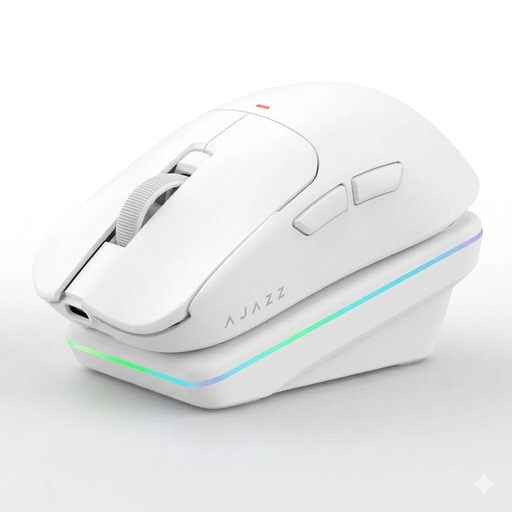
Consider this model if your desk setup calls for a choice of Bluetooth, 2.4G wireless or USB-C connection.
The product name specifies a PAW3311 sensor with up to 24,000 DPI and a charging dock. Check the exact variant’s weight and click sound if either affects your choice.
 No image available
This is a simpler wireless option to assess if keeping a cable off the desk matters more than a large shortcut layout.
The product name specifies five adjustable DPI settings. The listing claims quiet left and right clicks, but that claim is not a measured comparison; assess the exact mouse’s sound before relying on it in a shared bedroom.
 No image available
Consider a wired mouse if you have room for its cable and want to assess several accessible controls for repeated commands.
The product name claims programmable buttons and adjustable settings. Confirm that its buttons can be remapped for your intended actions, and check click sound for shared-bedroom use.
No: a large button array is useful only if you have repeated actions you want to reach from the mouse. Razer states that the Basilisk V3 X HyperSpeed has nine programmable controls, and SteelSeries specifies nine buttons for the Rival 5; map a few frequent actions before deciding whether that capacity helps.
Wireless connectivity does not establish click volume. Assess sound for the exact gaming mouse you intend to buy; Logitech’s quiet-click claim for the Signature M650 for Business concerns a productivity mouse and does not transfer to its gaming models.
Start with a few commands you use repeatedly, then check whether the exact mouse and its configuration software support your intended bindings. Logitech G says G HUB can remap buttons and change DPI on supported devices; practise the layout before adding more commands.
Check the marking and documentation applicable to the exact product rather than treating a mark as an endorsement of gaming performance. GOV.UK guidance for Great Britain says CE marking continues to be recognised alongside or in place of UKCA in applicable regimes; Northern Ireland has different arrangements.
Check the retailer’s change-of-mind return terms before using the mouse extensively, including any conditions affecting a return. If it is faulty or does not match its description, that is a separate remedies question; Citizens Advice distinguishes faulty-goods rights from change-of-mind returns.