Players who use frequent shortcuts
If you repeatedly open menus or use time, construction, diplomacy and camera controls, you may want some of those commands within reach of your mouse hand.


For economic simulations in a dark room, choose controls you can reach comfortably and lighting you can keep unobtrusive before focusing on a headline DPI figure. A many-button mouse suits frequent shortcuts; a scroll-focused layout may suit long menus and maps. Wireless gives you more freedom to position the mouse, but adds battery management, and any lighting-off setting worth relying on should be checked after a restart.
If you repeatedly open menus or use time, construction, diplomacy and camera controls, you may want some of those commands within reach of your mouse hand.
If mouse lighting catches your eye during play, check whether you can turn it off and whether your chosen setting remains in place when configuration software is closed.
If you spend extended periods navigating maps and menus, hand fit and wheel behaviour matter alongside button count. A wireless mouse also means planning for its power needs.
Start with lighting and reachable controls for your setup, then consider wheel behaviour, hand fit and whether removing the cable is worth managing a battery.
| Concern | What to check | Who this matters to |
|---|---|---|
| Lighting in a dark room | Check how to turn lighting off and whether that setting persists after a restart or without the configuration software. | I do not want the mouse lighting to draw my eye while I play, especially if a dark setting disappears when I restart the PC. For roughly 36% of consumers, lighting control is the primary concern. |
| Reachable shortcuts | Check the number and placement of programmable controls, and whether the mappings you need can be saved. | When I repeatedly use game commands, I want buttons I can distinguish by feel without changing my grip. Around 29% of consumers put command access first. |
| Fit and scrolling | Assess thumb reach and grip fit; check whether the wheel behaviour suits both precise steps and long lists. | If I spend a long session moving through maps, ledgers and menus, an awkward wheel or side-button position will matter more to me than another control I rarely use. Roughly 21% of consumers prioritise fit and navigation. |
| Cable and power | Choose the connection mode your desk or devices need, and consider the battery routine that comes with wireless use. | I want more freedom to position the mouse, but I am willing to manage its power to get it. For around 14% of consumers, cable-free flexibility is the main priority. |
A dense thumb grid helps only if you can identify and press its buttons comfortably. CORSAIR’s SCIMITAR RGB ELITE has a repositionable side cluster, but its placement still needs to suit your hand.
Try mapping a few frequently used commands first. If a dense grid is hard to use, consider a less crowded layout and check the applicable retailer return terms before buying.
Razer Support describes situations in which Chroma lighting can return to Spectrum Cycling when Synapse is unavailable. CORSAIR distinguishes settings stored in a supported hardware profile from settings that depend on iCUE.
If darkness is essential, check the exact mouse and test its lighting after startup, at the lock screen and without its configuration application running.
Battery use depends on the connection mode and usage conditions, so a stated maximum is not a promise for every setup.
Choose wired if managing a battery would interrupt your sessions. Otherwise, check the wireless mode and power source you intend to use.
A wireless setup may also mean time spent charging or replacing a battery, depending on the model.
GOV.UK advises that unwanted electrical products and batteries should not go in household rubbish.
When replacing a mouse, arrange an appropriate electrical-waste collection route and handle removable batteries through a suitable battery-recycling route.
The wired G502 HERO offers a conventional layout for players who want programmable commands without a 12-button thumb grid.
The Basilisk V3 focuses on programmable controls and scrolling; the Basilisk V3 X HyperSpeed offers wireless connection choices.
The wired SCIMITAR RGB ELITE is worth considering when a large number of mouse-mapped commands matters more than a sparse button layout.
These wireless mice offer different ways to put simulation commands within reach. Compare their controls and connection options, then check each model’s lighting behaviour and hand fit for your dark-room setup.
 No image available
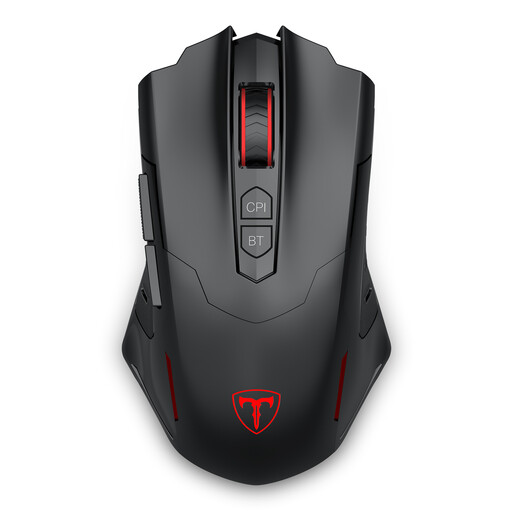
Consider this model if you want mouse-mapped commands without a cable. Its title specifies seven programmable buttons, 2.4G and Bluetooth connection modes, and an 8000 DPI figure.
If keeping the room dark is essential, confirm how its backlighting is switched off and whether the setting remains after a restart or reconnection.
 No image available
Consider its control layout if you want several commands close to your mouse hand. Check that its size and side-button reach suit your grip during longer sessions.
For dark-room use, confirm how to turn its lighting off and whether your chosen setting persists.
 No image available
Consider this model if you want programmable commands in a wireless mouse. Its title specifies ten programmable buttons, macro support and a stated weight of 53g.
Check its lighting controls before choosing it for a dark room, and assess whether its shape suits your hand rather than relying on weight alone.
CORSAIR says iCUE can turn off RGB LEDs on supported products, and a supported hardware profile can retain a setting without iCUE running. Check that the exact mouse supports the setting you want and test whether it persists.
Razer Support says Chroma lighting can default to Spectrum Cycling in certain situations when Synapse is unavailable. If an unlit mouse matters to you, test your model after a restart, at the lock screen and without Synapse running.
Use iCUE’s Key Assignments to choose an action and the mouse button that will trigger it. Start with a small set of commands you use often and can identify by feel before filling more buttons.
Take an unwanted mouse to an appropriate electrical-waste collection route rather than putting it in household rubbish, as GOV.UK advises. Recycle removable batteries through a suitable battery collection route.