What matters when choosing
List the commands you would move off the keyboard, then check whether you can reach the buttons while leaving enough room to move the mouse.
| Concern |
What to check |
Who this matters to |
| Reachable shortcuts |
Count the commands you would assign, then check thumb reach and button-remapping options. |
If building and camera actions keep sending me back to cramped keyboard controls, I want bindings I can distinguish without looking. Around 33% of consumers put reachable shortcuts first. |
| Desk space and cables |
Check connection modes and the receiver port needed; compare battery claims under the mode and lighting settings you would use. |
With little room beside my keyboard, I want to move the mouse without managing a trailing cable. For around 27% of consumers, clear movement space is the primary concern. |
| Comfort over longer sessions |
Check shape, hand-fit guidance and side-button position; leave space to place the mouse near your elbow. |
When I spend a long session panning and placing buildings, the grip and desk position matter more to me than a weight figure alone. Around 27% of consumers prioritise comfortable control. |
| Keyboard-led control |
List the few commands worth remapping and check that the mouse software supports them. |
I already use keyboard shortcuts for most settlement actions, so I would rather learn fewer mouse buttons. Simpler control is the main need for around 13% of consumers. |
Joybuy product choices
These mice offer different ways to keep settlement controls within reach on a small desk, from models with several programmable buttons to wireless choices for players who keep most shortcuts on the keyboard. Compare each mouse’s actual control layout and fit before treating it as a match for your commands.
 No image available
AJAZZ AJ159 APEX wireless gaming mouse with charging base
Consider this if you want a wireless mouse for a compact setup and plan to assign some settlement shortcuts. The product title lists 2.4G wireless and wired modes, 30K DPI and an 8KHz polling rate, as well as a magnetic charging base. Check the reachable button layout, mouse-only weight and fit for your hand.
View on Joybuy
 No image available
RAPOO VT2 MAX wireless gaming mouse, pink
This is worth assessing if you want assignable commands without choosing a 12-button thumb grid. Its title lists 10 programmable buttons, 53 g weight and 8K wireless polling. The up-to-750-hour battery claim is tied to 1000 Hz; check runtime at the polling setting you intend to use, as well as hand fit.
View on Joybuy
 No image available
ASUS ROG SPATHA X wireless gaming mouse
Consider this for a shortcut-heavy setup, but check how many side controls you can reach comfortably before assigning building commands. Confirm its mouse-only weight and dimensions for your desk. If battery life matters, compare the stated runtime under the lighting settings you would use.
View on Joybuy
 No image available
AJAZZ AJ200 AI MC wireless gaming mouse with charging dock
This may suit a keyboard-first builder who wants wireless flexibility rather than a large mouse-command bank. Its title lists Bluetooth, 2.4G and USB-C modes, a charging dock and a PAW3311 sensor rated at 24000 DPI. Check the control layout and mouse-only weight; the stated hand-fit guidance favours medium-to-large hands and claw or palm grip.
View on Joybuy
 No image available
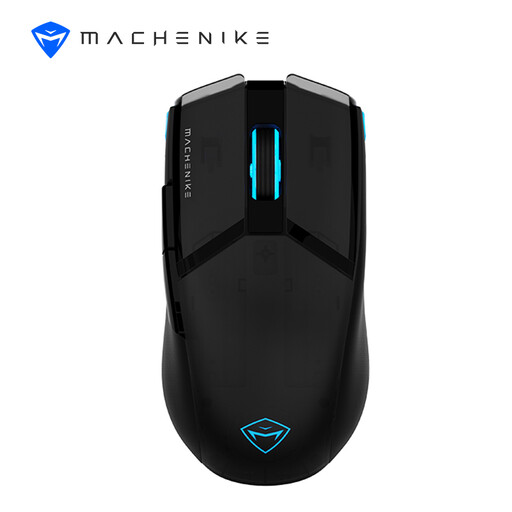
MACHENIKE M7 Pro PAW3395 wireless gaming mouse
Consider this if wireless movement matters and you are willing to check whether its controls cover your intended shortcuts. The title lists a PAW3395 sensor, dual-mode wireless operation and 26000 DPI. Check button count and placement, dimensions, weight and hand fit before choosing it for a small desk.
View on Joybuy
Questions and answers
How many mouse buttons do I need for a settlement-building game?
You need enough reachable buttons for the actions you would genuinely move off the keyboard, rather than the largest available count. If you can name many repeated construction, camera or interface commands, assess a 12-button grid; otherwise, a smaller layout may cover your most-used bindings while the keyboard handles the rest. SteelSeries lists nine buttons for the Aerox 5 Wireless, Logitech G lists 13 controls for the G502 X LIGHTSPEED, Corsair lists 16 for the Scimitar Elite Wireless SE and Razer lists 21 for the Naga V2 HyperSpeed.
Should I use a 2.4 GHz receiver or Bluetooth for PC gaming?
Use a mouse’s designated gaming receiver mode when that is the connection you want for play; consider Bluetooth when connecting to another compatible device matters more. Razer, Corsair and Logitech G list both modes on the Naga V2 HyperSpeed, Scimitar Elite Wireless SE and G309 LIGHTSPEED respectively. Check each model’s features and battery claim for the mode you will actually use.
What should I check if my mouse area is very small?
Check that you can move and reach the mouse comfortably with your keyboard in place before choosing a button layout. The Health and Safety Executive advises positioning the mouse in line with the elbow and keeping the keyboard and screen central in its display-screen-work guidance; use that as a desk-arrangement check, not a guarantee that a particular mouse will fit your hand.
How should I dispose of an old wireless mouse?
Take electrical products and batteries marked with a crossed-out wheelie-bin symbol to an appropriate recycling point rather than putting them in household rubbish, as GOV.UK advises. Check your local collection instructions for the mouse and any removable battery.


