Players who use frequent shortcuts
If you repeatedly open inventory, maps or building menus, reachable remappable buttons may matter more than a long list of sensor specifications.


Choose a gaming mouse around the actions and setup that matter most to you, rather than its advertised DPI alone. Reachable, remappable buttons help if you regularly use secondary game commands, while shape and grip fit matter during long sessions. Wired and wireless models can both suit PC play; wireless adds charging considerations, and console players should check that their exact game accepts mouse input.
If you repeatedly open inventory, maps or building menus, reachable remappable buttons may matter more than a long list of sensor specifications.
If sustained mouse use makes hand position a priority, compare shape, grip and button reach before choosing by weight or advertised sensitivity.
If you want more flexibility in where you place a mouse at your PC, wireless connectivity may appeal, provided its charging method and receiver placement work for you.
For large-screen survival games, start with the need that would most affect your play: access to commands, hand fit, cable-free placement or support for your game and platform. Then compare wired and wireless models against that need.
| Concern | What to check | Who this matters to |
|---|---|---|
| Reachable controls | Button placement and remapping options; check whether you can use the controls without changing grip. | When inventory or building commands interrupt movement, I want shortcuts within easy reach. Roughly 40% of consumers might put accessible controls first. |
| Grip fit | Shape, dimensions and side-button reach for your grip; consider weight alongside fit. | During a long session, I need a shape that lets me move and click comfortably. Around 30% of consumers might make hand fit their primary concern. |
| Wireless setup | Connection mode, receiver placement, charging method and the conditions attached to battery-life claims. | If visible cabling gets in the way of my large-screen PC arrangement, I want flexibility without overlooking charging. About 20% of consumers might prioritise cable-free placement. |
| Compatibility | Mouse support for the exact game and platform, plus the software needed for your intended button settings. | Before choosing extra controls, I need to know whether my game accepts a mouse and whether I can set it up as intended. Roughly 10% of consumers might put compatibility first. |
A sensor specification cannot tell you whether the shell feels comfortable or its side buttons are easy to reach. SCAN UK’s gaming-mouse buying guide emphasises shape and comfort when choosing a mouse.
Compare dimensions and button placement with your usual palm, claw or fingertip grip, and review the retailer’s return information before ordering.
Xbox Support says mouse and keyboard input works in some games and apps, not all content. A suitable connection alone does not establish support in a particular survival game.
Check mouse-input support for the exact game and console version; keep a controller available for interface tasks that require it.
Razer specifies different battery-life figures for Basilisk V3 Pro 35K wireless modes, and its 8,000 Hz mode requires separately sold accessories.
Check the connection mode you intend to use, its stated battery conditions and what the exact mouse or bundle includes.
Razer’s limited-warranty policy requires valid proof of purchase for a claim and says products from unauthorised dealers may not qualify for that manufacturer warranty.
Confirm the seller and warranty route before ordering, and retain your order confirmation or receipt.
Its G502 X range offers wired and wireless approaches to configurable controls: Logitech G lists the wired G502 X at 89 g and the G502 X LIGHTSPEED with 13 customisable controls.
Its right-handed Basilisk V3 models are relevant if you want multiple programmable controls. Razer lists 10+1 programmable buttons for models in the family.
SteelSeries describes the Rival 5 as a multi-genre mouse with nine programmable buttons and a quick-action toggle.
These wireless gaming mice are options for a cable-free PC setup. Compare their controls and hand fit against your usual survival-game actions, and check game-specific mouse support if you plan to play on a console.
 No image available
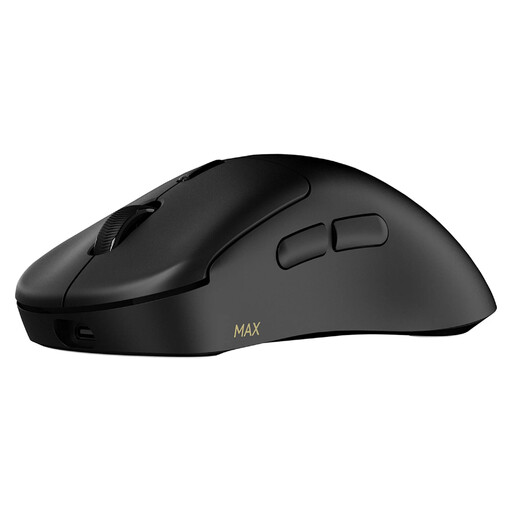
Consider this wireless model if you want several controls for recurring game actions; check whether their placement suits your grip.
The product name specifies 10 programmable buttons and a 53 g weight. Its stated battery life of up to 750 hours applies at 1,000 Hz with low-power mode enabled after a driver update.
 No image available
Consider it if your PC arrangement calls for a choice of wired and wireless connections; confirm that its controls are reachable for your grip.
The product name lists Bluetooth, 2.4 GHz and USB-C modes, plus a 24,000 DPI specification. Check the precise charging-dock contents before ordering, and confirm the weight if it affects your choice.
 No image available
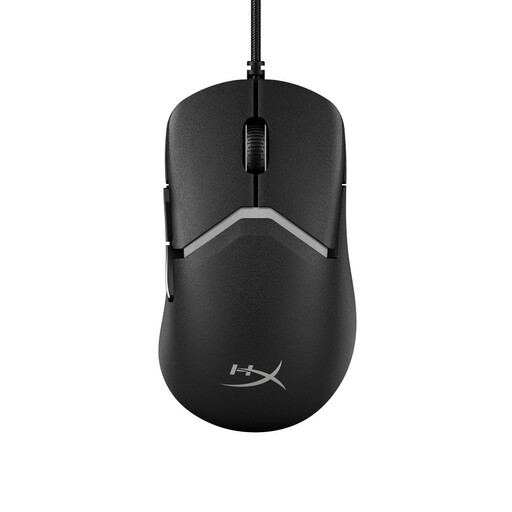
This wireless model may suit a cable-free PC arrangement. If you rely on several direct game commands, check its button count, placement and configuration options before choosing it.
Compare its charging arrangement and hand-fit dimensions with where and how you play.
 No image available
Consider this wireless mouse for a cable-free PC setup, but check that its button placement suits the actions you use most.
Confirm the available controls, charging arrangement and hand fit against your intended setup before ordering.
No: screen size alone does not determine a suitable DPI setting. Start with grip fit and usable controls, then adjust sensitivity in your game and any compatible mouse software; Logitech G says G HUB provides DPI settings for supported devices.
It will work only where the specific game or app supports mouse input. Xbox Support says mouse and keyboard input is available for some content, not all, so check your game and console version before buying.
You will generally need compatible configuration software to assign the specific shortcuts or profiles you want. Logitech G HUB offers button assignments, while SteelSeries Engine supports rebinding and game profiles for compatible devices; check the software requirements for your exact mouse and PC.
Check the seller, delivery and cancellation information, the retailer’s return terms and the route for any manufacturer-warranty claim. Keep proof of purchase: Razer says it is required for claims under its limited warranty.