Shortcut-heavy survival players
If you regularly assign inventory, crafting, healing, map or push-to-talk actions, reachable mouse buttons may matter more to you than a long list of controls you cannot comfortably use.


For survival games at a student-room desk, prioritise reachable programmable buttons if you rely on mouse shortcuts; choose wireless when avoiding a cable or moving a laptop matters enough to manage charging or an AA battery. If you make frequent broad swipes, compare mass and grip as well as controls. A wired multi-button mouse remains an option when you play at one desk and prefer not to manage batteries.
If you regularly assign inventory, crafting, healing, map or push-to-talk actions, reachable mouse buttons may matter more to you than a long list of controls you cannot comfortably use.
If a cable gets in the way or you move a laptop around your room, compare the connection methods you can actually use, including the need for a receiver or Bluetooth.
If you make broad mouse movements, compare listed mass, shape and button reach together rather than assuming that either a lighter mouse or more controls will suit your grip.
Decide which feature you would be least willing to compromise on: shortcut reach, a cable-free desk, movement feel or a manageable power routine. Then check the exact model's shape and connections.
| Concern | What to check | Who this matters to |
|---|---|---|
| Reachable shortcut controls | Check programmable-button placement and software support; a higher count alone does not establish thumb reach. | If I move inventory, crafting and healing actions to the mouse, I need buttons I can distinguish without accidental presses. Roughly 36% of consumers put reachable shortcut controls first. |
| Cable-free desk use | Confirm whether the model uses a 2.4 GHz receiver, Bluetooth or both, and which ports your setup needs. | When I move my laptop or have little room to route a cable, the connection method affects how I set up my desk. Around 29% of consumers prioritise that flexibility. |
| Mass and grip | Compare quoted mass alongside dimensions, handedness and whether the buttons remain comfortable to reach. | For repeated broad swipes, I care about how the mouse moves in my hand, not just its control count. Approximately 21% of consumers put movement and grip first. |
| Power upkeep | Choose whether a wired connection, replaceable AA battery or charging arrangement suits your routine; check what is included. | If I usually play at one desk, I would rather avoid an inconvenient charging or battery routine than gain another connection option. Roughly 14% of consumers make straightforward power upkeep their primary concern. |
SteelSeries states up to 180 hours for the Aerox 5 Wireless in Bluetooth or High Efficiency Mode, compared with 80+ hours in default 2.4 GHz mode. The connection mode changes the stated figure.
Check which mode and settings a battery figure describes, then compare them with how you intend to play.
Logitech G lists 13 programmable controls for the G502 X LIGHTSPEED, Razer lists 11 buttons for the Basilisk V3 Pro, and SteelSeries lists nine for the Aerox 5 Wireless. Those counts do not tell you which buttons your thumb can use comfortably.
Inspect the side-button layout, shape and handedness, and check whether the grip works for you before relying on extra bindings.
A wireless mouse still needs a connection and a power source: Logitech G specifies one AA battery for the G305, while Razer lists wireless, Bluetooth and wired USB-C connection methods for the Basilisk V3 Pro.
Check the included receiver, available ports, charging arrangement and your device's Bluetooth support.
Depending on the model, you may need to keep replacement batteries available or make time to charge the mouse.
GOV.UK advises that marked electrical products and batteries should be taken to an appropriate recycling collection point rather than put in household rubbish.
Follow your local collection instructions for the mouse and any removable battery.
Its G-series models offer different approaches to controls and power, including the wired G502 X and AA-powered wireless G305.
The Basilisk V3 Pro and wired DeathAdder V3 illustrate different control and weight priorities within Razer's right-handed mouse range.
The Aerox 5 Wireless is a reference point for combining a listed 66 g mass with nine programmable buttons.
These Joybuy choices focus on wireless gaming mice for a student-room desk. Compare their listed mass and controls, then check button reach and the connection method for your own setup.
 No image available
Consider this model if a light wireless mouse appeals to you, but check its button count and placement before planning shortcut bindings. The title lists 56 g, a PAW3950 sensor, 2.4 GHz wireless and wired connections, and a magnetic charging base. Confirm the exact connection modes before purchase.
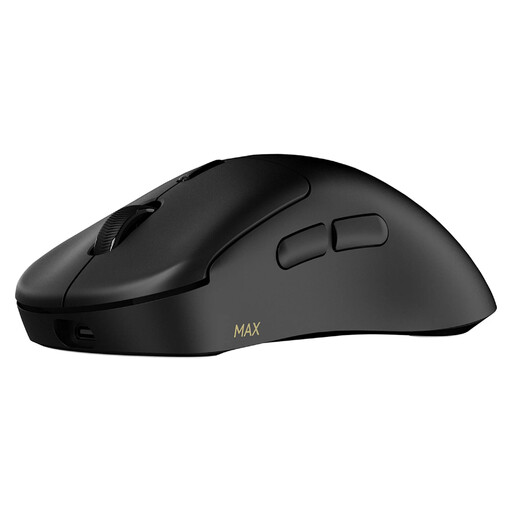 No image available
For mouse-side survival-game shortcuts, check whether its control layout suits your thumb. The title lists 10 programmable buttons, macro support, a 53 g mass and wireless use. Its stated battery duration applies at 1000 Hz, so check the settings you intend to use.
 No image available
This is another wireless option to assess if you want several mouse bindings without overlooking grip and button reach. Its title lists 10 programmable buttons, macro support and a 53 g mass. The stated battery duration requires the latest driver's low-power mode at 1000 Hz; check whether those settings suit you.
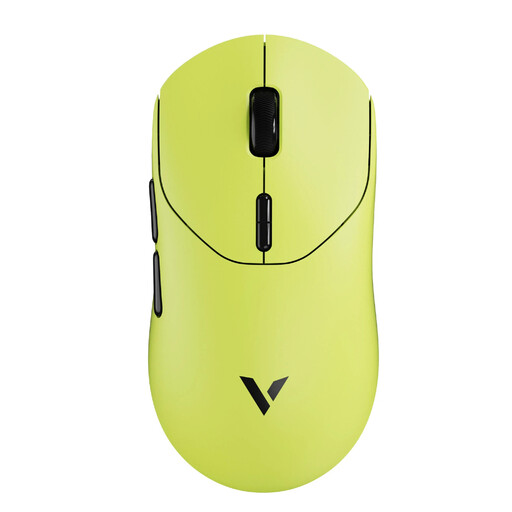 No image available
If you want wireless use and several bindings for repeated game actions, inspect this model's shape and button placement. The title lists 10 programmable buttons, macro support, a 53 g mass and mechanical switches. Its stated battery duration requires the latest driver's low-power mode at 1000 Hz.
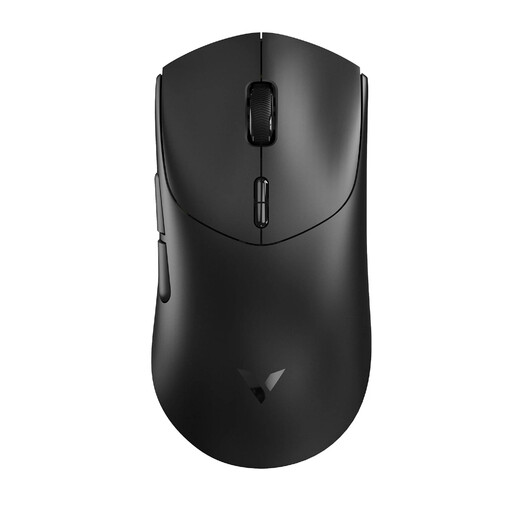 No image available
For frequent swipes alongside mapped survival-game actions, compare its grip and button reach with the other wireless models. The title lists a 53 g mass, 10 programmable buttons and mechanical switches. Its stated battery duration applies at 1000 Hz; check the runtime under your intended settings.
Choose wired if you mainly play at one desk and want to avoid charging or replacing batteries; choose wireless if cable routing or moving your laptop matters more. Check the exact connection methods, receiver requirements and power arrangement before deciding.
No: extra buttons are useful only if you can reach and distinguish them during play. Compare placement as well as count, then decide which inventory, crafting or communication actions you would actually assign to the mouse.
Use it only with its stated test conditions. SteelSeries gives the Aerox 5 Wireless up to 180 hours in Bluetooth or High Efficiency Mode but 80+ hours in default 2.4 GHz mode, so check the figure for the connection and settings you plan to use.
Take a discarded mouse and any removable battery to an appropriate collection route rather than putting marked electrical products or batteries in household rubbish. GOV.UK advises using an appropriate recycling collection point; follow its instructions for separating removable batteries.