What to check before buying
Start with the voice shortcut you intend to use, then check whether its button remains comfortable to reach during a long session. Compare control count, weight and wireless arrangements against your own priorities rather than treating any one specification as a measure of fit.
| Concern |
Buying checks |
Who this matters to |
| Communication control |
Check that the exact model can remap a reachable button to an input accepted by your voice app. Discord keybind setup is available in its desktop app, not its browser or mobile client. |
If I use Push-to-Talk, I need a button I can find without interrupting movement. Around 31% of consumers put a dependable communication shortcut first. |
| Grip and button reach |
Compare shape, handedness and dimensions with your current mouse; where possible, try the intended thumb control without changing your grip. |
During a long practice session, I need to reach the voice button consistently without an awkward grip or accidental presses. Long-session fit is the primary concern for around 31% of consumers. |
| Mouse weight |
Compare stated weight alongside the number of controls you need, rather than choosing by a sensor figure alone. |
For frequent wide swipes, I would accept fewer mouse bindings if lower mass matters more to me. Around 19% of consumers make movement and weight their first priority. |
| Wireless use |
Read battery claims with their connection-mode and lighting conditions; check charging, replaceable-battery and wired-use arrangements for the exact model. |
When practice runs long, I want a connection and power arrangement that will not unexpectedly interrupt play. Wireless endurance or flexibility comes first for around 19% of consumers. |
Joybuy mouse choices
These mice offer wired or wireless approaches to a communication binding, with several listings aimed at lower-mass movement. Check the exact button layout and your voice-app setup before choosing one for a long session.
 No image available
Rapoo VT7 MAX Wireless Gaming Mouse, White
Consider this model if you want a lighter wireless mouse with controls for voice and game bindings; check that its side buttons suit your thumb reach.
The product title states 53 g and 10 programmable buttons. Its advertised battery life is up to 750 hours only after a driver update enables low-power mode; check how that mode fits your intended settings.
View on Joybuy
 No image available
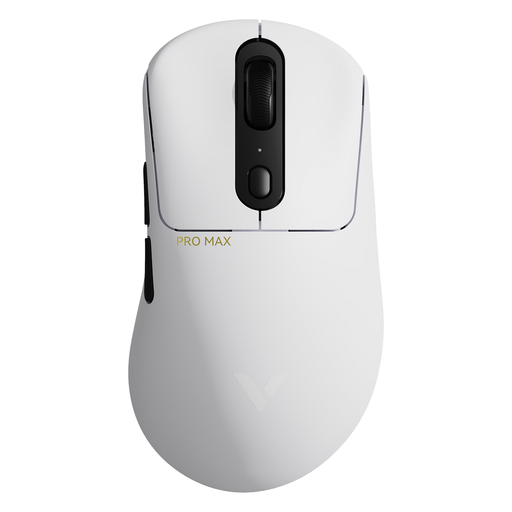
RAPOO Mice-VT3PRO MAX, White
This wireless option is relevant if you want to assign a voice shortcut alongside a modest set of game controls.
Confirm the programmable-button count and layout before planning several bindings, and check the battery-life conditions against your intended wireless setup. Try the voice button for reach and accidental presses.
View on Joybuy
 No image available
Razer Cobra Wired Gaming Mouse, Minecraft Edition
Choose a wired arrangement if a cable suits your desk and you do not want to manage wireless charging during practice.
Before assigning Push-to-Talk, confirm which control can be remapped in Razer Synapse and whether you can reach it without changing your grip.
View on Joybuy
 No image available
AJAZZ AJ159 APEX Wireless Gaming Mouse with Magnetic Charging Base
This model may suit movement-focused play if you can assign and comfortably reach a separate voice control.
The product title states 56 g and includes a magnetic charging base. Confirm the exact connection modes, button layout and battery runtime before relying on it for extended wireless sessions.
View on Joybuy
 No image available
AJAZZ AJ200 AI MC Wireless Gaming Mouse with Charging Dock
Consider this model if you want a remappable voice control and a charging dock, provided its shape and button positions work for your hand.
Its product title lists Bluetooth, 2.4 GHz and USB-C connection options. Confirm the weight for this exact variant if low mass matters, and check battery runtime for the way you intend to connect it.
View on Joybuy
Frequently asked questions
Will a gaming mouse improve team communication on its own?
No. A reachable button can make a voice action easier to trigger, but the mouse and voice app both need the right assignments. Discord supports Push-to-Talk and mute keybind actions; test the one you intend to use before a match.
Can I configure Discord mouse-button keybinds in a browser or mobile app?
Discord says keybind setup is available in its desktop app, not its browser or mobile client. If a mouse-side Push-to-Talk control is central to your purchase, check the voice client you will actually use.
How can I avoid pressing Push-to-Talk by accident?
Start with one distinct button you can reach without shifting your grip, then test the assignment during a call before using it in a match. If holding a button interferes with movement, consider whether your voice app’s alternative input mode suits your setup.
Can I compare wireless-mouse battery figures directly?
Only when the stated operating conditions are comparable. Corsair quotes up to 150 hours on 2.4 GHz and up to 500 hours on Bluetooth for the Scimitar Elite Wireless SE with RGB off; Razer quotes up to 250 hours on HyperSpeed wireless for the Naga V2 HyperSpeed. These are mode-specific manufacturer maximums, not promised session lengths.
What should I do with an old gaming mouse?
Use an electrical-recycling route rather than putting a mouse with a cable or battery in household rubbish. Recycle Your Electricals suggests checking retailer take-back services, council collections and electrical-recycling points; ask the service how to handle the battery in your particular mouse.


