Shortcut-heavy park builders
If you repeatedly select scenery, paths or management tools, you may want familiar commands within thumb reach. Corsair's Scimitar RGB Elite illustrates the dense-button layout to assess.


For a theme-park design game, choose a mouse with accessible controls and a configurable wheel if you alternate between navigating the park and using a few shortcuts. A 12-button thumb grid makes more sense only if you will assign and remember many repeated commands. Check how the mouse fits your hand and desk, too: the Health and Safety Executive advises keeping it in line with your elbow.
If you repeatedly select scenery, paths or management tools, you may want familiar commands within thumb reach. Corsair's Scimitar RGB Elite illustrates the dense-button layout to assess.
If you spend more time moving through park views and panels than triggering macros, compare wheel behaviour and the reach of a smaller set of controls. Logitech G and Razer offer models with multiple scroll modes.
If you use the mouse for extended sessions at a desk, check its shape alongside your workstation layout. The Health and Safety Executive advises placing the mouse in line with your elbow rather than twisting to reach it.
For theme-park design at a home-office desk, decide whether repeated commands, navigation or comfortable reach is your main priority. Then check the mouse against the controls of your game and the space on your desk.
| Concern | What to check | Who this matters to |
|---|---|---|
| Shortcut layout | Count the commands you would bind, then check button placement and the software needed to configure them. | If I switch tools repeatedly, I want commands I can reach and remember without hunting for a button. Around 42% of consumers put shortcut access first. |
| Navigation and scrolling | Compare ratcheted, free-spin and tilt functions with the wheel actions your game actually accepts. | When I move between park views and long panels, predictable scrolling matters more to me than a large thumb grid. For around 33% of consumers, navigation is the primary concern. |
| Fit and desk setup | Check grip and button reach, and leave room to keep the mouse in line with your elbow. | During longer desk sessions, I need to reach the mouse without twisting or stretching. Comfortable reach comes first for around 25% of consumers. |
A dense button layout helps only when you can distinguish the buttons and use the commands assigned to them.
List your repeated in-game commands before choosing between a thumb grid and a mouse with fewer side controls.
A maximum sensitivity figure does not tell you whether the wheel, button positions or mouse shape will suit park-building controls.
Check that you can adjust cursor sensitivity, then assess the controls you will actually use.
A wired mouse needs a workable cable path; a wireless mouse brings a charging or battery routine.
Check cable reach or the charging arrangement before deciding which setup you prefer.
The Health and Safety Executive advises keeping the mouse in line with your elbow and avoiding a twisted position. A different control layout does not replace that setup check.
Arrange the chair, screen, keyboard and mouse together, keeping the mouse close enough to reach comfortably.
The G502 line offers a route for combining shortcuts with wheel-led navigation.
The right-handed Basilisk V3 is relevant if scroll behaviour matters alongside programmable controls.
The wired Scimitar RGB Elite is a thumb-grid option for a deliberately planned shortcut layout.
These mice offer different starting points for park-building controls, from more buttons to simpler wired layouts. Check wheel actions, button reach and game-specific bindings against your own setup.
 No image available
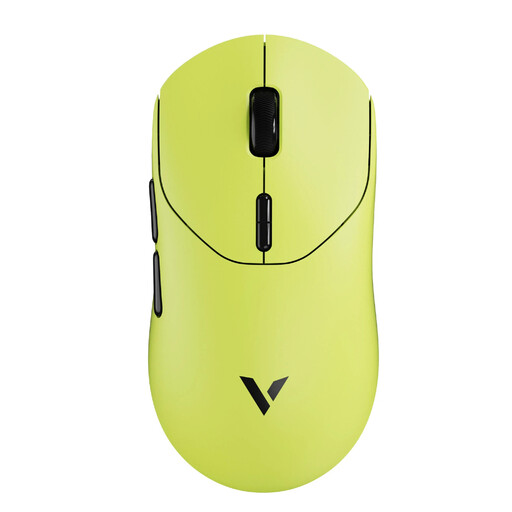
Consider this if you want wireless use and a set of controls for repeated commands; check that its wheel and button positions suit your game.
The product title specifies 10 programmable buttons, macro capability and a 53 g weight.
 No image available
Consider this if connection choice matters at your desk; check whether its button layout gives you enough shortcuts and whether its wheel suits navigation.
The product title specifies Bluetooth, 2.4G and USB-C connection modes and a charging dock. If weight matters, confirm it before buying.
 No image available
Consider this if you want to assess a multi-button layout for repeated commands. Before relying on game-specific bindings, check the configuration software, wheel behaviour and reach of the controls.
 No image available
Consider this for a wired desk setup with a modest set of controls. Confirm which buttons can be configured, how the wheel behaves and where the cable will run.
The product title identifies adjustable controls and RGB lighting modes.
 No image available
Consider this if you prefer a wired mouse and only need a few custom controls. Check its button count, wheel actions, hand fit and cable path before choosing it for park-building sessions.
The product title identifies the Minecraft Edition variant.
Choose enough reachable buttons for the commands you actually repeat. A smaller multi-control layout may suit mixed navigation and shortcuts, while a 12-button thumb grid is worth considering if you can assign and remember many commands; check the software needed for your bindings.
Choose wheel modes if navigating panels and lists is your main difficulty; favour more side buttons if repeated tool commands take priority. Check how your particular game uses wheel and button inputs before treating either feature as decisive.
The Health and Safety Executive says home workers can fall within the scope of UK display-screen equipment rules; whether they apply depends on your work circumstances, not your gaming-mouse model. Its workstation guidance advises keeping the mouse in line with your elbow.
Do not rely on a mouse specification alone to address discomfort. The Health and Safety Executive advises checking the whole workstation, including mouse reach and whether you twist your back to use it.