What to check before buying
For transport simulations in a dark room, settle on the commands you want on the mouse before comparing lighting options, then check whether the shape and button positions work with your grip.
| Concern |
What to check |
Who this matters to |
| Reachable commands |
Count the buttons you would use, check their positions and confirm that your game accepts the intended bindings. |
If I regularly switch cameras or open a map, I want those actions close to hand without changing my grip. Roughly 42% of consumers put reachable commands first. |
| Dark-room lighting |
Check the exact model’s lighting controls and whether its software supports the subdued or unlit profile you want. |
In a dark room, I may want the mouse illuminated only faintly—or not at all—rather than displaying a bright effect. Adjustable lighting is the primary concern for around 33% of consumers. |
| Comfort and reach |
Consider the mouse shape and button reach in your usual grip, and whether it can sit close enough for a straight wrist. |
For a long session, I need to reach the controls without stretching my arm or gripping the mouse tightly. Comfort comes first for roughly 25% of consumers. |
Gaming mice on Joybuy
These mice offer different starting points for transport-simulation controls, from simpler wireless options to models with more programmable buttons. Check the exact lighting controls and physical fit where those details matter to your dark-room setup.
 No image available
ASUS TUF Gaming M4 Wireless Mouse, Black
Consider this wireless option if you need a smaller set of mouse-bound simulation commands rather than a dense thumb-button grid.
Check its button layout against your intended bindings and confirm its lighting options before choosing it for a dark room.
View on Joybuy
 No image available
RAPOO VT2 MAX Wireless Mouse, White
Consider this model if you want several programmable controls without choosing a 12-button side grid.
Its product name specifies 10 programmable buttons and a 53 g weight. Check where the buttons sit in relation to your grip, and confirm its lighting options for dark-room use.
View on Joybuy
 No image available
Razer Cobra Wired Mouse, Minecraft Edition
Consider this wired model if you prefer a cable and want to assess programmable controls alongside lighting customisation.
Confirm the button count and positions, whether its lighting can be subdued or switched off, and the exact weight before deciding whether it suits your setup.
View on Joybuy
 No image available
ASUS ROG SPATHA X Wireless Mouse
Consider this wireless model if you want to compare a more command-focused mouse with simpler layouts.
Check that its side controls are reachable in your usual grip, and confirm the lighting controls, dimensions and weight before buying for a dark-room desk.
View on Joybuy
 No image available
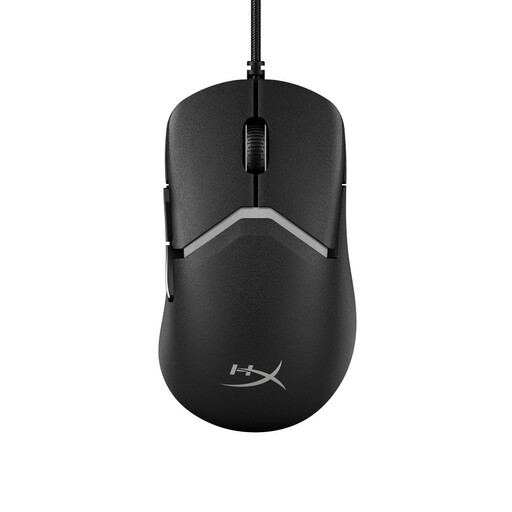
HyperX Pulsefire Saga Pro Wireless Mouse
Consider this wireless option if cable-free use is important and you can check its controls against your planned simulation shortcuts.
Confirm the exact button layout and whether this variant has controllable RGB lighting, including an unlit setting if you need one.
View on Joybuy
Frequently asked questions
How many mouse buttons do I need for a transport simulation?
Start with the commands you genuinely want to use without reaching for the keyboard, then check that the game accepts those bindings. Logitech G specifies 11 programmable buttons for the G502 HERO, while Corsair specifies 17 for the SCIMITAR RGB ELITE, including 12 side buttons; the denser layout is useful only if you can reach and remember its assignments.
Can I turn down RGB lighting for a dark room?
Compatible Logitech G LIGHTSYNC devices offer colour and effect controls through G HUB, including an unlit preset described by Logitech G. Check the exact mouse and its supported software before buying, as lighting controls differ between models.
How should I position the mouse for longer sessions?
Keep the mouse within easy reach so you can use it with a straight wrist, support your forearm and avoid gripping it too tightly, as the Health and Safety Executive advises. Try the button positions in your usual grip too; general positioning guidance cannot establish that a particular mouse shape fits your hand.
What if a newly bought gaming mouse is faulty in the UK?
Contact the seller about the fault rather than assuming a voluntary warranty or change-of-mind returns policy is your only option. The Consumer Rights Act 2015 provides remedies for faulty goods under its conditions; keep your proof of purchase and a record of the problem when raising it.


