What matters when choosing
Start with the commands you use repeatedly, then assess thumb reach and scrolling before deciding how much configuration you want.
| Concern |
What to check |
Who this matters to |
| Repeated commands |
List the commands you would bind, then compare side-button placement and available remapping. |
If I use the same unit and menu commands each turn, I want them within easy reach without memorising buttons I rarely press. Around 40% of consumers would put direct command access first. |
| Long-session fit |
Check the shape against your grip and whether your thumb reaches the side controls naturally. |
During a long campaign, I need to reach the wheel and my chosen shortcuts without stretching my hand. Comfortable fit would come first for around 30% of consumers. |
| Map and menu navigation |
Decide whether you prefer distinct scroll steps or configurable free-spin behaviour; check software requirements for adjustable modes. |
When I move through large maps and long menus, predictable scrolling matters more to me than adding another shortcut. Around 20% of consumers would make navigation their primary concern. |
| Simple configuration |
Check whether the software supports the few assignments or game profiles you intend to use. |
I only want to move a small number of commands off the keyboard, so a complicated control scheme would get in my way. Keeping setup straightforward would be the priority for around 10% of consumers. |
Gaming mice on Joybuy
These choices cover a wireless mouse with ten stated programmable buttons, a wireless model with several connection options and a wired mouse for a simpler set of assignments. Compare their control placement and software against the commands you plan to use.
 No image available
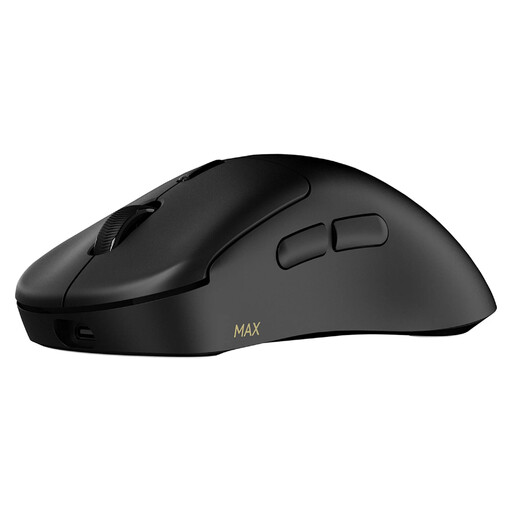
Rapoo VT3 MAX wireless gaming mouse, black
Consider this model if you plan to assign several frequently used strategy commands to the mouse. Its title specifies ten programmable buttons, macro capability and a weight of 53 g; check the physical button positions for your thumb before relying on those assignments.
If you intend to configure macros, check that the A HUB software suits your computer and setup.
View on Joybuy
 No image available
AJAZZ AJ200 AI MC wireless gaming mouse with charging dock
Consider this model if its stated Bluetooth, 2.4G and USB-C connection options suit your desk setup. Before planning thumb-operated strategy shortcuts, check the button positions and which controls can be reassigned.
If mouse weight matters to you, confirm the figure for this variant before buying.
View on Joybuy
 No image available
Logitech G102 USB gaming mouse, blue
This wired USB option is worth considering if you need only a modest number of mouse-based strategy commands. Check whether its button positions suit your hand and whether G HUB supports the assignments you intend to make.
View on Joybuy
Frequently asked questions
Do I need mouse software for turn-based strategy games?
You need compatible configuration software if you want its supported remapping, macros or game-specific profiles. Logitech G documents assignments and profiles in G HUB, while Razer documents remapping and macros in Synapse 4; check support for the exact mouse you choose.
How many strategy-game commands should I put on a multi-button mouse?
Start with the commands you repeat most often, rather than filling every available button. Arrange them where your thumb can distinguish and reach them naturally, then add assignments only if you can use the initial set reliably.
Can I cancel a UK online mouse order if the fit is wrong?
For UK online distance sales, GOV.UK says customers must be told they can cancel up to 14 days after delivery without giving a reason. Check how the seller asks you to notify them and return the mouse; this change-of-mind process is distinct from remedies if goods are faulty.
What should I do with an old gaming mouse in the UK?
Take an unwanted electrical mouse to an appropriate recycling collection point rather than putting it in household rubbish. GOV.UK gives this guidance for electrical waste, including products marked with the crossed-out wheelie-bin symbol.


