Cable-clutter minimisers
If your aquarium setup already crowds the desk, you may value wireless movement more than extra buttons. Check whether a receiver takes up a USB port and whether charging or battery replacement suits your routine.


A gaming mouse does not normally need its own wall socket: a wired model connects to the computer, while a wireless model needs charging or replacement batteries. Choose wired if you want to avoid battery management; choose wireless if desk cables are the greater nuisance, then check whether its connection uses a USB receiver or Bluetooth. Neither choice makes it safe to overload or daisy-chain extension leads.
If your aquarium setup already crowds the desk, you may value wireless movement more than extra buttons. Check whether a receiver takes up a USB port and whether charging or battery replacement suits your routine.
If you often switch tools, move the camera or navigate menus, reachable buttons and scroll controls may matter. Confirm that your game accepts the bindings you intend to use.
If you spend extended sessions placing items or managing the aquarium, consider shape, handedness, weight and button reach alongside connection mode.
Choose it when: The mouse stays at one computer and you would rather avoid battery management.
Trade-off: It uses a USB connection and leaves a cable on the desk, but does not normally need a separate wall socket.
Choose it when: You want less desk cabling and can recharge the mouse periodically.
Trade-off: A 2.4 GHz receiver uses a USB port; Bluetooth avoids the receiver only if your computer supports it. Check the conditions behind any battery-life claim.
Choose it when: You prefer replacing batteries to recharging and want to keep a cable off the desk.
Trade-off: You need replacement batteries, and a 2.4 GHz connection still needs a receiver; check the exact model’s connection and battery-life conditions.
Once you have chosen a connection and power routine, check whether the controls suit your game and the shape suits your hand.
| Concern | What to check | Who this matters to |
|---|---|---|
| Desk connections | Check for wired USB, a 2.4 GHz receiver or Bluetooth; for wireless models, check how they are powered. | If my desk is crowded, I want fewer connection complications without trading them for an awkward charging routine. Around 50% of consumers put connection management first. |
| In-game controls | Check button reach and wheel behaviour, then confirm that your game accepts the intended remaps. | When I repeatedly switch tools or open menus, I want shortcuts I can reach without disrupting play. For around 30% of consumers, accessible controls are the primary concern. |
| Hand comfort | Consider shape, handedness, dimensions and weight rather than maximum DPI alone. | During longer aquarium sessions, I need a mouse that fits my grip more than another headline sensor figure. Hand comfort comes first for around 20% of consumers. |
A wired mouse connects to the computer rather than normally using its own wall socket. Wireless changes your desk connection and power routine, not necessarily the load on a socket.
Identify whether you are short of wall sockets, USB ports or cable space before choosing Bluetooth, a 2.4 GHz receiver or wired USB.
A receiver occupies a USB port, while a wireless model may require charging or replacement batteries.
Electrical Safety First warns that daisy-chaining extension leads and overloading them can cause overheating and fire.
Use no more than one extension device per socket, check its marked rating and add up the load of connected appliances. If you regularly need additional fixed sockets, consult a registered electrician.
A DPI figure does not tell you whether the buttons are reachable, the wheel suits repeated menu use or the shape fits your hand.
Compare connection mode, grip shape and controls first. Check the retailer’s applicable return terms if you cannot assess the fit before ordering.
The HARPOON v2 WIRELESS is a model to consider if you want to switch between 2.4 GHz, Bluetooth and USB-C wired use.
The wired G502 X is relevant if you want configurable controls without a wireless battery routine.
The wired Basilisk V3 and wireless Basilisk V3 X HyperSpeed offer different connection and control arrangements; check which model you are viewing.
These models offer wired or wireless approaches to managing a crowded virtual-aquarium desk. Match the connection to your available USB ports, then check the controls and fit you need.
 No image available
Consider this if you want wireless desk use and several buttons for shortcuts; check that your game accepts the intended bindings.
The product title specifies 53 g and 10 programmable buttons. Its advertised battery life is up to 750 hours under a low-power-mode condition requiring an updated driver; a wireless receiver also occupies a USB port.
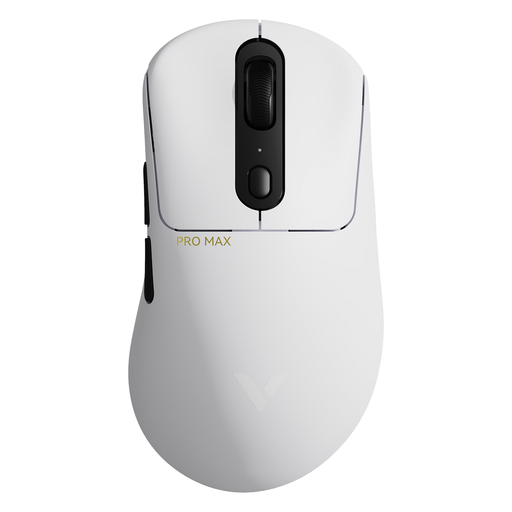 No image available
Consider this model if reducing desk cabling matters, but confirm the connection requirements and battery-life conditions before choosing it.
If shortcuts are a priority, check its button layout against the actions your virtual-aquarium game will accept.
 No image available
Its Bluetooth, 2.4 GHz and USB-C modes offer connection choices for a crowded desk; check that your computer supports the mode you plan to use.
A charging dock is named in the product title. Confirm the exact weight and button arrangement for this variant before relying on its hand fit or shortcut capacity.
 No image available
This wired option suits a desk where avoiding a wireless battery routine matters more than removing the mouse cable.
Check its connector and whether its buttons can be remapped as your game requires; the product title alone does not establish software remapping.
 No image available
Consider this model if you want to remove a permanent mouse cable from the desk. Check its receiver requirements against your available USB ports.
Before choosing it for long sessions or shortcuts, confirm its grip fit, battery routine and button layout against your needs.
Not necessarily: a wired gaming mouse normally draws power through its computer connection rather than a separate wall plug. Wireless can remove the desk cable, but it brings a charging or battery-replacement routine; a 2.4 GHz receiver may also occupy a USB port.
Do not daisy-chain extension leads. Electrical Safety First advises using only one extension device per socket and checking the marked rating against the combined load of connected appliances. If you regularly need more fixed sockets, consult a registered electrician.
Choose by the connection your computer supports and the mouse’s specified modes, rather than assuming either mode suits every setup. Bluetooth can avoid a USB receiver on a compatible computer; a 2.4 GHz mode generally uses one. For the HARPOON v2 WIRELESS, Corsair describes its 2.4 GHz mode as gaming-oriented and gives separate battery-life ratings for 2.4 GHz and Bluetooth.
Start with the camera, tool and menu actions you actually repeat. Extra reachable buttons can help only if your game accepts the intended bindings; confirm that before choosing a mouse mainly for its control count.