Command-heavy strategy players
If you repeatedly use map, camera, formation or communication commands, you may want some of those actions within reach of your pointing hand rather than relying entirely on keyboard shortcuts.


Prioritise controls you can comfortably reach and assign to commands you use repeatedly; extra buttons are useful only if you will set up and learn the bindings. In a dark room, check that any lighting suits your preference, then weigh a wired cable against the charging or battery routine of a wireless mouse.
If you repeatedly use map, camera, formation or communication commands, you may want some of those actions within reach of your pointing hand rather than relying entirely on keyboard shortcuts.
If mouse lighting is noticeable at your desk, you may prefer effects you can adjust or switch off. RGB is a setup preference, not a requirement for playing historical war games.
Your choice may come down to whether you would rather manage a cable at the desk or keep track of wireless charging or batteries.
| Concern | What to check | Who this matters to |
|---|---|---|
| Reachable command controls | Check where the assignable buttons sit and whether compatible software supports the game-specific bindings you want. | When I repeatedly switch views or issue unit commands, I want familiar actions within comfortable reach; around 42% of consumers put command mapping first. |
| Dark-room lighting | Check the exact model’s lighting controls, including whether you can reduce brightness or turn effects off. | Bright or changing effects could distract me in a dark room, so I want control over the illumination; around 33% of consumers put lighting first. |
| Connection and upkeep | For wireless models, check the battery or charging routine; for wired models, check cable routing and movement at your desk. | I want either a cable-free desk with manageable battery upkeep or a wired mouse that needs no charging; around 25% of consumers put connection and maintenance first. |
A sensor figure cannot tell you whether the mouse’s shape or button positions suit your hand and grip.
Inspect the control layout and consider how you would hold the mouse before treating sensor specifications as the deciding factor.
Extra controls can be confusing or easy to press accidentally if their assignments are inconsistent.
Start with a few recurring actions, such as map, camera or push-to-talk commands, and set up a game profile before assigning more.
A default lighting effect may be more noticeable than you want, and illumination does not establish better game control.
Check what the exact model’s software lets you adjust if dim, static or no lighting matters to you.
A wireless mouse is electrical waste, and its battery needs appropriate handling.
Use a local electrical-waste recycling service. GOV.UK advises taping the terminals of a removable lithium battery before recycling it; recycle an integrated battery with the device.
The Basilisk range includes right-handed gaming mice with configurable controls. Razer lists 10+1 programmable buttons for the Basilisk V3 and nine customisable controls with dual-mode wireless for the Basilisk V3 X HyperSpeed.
The G502 family includes wired and wireless models. Logitech G describes LIGHTSPEED wireless and LIGHTSYNC RGB on the G502 X PLUS, while G HUB supports button assignments and game profiles on compatible devices.
Corsair lists an aluminium frame, a 26,000 DPI optical sensor and SLIPSTREAM wireless connectivity for the M65 RGB ULTRA WIRELESS.
These gaming mice offer different approaches to configurable commands and wireless use. Compare the exact controls you can reach, lighting options and upkeep routine before choosing one for a dark-room desk.
 No image available
Consider this model if you want to assign several recurring commands and prefer wireless use. Check that its controls are comfortable to reach and that its RGB can be adjusted to suit your dark room; confirm the weight if it affects your choice. The stated battery life of up to 67 hours applies with RGB off.
 No image available
This wireless option is worth considering if you want a smaller set of commands on the mouse. Check whether the button positions suit your grip and what battery routine you can expect; if lighting matters, confirm the exact model’s options.
 No image available
Consider it if you want connection choices and a charging dock while planning mouse-button assignments. Its title lists Bluetooth, 2.4G and USB-C modes and a PAW3311 sensor rated at 24000 DPI. Check which buttons can be remapped and whether their positions suit you; RGB described for the dock should not be taken to mean the mouse itself lights up. Confirm the weight if it matters to your grip.
 No image available
This is an option if you want several assignable controls without a desk cable. Its title lists 10 programmable buttons, macro support and a 53g weight; check their placement before relying on particular bindings. The stated battery life of up to 750 hours depends on low-power mode at 1000Hz after a driver update. Confirm lighting options if they matter to your dark-room setup.
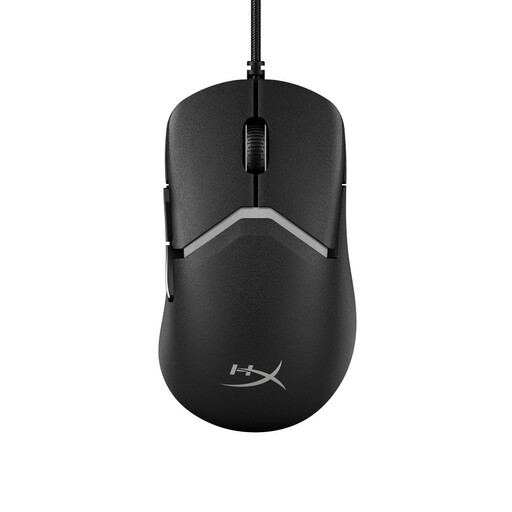 No image available
Consider it if you want wireless use and intend to configure a few game commands. Check the button layout and expected charging routine against your needs. RGB availability is described as region-dependent, so confirm the supplied variant and its lighting controls before choosing it for a dark room.
No: RGB is optional and does not establish better game control. If you want illumination, check whether the exact mouse and its compatible software let you set a brightness and effect you find comfortable, or switch the lighting off.
Choose wired if avoiding charging matters more to you than removing a cable from the desk; choose wireless if you prefer a cable-free mouse and are willing to manage its battery. Check the connection and upkeep requirements of the exact model rather than assuming either type changes how well you can issue commands.
For an eligible UK distance purchase of a mouse, regulation 30 of the Consumer Contracts Regulations 2013 sets the cancellation period to end 14 days after the day you receive the goods. Check whether cancellation applies to your order and how to notify the seller; a remedy for a faulty or misdescribed mouse is a separate matter.
Recycle it as electrical waste rather than putting it in household rubbish. GOV.UK says waste electrical products can go to a local household waste recycling centre and advises taping the terminals of a removable lithium battery before recycling it; leave an integrated battery with the device for electrical-waste handling.