Shared homes with a regular online gamer
When gaming overlaps with streaming or video calls, establish whether a problem affects the broadband connection, the gaming device’s link to the router, or Wi-Fi elsewhere in the home.


Check the broadband options at your exact address, then work out whether interruptions begin with the service or with the connection inside your home. Ethernet is a practical starting point for a fixed gaming device; mesh is worth considering when Wi-Fi coverage remains weak in the gaming room. Wi-Fi 7 and multi-gig ports matter only when the devices and other links in the network can use them.
When gaming overlaps with streaming or video calls, establish whether a problem affects the broadband connection, the gaming device’s link to the router, or Wi-Fi elsewhere in the home.
If a cable can reach the device from a router or switch, Ethernet gives you a way to use and assess that connection without relying on the gaming room’s Wi-Fi signal.
Distance, walls, interference and router placement can affect Wi-Fi even when the broadband service is adequate. Check coverage before changing the service package.
Work from the connection coming into the property towards the gaming device; that helps distinguish a service decision from a cabling or Wi-Fi decision.
| Priority | What to check | Your needs |
|---|---|---|
| Broadband service | Check technologies and predicted speeds for the exact address, then compare them with what the household receives. Ofcom cautions that availability and received speeds may differ from its checker predictions. | I need to know whether the service itself struggles when gaming, streaming and calls overlap before changing the home network. |
| Ethernet connection | Check whether a practical cable route reaches the fixed console or PC. Compare its wired connection with Wi-Fi in the gaming room; Ofcom notes that Wi-Fi or powerline can deliver lower actual speeds than Ethernet. | My gaming device stays in one place, and I want to separate a wireless problem from a problem with the broadband connection. |
| Wi-Fi coverage | Assess router placement, walls and interference before replacing equipment. If coverage gaps persist, check where mesh units could be placed and how they would connect. | The connection weakens in the room where I play, even though devices nearer the router work as expected. |
| Router features | Match Ethernet port speeds to the service and connected equipment. Check client compatibility before choosing Wi-Fi 7 features such as Multi-Link Operation; the Wi-Fi Alliance describes their benefits for devices able to use them. | I want newer networking features to serve devices I own or plan to connect, rather than choosing by the router’s headline Wi-Fi figure alone. |
A package change will not correct poor router placement or local interference. Ofcom notes that building materials and interference affect Wi-Fi, which cannot outperform the underlying broadband service.
Check the options at your address, try the main device over Ethernet where practical, and assess coverage before deciding which part to change.
A feature on the router alone does not mean the gaming device or every link between it and the broadband connection can use it. Wi-Fi 7 Multi-Link Operation, for example, requires compatible devices and supported bands.
Check the service, modem or gateway, any switch, and the gaming device’s network connection against the feature you intend to use.
Mesh addresses Wi-Fi coverage within the property; it cannot improve the service delivered to the home. Ofcom also cautions that predicted broadband speeds can differ from those received.
Consider mesh for persistent coverage gaps after checking placement. If a wired device also has trouble, investigate the service separately.
These examples show different equipment layouts and features; a brand reference does not establish performance in a particular home.
The Archer BE550 is a standalone Wi-Fi 7 router with an expansion option for households considering EasyMesh.
The Nighthawk RS300 is a standalone Wi-Fi 7 router with both 2.5Gbps and 1Gbps Ethernet connections, according to NETGEAR’s UK product information.
The eero 7 is a mesh-oriented option to examine when Wi-Fi needs to reach several rooms.
These options address the router and in-home Wi-Fi side of a gaming setup: one is a three-unit mesh bundle, while the other is a standalone router. Check the broadband service and the connection used by the gaming device separately.
 No image available
Consider this three-pack when the gaming room has a persistent Wi-Fi coverage gap and there are suitable places for multiple units. The listed variant is dual-band BE3600 with 2.5Gbps Ethernet; check how it will connect to your existing broadband equipment and whether a wired connection is practical for the gaming device. Coverage in a particular room will depend on the home’s layout and conditions.
 No image available
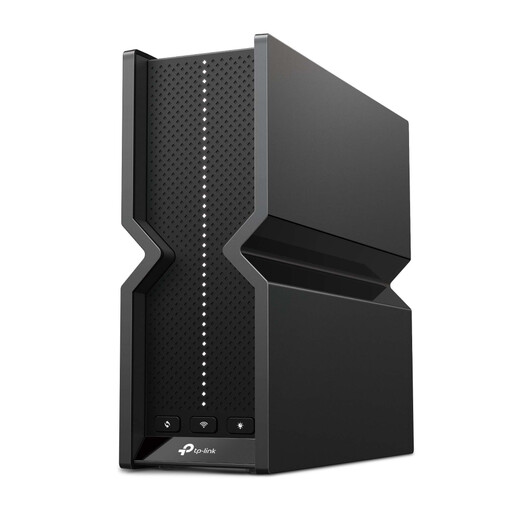
This standalone router is an option when you are assessing the home’s router rather than adding a multi-unit mesh bundle. Its title identifies tri-band Wi-Fi 7; confirm the connections your devices need and whether any planned Wi-Fi 7 feature is supported by those devices. If the gaming room has a persistent coverage gap, assess placement and the proposed coverage arrangement as well as the router.
Not solely for its headline speed. Check the technologies and predicted speeds for your exact address, then establish whether the service or the in-home connection is causing trouble. Ofcom warns that actual availability and received speeds can differ from its checker predictions; a faster package will not correct weak Wi-Fi caused by placement or interference.
Use Ethernet when a fixed console or PC has a practical cable route to the router or switch, especially when you are diagnosing interruptions. Ofcom notes in its home broadband performance methodology that Wi-Fi and powerline links can deliver lower actual speeds than an Ethernet connection.
Consider mesh when the gaming room has a persistent Wi-Fi coverage gap after checking router placement, particularly if distance or walls are involved. Ofcom describes mesh as a way to improve in-home signal and coverage; it does not increase the broadband service delivered to the property.
Not automatically. The Wi-Fi Alliance describes capacity and latency benefits from Wi-Fi 7 features such as Multi-Link Operation, but using those features depends on compatible clients and supported bands. Check the gaming device and the rest of the network before choosing a router for its Wi-Fi 7 specification.
No. Mesh can address Wi-Fi coverage inside the home, but it cannot improve the underlying broadband service. If a device connected by Ethernet also has trouble, check the service and the options available at your exact address rather than treating additional Wi-Fi units as the remedy.