What to check before choosing
Identify the course applications, project demands and games before choosing a form factor. Once those requirements are clear, decide whether regular travel or a permanent home desk will shape the purchase.
Gaming laptop
Consider it when: The student needs the same computer on campus and at home.
Trade-off: Carry weight, charger size and the exact model’s upgrade options become part of the decision.
Prebuilt desktop
Consider it when: The computer can stay at a home desk and the buyer wants a supplied, assembled system.
Trade-off: Future changes depend on the components and space inside that particular system, not its gaming label.
Self-built desktop
Consider it when: A fixed setup is acceptable and the buyer can choose, assemble and troubleshoot the components.
Trade-off: The buyer takes responsibility for compatibility checks and may need to deal with separate component-support processes.
| Concern |
What to check |
Who this matters to |
| Coursework demands |
Get the course’s named applications, versions and likely project scale. Compare their operating-system, RAM and graphics requirements with the exact computer. |
I need my college projects to run alongside everyday study tasks, so a gaming label alone cannot settle the choice. Matching the course workload would be the primary concern for around 36% of consumers. |
| Travel between home and college |
Decide how often the machine must travel and check a laptop’s weight, charger and ports, or whether access to a home desktop is practical. |
If I must bring my own computer to class, carrying it regularly matters more to me than choosing a fixed-desk setup. Around 21% of consumers would put that mobility need first. |
| Games and display |
List the intended games, resolution, settings and frame-rate target; check the exact GPU and the game publishers’ requirements. |
I want the games I actually play to meet my chosen display target, rather than buying to a general gaming category. For around 29% of consumers, that gaming target would be the main priority. |
| Assembly, support and upgrades |
For a prebuilt, check the component list and fault-handling terms. For a self-build or planned upgrade, check parts compatibility, case clearance and PSU connectors. |
I would rather settle who assembles and supports the computer—or confirm a particular upgrade path—before choosing parts. That would be the leading concern for around 14% of consumers. |
Joybuy laptop and desktop options
These laptops address the one-computer-for-campus-and-home route, while the assembled desktops suit a fixed home setup. Match any option to the course applications and games before deciding; the desktop choices do not stand in for a self-build.
 No image available
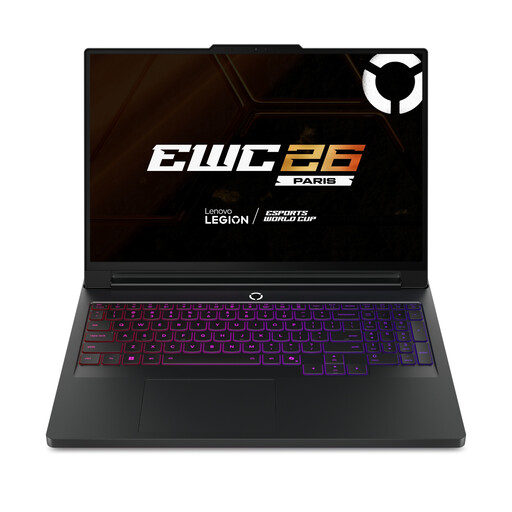
Lenovo Legion Pro 7 16IAX10H, 83F5000UUK
A laptop to consider if the student needs one computer for college and home. The listed configuration has a 16-inch display, Intel Core Ultra 9 processor, 64 GB RAM, 2 TB SSD, NVIDIA GeForce RTX 5090 and Windows 11 Home.
Check the required course software and games against this configuration. If it will travel regularly, check its weight and charger; assess the exact graphics configuration for sustained work.
View on Joybuy
 No image available
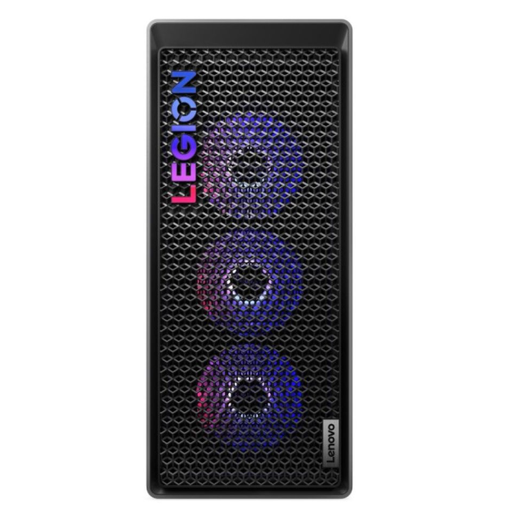
Lenovo Legion T7 34IAS10 gaming tower
A prebuilt tower to consider for a permanent home desk. Its listed configuration includes an Intel Core Ultra 7 265K processor, 32 GB RAM, 1 TB SSD, NVIDIA GeForce RTX 5070 Ti and Windows 11 Home.
Check course and game requirements before choosing it. If later upgrades are important, confirm the spare slots, component clearance and compatibility for the specific changes planned.
View on Joybuy
 No image available
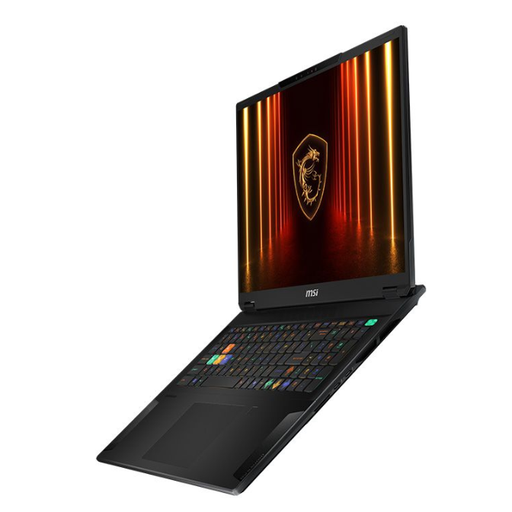
MSI Stealth 18 AI Studio, A1VGG-001UK
An 18-inch laptop to consider when work must move between home and college. The listed configuration has an Intel Core Ultra 9 processor, 32 GB RAM, 2 TB SSD and NVIDIA GeForce RTX 4070.
At the listed 2.89 kg, its carrying burden is worth weighing alongside the charger. Check the course applications and games against the exact model, including its graphics configuration and battery-use needs.
View on Joybuy
 No image available
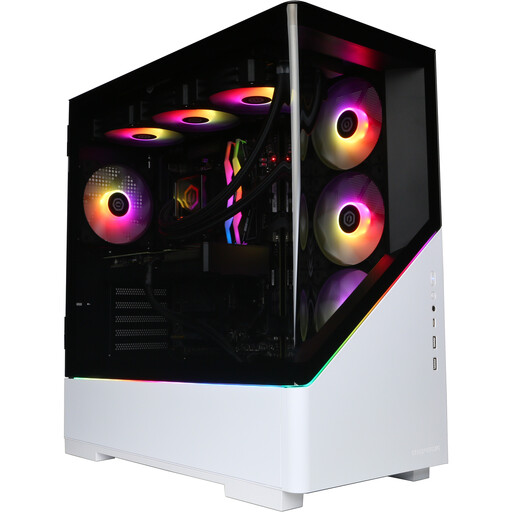
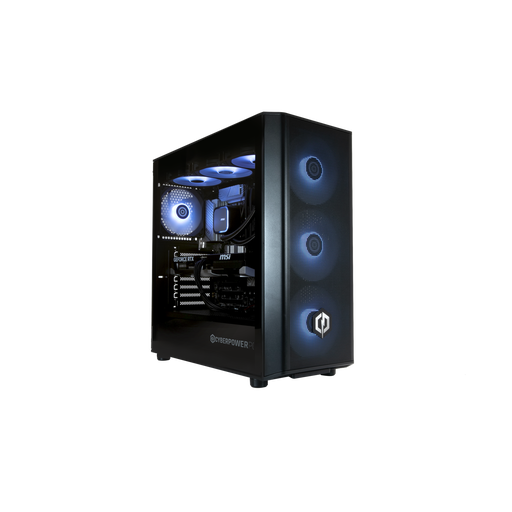
CyberPowerPC JOYB1013 gaming desktop
An assembled desktop for gaming and coursework at a home desk. The listed configuration includes an AMD Ryzen 7 9800X3D, NVIDIA GeForce RTX 5080 with 16 GB graphics memory, 32 GB DDR5 RAM, 2 TB NVMe SSD and Windows 11 Home.
The monitor, keyboard and mouse are not included. Check the student’s software and games, and confirm motherboard and PSU details if component upgrades are planned.
View on Joybuy
 No image available
CyberPowerPC JOYB1010 gaming desktop
An assembled desktop for a fixed home setup. The listed configuration includes an Intel Core Ultra 7 265KF, NVIDIA GeForce RTX 5070 with 12 GB graphics memory, 32 GB DDR5 RAM, 1 TB NVMe SSD and Windows 11 Home.
The monitor, keyboard and mouse are not included. Check the intended applications and games, and confirm the motherboard and PSU before relying on a future upgrade plan.
View on Joybuy
Common questions
Can a gaming laptop run Unity for college work?
Yes, if the laptop meets the requirements for the Unity version and projects used on the course. Unity supports its Editor on laptops without emulation or a compatibility layer; check the supported operating system, graphics API and drivers, and allow for additional RAM if projects become larger or more complex.
Is 16 GB RAM enough for a student gaming PC?
That depends on the named course applications and project scale, not just the computer’s gaming label. Unity recommends 8 GB RAM as a baseline while warning that complex projects need more; Epic Games recommends 32 GB RAM for Unreal Engine 5. Check which guidance applies to the student’s actual work before choosing a capacity.
What should I check before upgrading a desktop graphics card?
Check that the card fits the case and that the PSU has suitable capacity and power connectors for the complete system. Also check cooling and motherboard access. Corsair’s PSU guidance specifically calls for checking GPU connector and cable requirements.
Does a manufacturer warranty replace consumer rights for a faulty PC?
No. Citizens Advice explains that warranties and guarantees add to legal rights, including potential remedies when goods are not of satisfactory quality, not fit for purpose or not as described. Keep the receipt, delivered specification and warranty terms so you can identify both the seller and any additional warranty route.


