
24/7 Customer Support

Free returns

Same-day & Next-day Delivery

Quality Guaranteed

Unlock Your Welcome Offers: FREE Delivery | Up to 80% OFF | Free 30-day JoyPlus trial
Download the APP
Buying gaming PCs and accessories involves more than comparing processor names or counting RGB lighting zones. A system that looks impressive on a product page may still have limited upgrade space, an unsuitable keyboard layout or insufficient storage for your games and creative files.
For UK buyers, the main challenge is matching the specification to the way you actually play. Competitive esports, 4K gaming, streaming and portable gaming each require different priorities. The following guide explains the key checks to make before choosing a gaming desktop PC, gaming laptop, graphics card or peripheral.
An RTX graphics card can refer to a desktop or laptop version. A gaming laptop GPU usually operates within tighter power and cooling limits than a desktop card with the same family name. Check whether the listing specifies “Laptop GPU”, the available video memory and the intended display resolution.
Also consider the monitor. A powerful RTX gaming PC paired with a basic 60Hz display may not make full use of its graphics capability, while a high-refresh monitor can make frame-rate consistency more noticeable in competitive games.
CPU boost frequency is only one part of performance. Check the number of cores and threads, memory generation, storage interface and motherboard chipset. A prebuilt gaming computer with 32GB RAM and a fast NVMe SSD may be more suitable for streaming and multitasking than a system with a faster-sounding processor but less memory and storage.
Upgrade access matters too. Tool-less cases, spare M.2 slots and support for additional memory can extend the useful life of a desktop.
RGB lighting does not determine keyboard response, comfort or connectivity. A compact keyboard may save desk space but omit the number pad or dedicated navigation keys. Wireless models also need a clear explanation of whether they use Bluetooth, 2.4GHz wireless, wired USB or all three.
For headsets, check platform compatibility carefully. Some USB gaming headsets work with PC and PlayStation but not Xbox. A UK buyer should also verify the keyboard layout: QWERTY US and German QWERTZ are not the same as a UK QWERTY layout.
For modern games, compare the GPU model with your intended resolution:
Features such as ray tracing and AI-assisted upscaling can alter performance by game. Treat them as supported technologies rather than guaranteed frame-rate results.
For a gaming desktop PC used with browsers, voice chat, streaming software and games, 32GB RAM provides more working room than 16GB. Storage should also be assessed realistically. A 512GB SSD can fill quickly once Windows, large games and creator applications are installed. A 1TB or 2TB NVMe SSD reduces the need for immediate expansion.
Check whether the memory is DDR4 or DDR5. DDR5 platforms generally offer newer connectivity and upgrade characteristics, while DDR4 systems may provide a practical route to lower overall cost.
A desktop graphics card can be large and heavy. Confirm the case dimensions, graphics-card clearance and available power supply before upgrading. The Lenovo Legion T7, for example, has an 850W power supply, a 34-litre tower and a tool-less design, while the Stormforce Cyclone is a substantially larger 22kg full tower.
Leave space around intake and exhaust vents, particularly in a UK home office or bedroom where a PC may be positioned under a desk. Never place a powerful tower inside a tightly enclosed cabinet.
For laptops, use the supplied power adapter and keep ventilation openings unobstructed. A gaming laptop is convenient for university, shared accommodation or frequent travel, but a desktop generally offers easier component replacement.
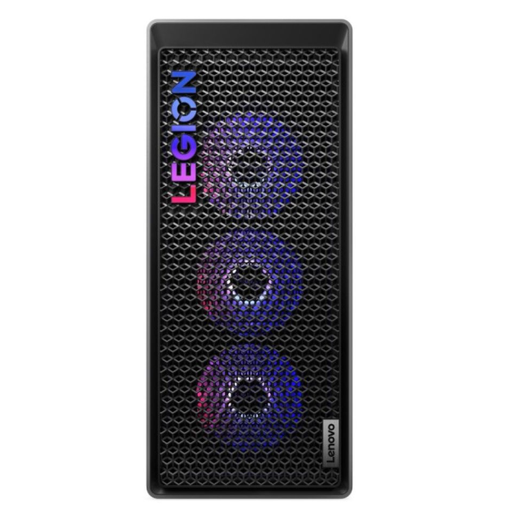
Why This Fits Their Persona: A suitable choice for buyers wanting a powerful desktop for gaming, streaming and creative software, with a case designed for easier access.
The specification identifies the desktop RTX 5070 Ti with 16GB GDDR7, 32GB DDR5 memory and an 850W power supply rather than relying only on a generic RTX label.
Intel Core Ultra 7 265K, 1TB PCIe 4.0 NVMe SSD and tool-less access for upgrades.
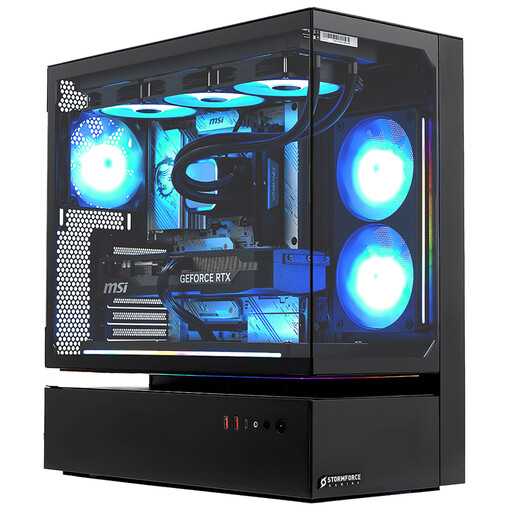
Why This Fits Their Persona: Built for desk-based users managing demanding games, high-refresh displays, streaming software and large creative projects.
Its listing clearly states the RTX 5080 has 16GB GDDR7 memory and that the tower weighs 22kg, helping buyers plan space and handling.
Intel Core i7-14700F, 32GB DDR4 RAM, 2TB NVMe SSD and a stated three-year collect, repair and return guarantee.
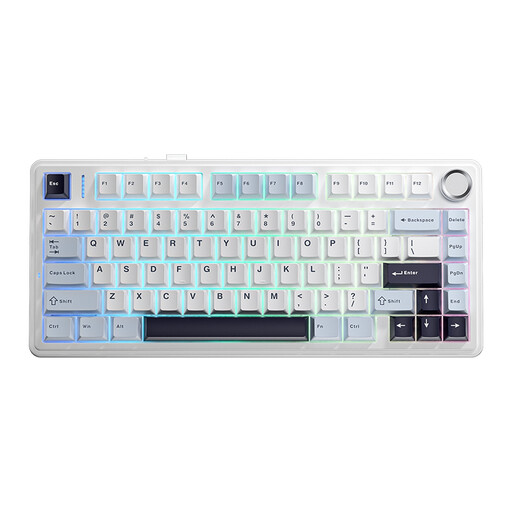
Why This Fits Their Persona: A compact option for students and shared homes with a small footprint where wireless flexibility and typing comfort matter.
The tri-mode connection is specified as wired, Bluetooth and 2.4GHz wireless, while full-key hot-swap sockets support later switch changes.
75% layout, 4000mAh battery, PBT keycaps and RGB backlighting.
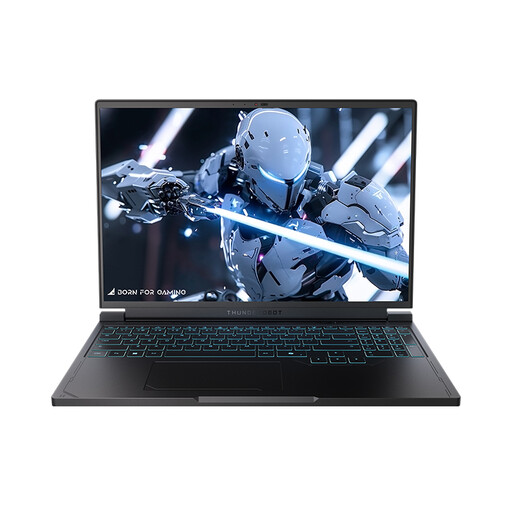
Why This Fits Their Persona: Its laptop format suits gamers who move between rooms, accommodation or workspaces but still want a high-refresh display.
The listing identifies the graphics option as an RTX 5060 Laptop GPU and specifies the 16-inch QHD+ 240Hz display, rather than implying desktop-level performance.
AMD Ryzen 7 7745HX, 16GB DDR5 RAM, 1TB SSD and Wi-Fi 6 connectivity.
A mechanical gaming keyboard should match your hand position, preferred switch feel and available desk space. A 75% model retains arrow keys and an F-row while reducing width. For esports, magnetic-switch models with adjustable actuation may appeal to players who want configurable key response, but the software compatibility and layout should be checked first.
For audio, the Edifier G2II is a wired gaming headset with USB connectivity, 50mm drivers, a detachable microphone and stated compatibility with PC, PS4 and Mac. It is not listed as compatible with Xbox, so platform checks remain important.
Finally, consider running costs. Desktop systems with powerful GPUs can draw considerably more electricity during demanding sessions than compact PCs or laptops. Use sleep settings for lighter tasks, keep vents clear and avoid leaving a high-power system running unnecessarily.
We have compiled a complete, real-time list of products that fully satisfy these strict selection criteria and UK safety regulations.
Not necessarily. A desktop may offer more performance per pound, but electricity use depends on the components and hours of play. Compare the power supply, GPU class and your typical weekly usage rather than judging by the purchase price alone.
A desktop can remain usable for several years if its storage, memory and graphics performance continue to meet your needs. Dust removal, good ventilation and careful cable handling help reduce avoidable wear. Keyboards and headsets may need replacement sooner because switches, cables, batteries and ear cushions experience regular physical use.