
24/7 Customer Support

Free returns

Same-day & Next-day Delivery

Quality Guaranteed

Unlock Your Welcome Offers: FREE Delivery | Up to 80% OFF | Free 30-day JoyPlus trial
Download the APP
Choosing between gaming desktop PCs, gaming laptops and mini PCs is not simply a matter of finding the largest graphics card or the highest processor speed. A suitable system should match your games, display, workspace, workload and upgrade plans.
Many shoppers also encounter specifications that look impressive but provide an incomplete picture. A laptop RTX 5060, for example, may operate at a different power level from a desktop version. Likewise, “4K-ready” does not mean every game will run at 4K with maximum settings. The following guide explains what to check before buying gaming PCs in the UK.
The graphics card usually has the greatest effect on gaming performance, but the model name is not the whole story. Desktop and laptop versions can have different power limits, cooling systems and performance characteristics.
Check:
An RTX 5070 or RTX 5080 system may suit high-refresh 1440p gaming, while 4K performance depends on the title, settings and upscaling options.
System memory and storage perform different jobs. RAM helps the computer handle games, browsers, streaming software and creative applications at the same time. SSD storage affects boot times, application launches and game loading.
For modern gaming PCs, 16GB RAM is a practical starting point. 32GB RAM is more suitable for streaming, video editing, large mod collections and heavy multitasking. A 1TB SSD offers useful everyday capacity, while a 2TB SSD reduces the need to uninstall large games regularly.
A powerful tower may be unsuitable for a small footprint or enclosed cabinet. Check dimensions, weight, ventilation and available ports before ordering. A 22kg or 24kg tower needs a stable surface and careful handling.
For laptops, consider charger size, heat output, battery expectations and screen characteristics. High-performance gaming laptops are portable, but demanding games commonly require mains power for full performance.
Match the graphics card to the monitor you intend to use. Full HD gaming at 144Hz places different demands on a system than QHD at 240Hz or 4K at a high refresh rate.
A laptop such as the Lenovo LOQ Essential combines an RTX 5050 laptop GPU with a 15.6-inch Full HD 144Hz display. This is a logical pairing for competitive gaming and everyday study. A system with an RTX 5080 or RTX 5090 is more appropriate for demanding high-resolution gaming, creator applications and multiple displays, although the monitor is purchased separately for desktop systems.
The CPU matters for simulation-heavy games, strategy titles, streaming, compiling and content creation. Look beyond the “Core i7” or “Ryzen 7” label and check the exact model, core count and platform.
The Lenovo Legion T7, for example, uses an Intel Core Ultra 7 265K with 20 cores. The Lenovo Legion Pro 7 uses an Intel Core Ultra 9 275HX with 24 cores, making it suited to users who combine gaming with demanding creative or productivity workloads.
Pre-built gaming PCs should be checked for accessible components, available memory slots, storage bays and power supply capacity. A tool-less chassis can make future maintenance more convenient, but always confirm which components can actually be upgraded.
Useful connections may include:
Windows 11 gaming PCs offer broad compatibility with current games and software. Make sure the product includes the correct UK keyboard layout where relevant.

Why This Fits Their Persona: Its 15.6-inch format suits students, renters and home-office users who need one machine for gaming, study and everyday work in the UK.
The listing identifies the laptop GPU, 65W GPU TGP, 144Hz display and UK keyboard, giving buyers more useful context than a graphics-card name alone.
RTX 5050 laptop GPU, 16GB DDR5, 1TB SSD and a 144Hz Full HD IPS screen in a portable format.
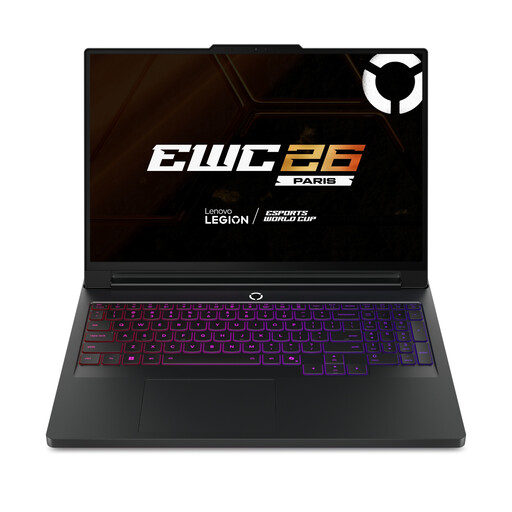
Why This Fits Their Persona: A suitable choice for users who want a high-spec portable workstation for premium gaming, editing and demanding software.
The specification lists 64GB DDR5, 2TB SSD storage and a 24GB RTX 5090 laptop GPU rather than relying on vague “flagship” wording.
16-inch WQXGA OLED display, 240Hz refresh rate, Wi-Fi 7 and Thunderbolt 4.
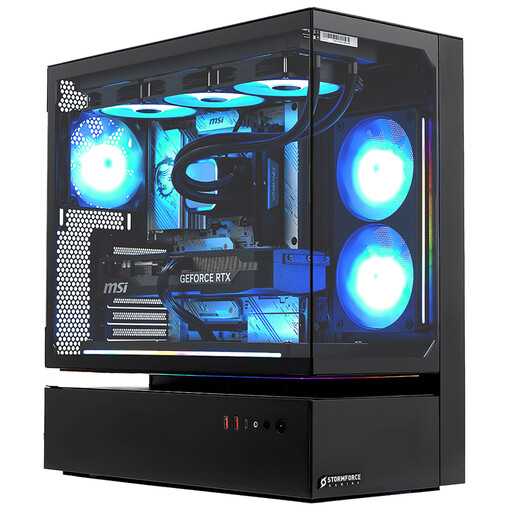
Why This Fits Their Persona: Designed for desk-based gamers, streamers and creators prioritising high-resolution performance over portability.
It specifies the 20-core Intel processor, 32GB RAM, 2TB NVMe SSD and 16GB RTX 5080, while clearly requiring a full-size, well-ventilated setup.
32GB RAM, 2TB storage, Wi-Fi and Bluetooth, with a stated three-year collect, repair and return parts-and-labour guarantee.
We have compiled a complete, real-time list of products that fully satisfy these strict selection criteria and UK safety regulations.
A desktop generally offers more upgrade flexibility, larger cooling solutions and easier access to high-power components. A laptop is more suitable when you move between university, home and work, but battery gaming and portability come with compromises in weight, heat and upgradeability.
The useful lifespan depends on the games and resolution you choose. A system with a stronger GPU, 32GB RAM and a spacious SSD may remain comfortable for longer, while upgradeable desktops can extend their usefulness through additional memory, storage or graphics hardware. Always check the motherboard, power supply and case compatibility before upgrading.
Power consumption varies with the workload. A desktop with an RTX 5080 or RTX 5090 can draw substantially more power during demanding games than a mini PC using integrated graphics. The PSU rating is not the same as constant electricity usage; actual consumption depends on components, settings and time under load. Use the computer’s efficiency settings for browsing and office work, and ensure ventilation is not blocked.