Players prioritising fewer plugs
If deck-builders are your main games and sockets are scarce, a laptop lets you use its own screen without powering a separate monitor. Count any external screen, speakers or chargers you plan to add.


A gaming laptop is the simplest route when your deck-building setup needs as few separately powered devices as possible: its built-in screen avoids a monitor plug. A mini PC suits a compact fixed desk if you can also power a display; consider a desktop when your wider gaming plans matter more than reducing equipment. Whichever route you choose, check the requirements of your planned games and the total load of any extension lead.
If deck-builders are your main games and sockets are scarce, a laptop lets you use its own screen without powering a separate monitor. Count any external screen, speakers or chargers you plan to add.
If you already have a monitor and input devices, a mini PC may suit a smaller desk footprint. The computer, display and any powered peripherals still need to be included in your socket plan.
If more demanding games or other workloads are part of your plans, compare stronger laptops and desktops against those uses. Do not choose graphics hardware solely on the assumption that every deck-builder needs it.
Start with the complete powered setup, including the screen, then compare the PC with the most demanding game you intend to play.
| Concern | Buying check | Who this matters to |
|---|---|---|
| Fewer powered devices | Check whether you will use a built-in screen or add a separately powered monitor. Include other devices when checking an extension lead's rating. | If I have very few sockets, I want the PC and screen to work without a second power connection. Around 50% of consumers put fewer powered devices first. |
| Compact fixed setup | Check the space available and the connections needed for your existing monitor and input devices; count every powered item. | With a monitor already on my desk, I care more about the computer's footprint than carrying it between rooms. For around 30% of consumers, a compact fixed setup is the main concern. |
| Hardware for planned games | Compare the exact CPU, graphics, memory and storage configuration with the current requirements of your most demanding planned game. | I may add games beyond light deck-builders, but I do not want to choose extra hardware on the genre name alone. Broader-game capability is the primary need for around 20% of consumers. |
An extension's marked current rating still limits the combined load. Electrical Safety First warns that overloading can overheat plugs and extension equipment.
Check the rated input of the PC adapter, display and other connected devices against the extension's rating. Electrical Safety First advises using only one extension device per wall socket.
A small computer does not remove the need to power its external display. Where available sockets are the binding constraint, the whole desk setup matters more than the PC's size alone.
List every item you intend to connect before deciding between a laptop, mini PC and desktop.
Technical City reports low minimum memory and storage requirements for Balatro, while requirements for other deck-building games can differ. A demanding wider library is a separate reason to consider stronger hardware.
Identify the most demanding game you plan to play and check its current official requirements against the exact PC configuration.
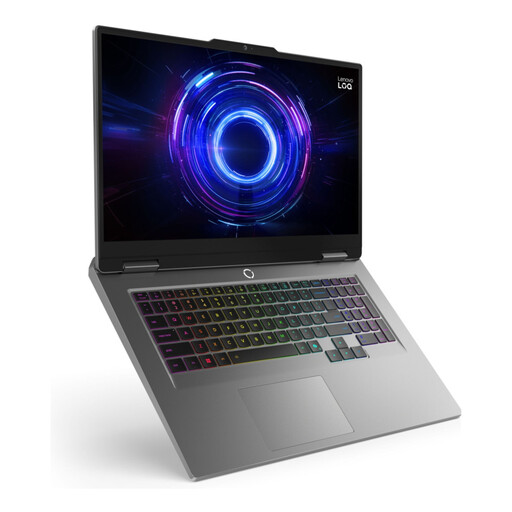
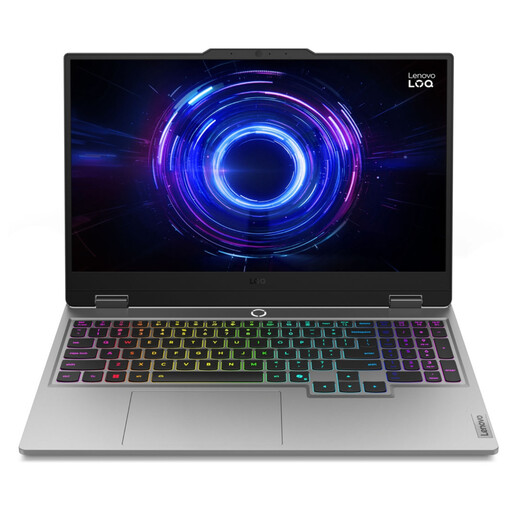
Lenovo's LOQ laptop range offers a built-in-screen route for a setup that need not power a separate monitor.
The ROG range includes gaming laptops and ROG NUC mini PCs, covering both built-in-screen and external-monitor setups.
HP's OMEN 16L is a desktop option for a fixed setup when plans extend beyond light deck-builders.
These laptops have built-in screens, so a separate powered monitor is not needed for the core deck-building setup. Compare their exact configurations with your planned games, and check the supplied adapter before connecting one to a limited-socket setup.
 No image available
Its built-in display suits a setup without a separately powered monitor.
The named configuration has a 15.6-inch 144 Hz FHD screen. Check the supplied adapter's plug and rated input for your intended socket or extension.
 No image available
The built-in screen lets you keep the core setup to a laptop rather than adding a powered monitor.
The named configuration has a 14-inch WQXGA+ display. Check whether your planned games call for its graphics configuration, and confirm the supplied adapter's plug and rated input.
 No image available
Use its built-in screen if avoiding a separate monitor power connection is your priority.
Consider whether the laptop's size suits your desk or carrying plans, and check the supplied adapter's plug and rated input before connecting it.
 No image available
Its integrated screen suits a core setup without a separate monitor plug.
Confirm the exact model and supplied components before ordering, then check the adapter's plug and rated input for your intended connection.
 No image available
The built-in screen avoids powering a separate monitor, though its 18-inch format needs space on the desk.
The named configuration has an Intel Core Ultra 9 processor. Compare its graphics with your planned games and check the supplied adapter's plug and rated input.
You can consider it only after checking the marked rating of the extension and the combined rated input of everything connected to it. Electrical Safety First advises checking extension loads; a spare outlet does not show that the lead has capacity for another device.
No. Electrical Safety First advises using only one socket-extension device per wall socket and warns against plugging an extension lead into another because the wall plug can overheat.
Not as a general rule: Technical City reports low minimum memory and storage requirements for Balatro, but one game's requirements do not cover the whole genre. Check the current official requirements for the most demanding game you intend to play before choosing a graphics configuration.
Stop using it rather than continuing to play. Electrical Safety First identifies heat-related damage, burning smells, sparks and scorch marks as warning signs; it also advises fully unwinding a cable reel to achieve its current rating.