Players using one main power connection
If you can play on a laptop screen, a gaming laptop keeps the computer, display and keyboard together. Check the adaptor and exact model before planning where it will plug in.


Choose a gaming laptop if you can play on its built-in screen and want the computer and main display to share one power connection. A compact gaming PC makes more sense if you already have a suitable monitor and can power it separately; whichever format you choose, check the requirements of your most demanding game and the rating of any extension lead.
If you can play on a laptop screen, a gaming laptop keeps the computer, display and keyboard together. Check the adaptor and exact model before planning where it will plug in.
If you already have a monitor and peripherals, a compact gaming PC can take up less desk space than a tower. The monitor and PC still need separate power connections; check their display ports and combined electrical load.
If modern strategy or city-building games drive the purchase, start with those titles’ published requirements rather than a general management-game label. For example, 2K’s recommended Windows specification for Civilization VII lists 16 GB RAM and an RTX 2060, RX 6600 or Arc A750 graphics option.
Choose when: You can use the built-in display and want fewer separately powered desk components.
Trade-off: Screen size and hardware vary by model, and sustained gaming still calls for a mains connection.
Choose when: You want to keep a compatible monitor but have little room for a tower.
Trade-off: A compact PC such as the ASUS ROG NUC connects to an external display; its small case does not remove the monitor’s power requirement.
Choose when: A separate-screen setup and room for a tower are acceptable, and you want to assess desktop configurations for demanding games.
Trade-off: The tower and display are separately powered, so both must fit your socket plan.
| Concern | What to check | Who this matters to |
|---|---|---|
| Separately powered components | Decide whether you can use a laptop’s built-in screen. Check the exact adaptor and the marked rating of any extension lead. | I have little spare socket capacity and would rather not power a separate monitor for the basic setup. Around 50% of consumers put minimising separately powered components first. |
| Keeping an existing monitor | Check the PC’s display outputs against your monitor’s inputs, then include both devices in your power plan. | I want to keep the monitor I use for maps or spreadsheets while freeing up desk space. Keeping that display is the primary concern for around 30% of consumers. |
| Requirements of demanding games | Compare your games’ recommended CPU, memory and graphics requirements with the exact PC configuration and your intended display settings. | I play demanding strategy games, so meeting their published requirements matters more to me than choosing by PC size alone. Around 20% of consumers make game requirements their first priority. |
For a concrete comparison point, 2K lists 16 GB RAM and RTX 2060, RX 6600 or Arc A750 graphics for Civilization VII’s recommended Windows specification. That is a requirement for that game and preset, not a rule for every management game. Electrical Safety First advises keeping connected appliances within an extension lead’s marked current rating.
A PC chosen for a less demanding title may not meet a newer strategy game’s recommended requirements. Civilization VII, for example, lists 16 GB RAM and specific graphics options in 2K’s recommended Windows specification.
List the games and mods you expect to use, then compare the most demanding title’s published requirements with the exact configuration you plan to buy.
Electrical Safety First warns that exceeding an extension lead’s marked rating can cause overheating and a fire risk. It also advises against plugging one extension lead into another.
Check the rating on the lead you will use and the loads of connected equipment. Do not daisy-chain extension leads; if additional wall sockets are a lasting need, consult a registered electrician.
A compact system such as the ASUS ROG NUC has its own power input and connects to an external display. A smaller PC therefore does not give you a laptop-style, integrated screen.
Check which monitor, keyboard, mouse and suitable display connection you already have, and allow a power connection for the monitor.
You may also need a display cable or adaptor to connect the equipment you intend to use.
Memory, graphics, displays and adaptors can differ between configurations. MSI notes that Katana specifications vary by model and country.
Check the exact model number and its listed hardware, included adaptor, ports and applicable warranty before ordering.
Lenovo’s LOQ gaming laptops illustrate the route that puts the PC and main display in one device.
ASUS has TUF Gaming laptops and compact ROG NUC systems, covering two different approaches to a small desk setup.
MSI’s Katana line is another laptop route for playing on a built-in display.
HP’s OMEN desktop listings illustrate the separate tower-and-monitor route.
These gaming laptops suit the route where you plan to use the built-in display instead of powering a separate monitor. Compare each exact configuration with your games’ requirements, and check its adaptor before sharing an extension lead.
 No image available
Consider this configuration if you want to play on a built-in display rather than power a separate monitor.
Listed with an AMD Ryzen 7 170, 16 GB RAM, 1 TB SSD and GeForce RTX 5050, plus a 15.6-inch 144 Hz Full HD display.
Check its graphics against your games and confirm the adaptor and applicable UK warranty terms before ordering.
 No image available
The built-in 17.3-inch screen lets you plan a basic setup without a separately powered monitor.
Listed with an AMD Ryzen AI 7 350, 16 GB RAM, 1 TB SSD, RTX 5060 and Full HD display.
Compare the graphics with your games’ requirements and check the adaptor’s mains details when planning socket use.
 No image available
Its built-in 16-inch display fits a setup that does not require a separate monitor; decide whether your games call for this configuration’s hardware.
Listed with an Intel Core Ultra 9, 64 GB RAM, 2 TB SSD and NVIDIA GeForce RTX 5090.
Check game requirements rather than assuming the listed specifications will improve every management game, and confirm the adaptor’s mains details.
 No image available
This laptop offers a built-in screen for playing without a separately powered monitor.
Listed with a 16-inch QHD+ 240 Hz display, Intel Core Ultra 7 155H, NVIDIA GeForce RTX 4060, 16 GB DDR5 RAM and 1 TB SSD.
Confirm the exact supplied configuration, game compatibility and adaptor mains details before choosing it.
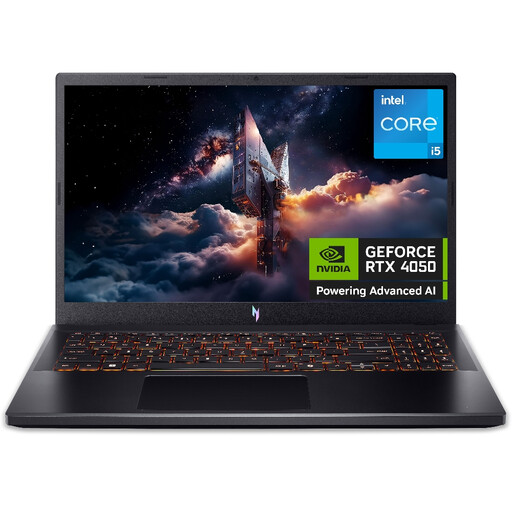 No image available
Its built-in 15.6-inch Full HD display avoids the need for a separate monitor in the basic setup.
Listed with NVIDIA RTX 4050 graphics, 16 GB RAM and a 512 GB SSD.
Confirm the exact CPU and display refresh rate before ordering, as the listing’s descriptions differ on those details. Check the adaptor and your games’ requirements too.
No. Memory requirements depend on the game and settings. For example, 2K lists 8 GB RAM as the Windows minimum for Civilization VII and 16 GB for its recommended preset; check the requirements of the most demanding game you intend to play.
Only if their combined load, alongside anything else connected, stays within that lead’s marked rating. Electrical Safety First advises checking the actual lead and not connecting one extension lead to another. Using the laptop’s built-in screen removes the monitor from that setup, but not the need to check the remaining load.
Not if you still need to power an external monitor. A compact system such as the ASUS ROG NUC has its own power input and display connections, so it can save desk space without becoming a one-connection replacement for a laptop used on its built-in screen.