For exploration games at a small desk, measure the space for the whole setup before choosing a PC. A compact prebuilt avoids selecting individual components, a configurable small-form-factor desktop offers more control over the build, and a laptop removes the need for a separate tower. Whichever format you choose, check its exact graphics configuration against your games and display, and leave the ventilation space its maker specifies.
Who is this for?
Desk-space-first explorers
If the PC must sit on a small desk, measure its proposed position as well as the space needed for cables and clear air paths. Case dimensions alone will not tell you whether the finished setup leaves room for your monitor and controls.
Players focused on visual settings
If detailed environments or an ultrawide display matter to you, start with your intended games and monitor resolution, then compare the exact graphics card and configuration. PlayStation lists adjustable graphics settings, ultrawide formats and several upscaling technologies for the PC version of Horizon Forbidden West; those features should not be assumed for every game.
Buyers who want a ready-configured PC
A compact prebuilt or laptop can spare you from selecting every compatible part. You still need to check the particular model's components, placement instructions, supplied power arrangement and support terms rather than relying on a product-family name.
What matters when choosing?
Choose the PC's location and format before comparing components. A laptop avoids a separate tower; a compact desktop keeps the computer and monitor separate; a conventional tower is an option only if there is a suitable place for it beside or below the desk.
Configurable small-form-factor desktop
Consider it when: A small separate case is important and you want to choose the components in the finished build.
Allow for: Case-specific limits on the graphics card, cooling hardware and other parts. Fractal Design's Ridge guidance, for instance, specifies a graphics-card length of up to 335 mm only under its documented layout conditions.
Compact prebuilt desktop
Consider it when: You want a separate desktop without choosing every component yourself.
Allow for: Variation within a product family. ASUS says ROG G22CH specifications vary by model, so check the exact version offered by the seller.
Gaming laptop
Consider it when: Combining the PC and display in one device would leave more room than a separate tower and monitor.
Allow for: The laptop's own footprint, power lead and ventilation needs; a larger screen is not automatically easier to accommodate on a small desk.
| Concern |
What to check |
Who this matters to |
| Fit and airflow |
Measure the intended position and cable space; check the maker's permitted orientation and ventilation clearances. For a build, confirm that the selected graphics card fits the case and drive layout. |
I need the PC to fit without crowding the monitor or blocking its vents. Around 39% of consumers would put physical fit and airflow first. |
| Game visuals |
Compare the exact GPU and memory configuration with each game's current requirements at your intended resolution and settings; check game support before relying on an upscaling feature. |
If exploring detailed environments is my priority, I want to choose settings around the games and display I will use. Visual capability comes first for roughly 38% of consumers. |
| Configuration and support |
Confirm the precise CPU, GPU, RAM and storage variant, along with the seller's support arrangements. Ask about noise under the usage conditions that matter to you rather than judging it by case size. |
I would rather know exactly what arrives and who handles a problem than select each part myself. About 23% of consumers would make configuration clarity and support their primary concern. |
Buying pitfalls
-
Choosing a compact PC before measuring its position
A small case can still obstruct a monitor position, leave awkward cable runs or have vents too close to surrounding surfaces.
Measure the proposed location and check the manufacturer's orientation and ventilation instructions before ordering.
-
Assuming a product-family name identifies the components
Processors, graphics cards, memory and storage can differ between versions of a compact prebuilt. ASUS explicitly notes model-dependent specifications for its ROG G22CH family.
Check the seller's exact model or SKU and its complete configuration, supplied mains lead and support terms.
-
Confusing graphics-card fit with game performance
A card fitting inside an SFF case does not establish how your chosen games will run at a particular resolution or graphics setting.
Check physical compatibility separately from each game publisher's current requirements; assess performance claims only when the game, hardware and settings are comparable.
-
Overlooking the supplied power arrangement
An unclear-market listing may leave you uncertain whether the supplied lead and equipment suit the electrical supply where the PC will be used.
Confirm the intended market and supplied power arrangement with the seller. The Health and Safety Executive advises checking that electrically powered equipment has the correct voltage and that the supply can deliver the required current.
Brands to consider
These brands illustrate different compact-desktop choices; their product lines and case guidance do not replace checks on the exact PC or build you intend to buy.
CyberPowerPC UK
A reference for buyers considering a configurable small-form-factor desktop.
- CyberPowerPC UK describes SFF systems that accept desktop graphics cards and lists configurable components for its Ion Pro SFF.
- Treat a displayed build as a particular configuration: check the final case, components and terms for the version you order.
ASUS ROG
A reference for buyers comparing compact prebuilt gaming desktops.
- ASUS presents the ROG G22CH as a compact gaming-desktop family.
- ASUS says specifications vary by model and availability by market; use the seller's exact SKU to establish what you would receive.
Fractal Design
A reference for buyers selecting a slim case for a small-form-factor build.
- Fractal Design publishes component-fit guidance for its Ridge case, which helps with planning a specific build.
- Its graphics-card limits depend on the documented layout, including drive placement; validate the complete parts list before ordering.
Joybuy products for different setups
These choices include laptops that need no separate tower and a desktop to consider if there is suitable space beside or below the desk. For any of them, check the device footprint, ventilation instructions, supplied power arrangement and your games' requirements before deciding.
 Image unavailable
ASUS ROG Zephyrus G14 GA403WR-QS088W, 14-inch
Consider this laptop if a built-in display would suit your desk better than a separate tower and monitor. Its listed configuration includes an AMD Ryzen AI 9 HX 370, NVIDIA GeForce RTX 5070 Ti, 32 GB RAM and 2 TB SSD.
Check its dimensions, ventilation guidance and supplied power arrangement, and compare the exact graphics configuration with your intended games.
View on Joybuy
 Image unavailable
THUNDEROBOT Radiant S16, Ryzen 7 7745HX, 16-inch
Consider this laptop if you want a built-in 16-inch display without placing a separate tower on the desk. The title lists a QHD+ 240 Hz display, NVIDIA GeForce RTX 5060, 16 GB RAM and 1 TB SSD; the refresh rate does not establish game performance.
Measure the laptop's placement area, keep its ventilation unobstructed and confirm the supplied power arrangement.
View on Joybuy
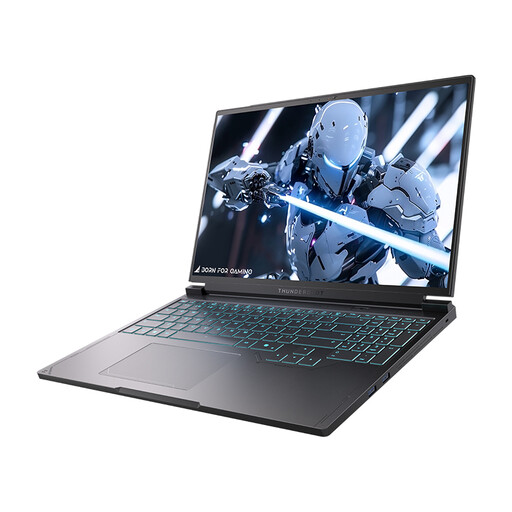 Image unavailable
THUNDEROBOT Radiant S16 5060, Core i7-13650HX, 16-inch
This Radiant S16 variant is another built-in-display option, distinguished from the Ryzen model above by its listed Core i7-13650HX. Its title also specifies a QHD+ 240 Hz display, GeForce RTX 5060, 16 GB RAM and 1 TB SSD.
Check the precise variant, desk footprint, ventilation instructions and power arrangement; compare the GPU against your intended games rather than relying on display refresh rate alone.
View on Joybuy
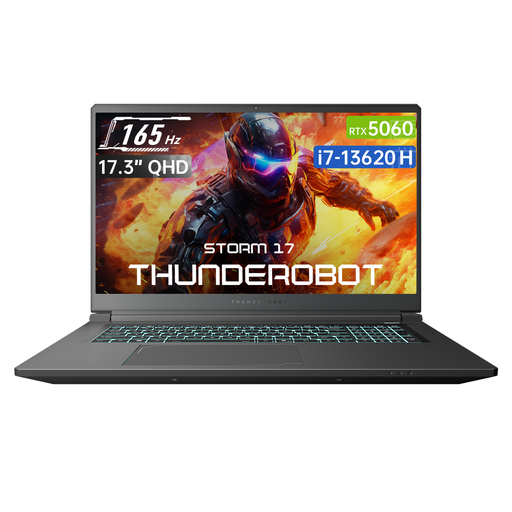 Image unavailable
THUNDEROBOT Storm 17 5060, 17.3-inch
Consider the built-in display only if your desk can accommodate a 17.3-inch laptop with room for ventilation. The title lists a QHD 165 Hz display, Core i7-13620H, GeForce RTX 5060, 16 GB RAM and 1 TB SSD.
Measure its full footprint and confirm the supplied power arrangement. Check game requirements at the settings you intend to use; neither screen size nor refresh rate establishes the result.
View on Joybuy
 Image unavailable
CyberPowerPC JOYB1013 gaming desktop, RTX 5080
Consider this separate desktop if you have a measured position beside or below the small desk, with suitable airflow and cable reach. Its title lists an AMD Ryzen 7 9800X3D, NVIDIA GeForce RTX 5080 16 GB, 32 GB RAM, 2 TB NVMe SSD and Windows 11 Home.
Confirm the tower's dimensions, ventilation guidance, supplied power arrangement and what comes with the PC. Compare its exact configuration with your intended games and display.
View on Joybuy
Frequently asked questions
How small should a gaming PC be for my desk?
It should fit your measured position while leaving room for cables and the clear air paths specified by its maker. If you are choosing an SFF build, check internal part fit separately: Fractal Design gives the Ridge a graphics-card length limit of up to 335 mm under its documented layout conditions.
Should I choose a compact prebuilt or a configurable SFF desktop?
Choose a compact prebuilt if you want a ready-specified separate desktop; consider a configurable SFF system if you want to select parts and are prepared to validate their fit together. In either case, check the exact finished configuration: ASUS notes that ROG G22CH specifications vary by model, while a configurable build depends on the selected case and components.
Is there one graphics card I need for exploration games?
No single graphics-card requirement covers every exploration game. Compare each intended game's current official requirements with your chosen resolution and settings. Features such as the upscaling technologies PlayStation lists for Horizon Forbidden West on PC must also be checked for the particular game and hardware you plan to use.
What should I check about a desktop PC's power supply for use in Great Britain?
Confirm with the seller that the supplied equipment and power lead are intended for your electrical supply. The Health and Safety Executive advises checking the correct voltage and that the supply can deliver the current the equipment requires; do not assume an unspecified adaptor resolves a compatibility question.


