
24/7 Customer Support

Free returns

Same-day & Next-day Delivery

Quality Guaranteed

Unlock Your Welcome Offers: FREE Delivery | Up to 80% OFF | Free 30-day JoyPlus trial
Download the APP
A well-designed gaming setup is more than just powerful hardware; it's an immersive environment that pulls you into the action. The right lighting can transform a simple desk into a dynamic command centre, enhancing focus during intense sessions and creating the perfect atmosphere for streaming. However, with so many options available, from simple colour-changing bulbs to complex synchronised systems, choosing the right gaming room lighting can feel overwhelming.
This guide is designed to help you understand the key features to look for in PC gaming lights. We will explore different types of lighting, explain important technology like RGBIC, and offer some recommendations to help you create a setup that reflects your personal style.
Before diving into specific products, let's cover a few key considerations. Thinking about these points will help you narrow down what you need for your space.
When browsing for RGB gaming lights, you will frequently encounter two main types: RGB and RGBIC.
Gaming lights come in various shapes and sizes, each suited for different applications.
The most engaging gaming setup accessories are those that work together. Look for lighting that integrates with major gaming ecosystems like Razer Chroma RGB and Overwolf. This allows your lights to react in real-time to in-game events—flashing red when you take damage or cycling through colours during a cinematic moment—turning your entire room into an extension of the game.
Based on features, versatility and user feedback, here are a few standout options to consider for your setup.
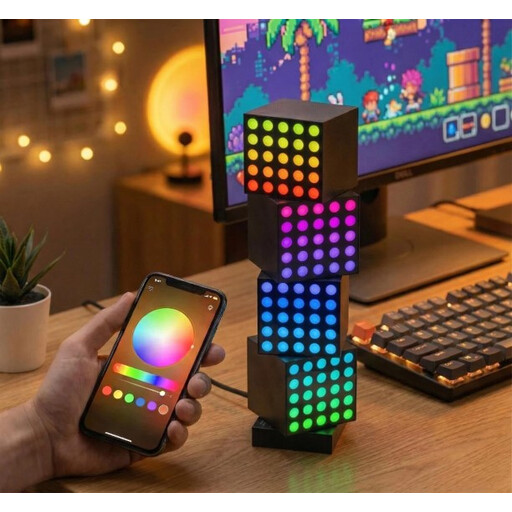
Why It Stands Out: The Yeelight Smart Cube system moves beyond simple light strips, offering a modular, three-dimensional lighting experience. The magnetic design of the cubes allows you to connect and arrange them in any configuration you can imagine, creating a unique centrepiece for your desk. It's a creative and interactive approach to ambient lighting for a desk.
Pros:
Who is it for? Content creators and gamers who want a standout, customisable lighting feature on their desk that is both functional and a conversation starter.
View Details for Yeelight Smart Cube Gaming Light Matrix
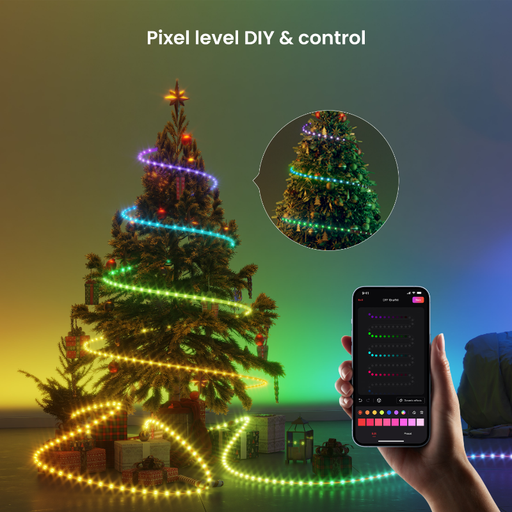
Why It Stands Out: This strip brings the power of RGBIC technology to your setup. The ability to display multiple colours at once allows for flowing, gradient effects that standard RGB strips cannot replicate. It integrates smoothly with popular gaming platforms, making it a strong choice for those seeking reactive, in-game lighting.
Pros:
Who is it for? Gamers who want to add dynamic, multi-colour ambient lighting to their desk, monitor or TV with minimal fuss.
View Details for Yeelight Obsid RGBIC LED Light Strip
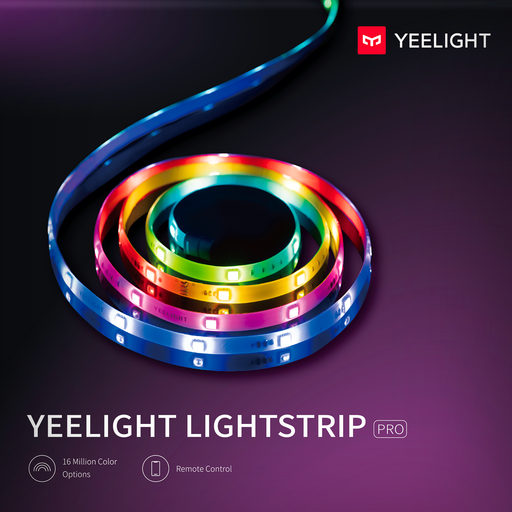
Why It Stands Out: The Lightstrip Pro is an excellent all-rounder, offering addressable LEDs for custom colour zones and extensibility. This means you can start with a base length and add extensions later to cover a larger area. Its compatibility with major smart home and gaming ecosystems makes it a flexible foundation for building out your room's mood lighting.
Pros:
Who is it for? Users looking for a versatile and expandable smart LED light strip that can grow with their setup, from a single desk to an entire room.
View Details for Yeelight Smart LED Lightstrip Pro
The products highlighted here are just a starting point. If you're looking for different styles, lengths or form factors, there are many other solutions available.
Explore our complete collection of gaming desk light options to find the perfect fit for your setup.
There is no single "best" colour, as it often comes down to personal preference and the game you are playing. However, many gamers prefer cool colours like blue and purple to promote focus. For maximum immersion, dynamic lighting that syncs with your game and changes colour based on the on-screen action is a popular choice.
The key is to use indirect lighting. Instead of pointing lights directly at your eyes or screen, position them to reflect off a surface. Placing an LED strip on the back of your monitor or desk creates a soft, diffused glow known as bias lighting, which can reduce eye strain and eliminate distracting glare.
For gamers seeking the most visually engaging and immersive experience, RGBIC lights are a significant upgrade. The ability to display multiple colours simultaneously allows for flowing, dynamic effects that make your setup feel more alive. If you want your lighting to do more than just glow, and instead become an active part of your gaming experience, the investment in RGBIC is often worthwhile.