What should you check before buying?
Settle on the gaming service and child account first; that choice determines which device settings and accessory connections you need to check.
Games console
Consider it when: The household wants a dedicated gaming device, including one used with a shared TV, and will set up the platform's child account.
Check separately: Family controls vary across Xbox, PlayStation and Nintendo, and a platform setting does not necessarily configure chat within every game.
Gaming PC or laptop
Consider it when: The child also needs a general-purpose computer or the household specifically wants PC games and peripherals.
Check separately: Confirm the operating-system account, launcher, individual game and communication service rather than assuming one family setting covers them all.
| Concern |
Buying checks |
Who this matters to |
| Communication and child account |
Check the child-account process, who manages it, and platform and game chat permissions. |
If my child will play online with others, I want to decide who can contact them and revisit that choice as they start using new games. About 36% of consumers put communication and account supervision first. |
| Platform and accessory fit |
Confirm the console generation or computer model and each accessory's connection method; check service requirements for the intended feature. |
When choosing a device and accessories together, I need them to work with the same gaming set-up rather than relying on a broad compatibility label. Platform and accessory fit is the primary need for about 29% of consumers. |
| Shared-home use |
Check separate child profiles, other users' access and the number of controllers needed. |
On a shared console, I need the child's settings to remain in place when other household members use it. Roughly 21% of consumers chiefly prioritise shared-home routines and account separation. |
| Headset and voice use |
Decide whether a microphone is needed, then check the device connection and charging arrangements. |
If voice play is part of the plan, I want a headset that connects to our device while keeping the decision to allow chat separate. Audio and voice set-up comes first for about 14% of consumers. |
Joybuy consoles and headsets
These Nintendo Switch 2 consoles and gaming headsets address the device and audio parts of a child's set-up. Choose the account and communication settings separately, and check each accessory against the device it will actually use.
 Image unavailable
Nintendo Switch 2 Console + Nintendo Switch Sports Resort
Consider this bundle if the household has chosen Nintendo Switch 2 for the child's gaming set-up. Before relying on GameChat, check that the included 3-month Nintendo Switch Online Individual membership suits the intended child-account arrangement. Nintendo requires app-based parental controls before an under-16 user can use GameChat.
View on Joybuy
 Image unavailable
Nintendo Switch 2 Console (UK Version)
This console is an option for a household choosing the Nintendo platform rather than a headset or computer. Set up the child account and parental controls for the intended features. If GameChat matters, check the membership arrangement as well as Nintendo's internet, account and under-16 app requirements.
View on Joybuy
 Image unavailable
Logitech ASTRO A10 Gen 2 Wired Headset, White
Consider this wired headset after deciding whether the child needs game audio and voice chat. Confirm its connection to the exact device and controller; for Xbox use, check the controller or adapter arrangement. Chat permissions still need setting in the child account and game.
View on Joybuy
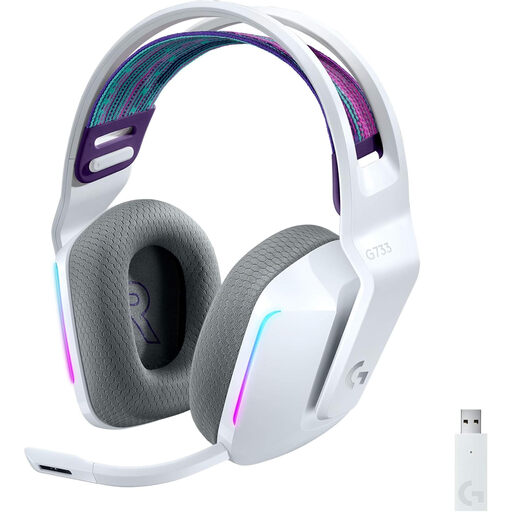 Image unavailable
Logitech G G733 Lightspeed Wireless Headset, White
This wireless headset is worth considering where the household prefers to avoid a headset cable. Check the exact device, wireless connection and play mode before purchase, and allow for charging. A wireless headset does not change the child account's voice-chat permissions.
View on Joybuy
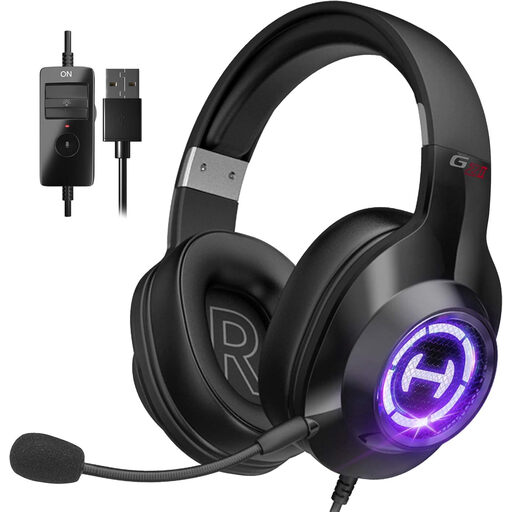 Image unavailable
Edifier G2II USB Wired Headset for PC and PS4, Black
Consider this USB wired headset for a PC or PS4 set-up that calls for a microphone. Its product name also lists Mac compatibility; confirm the intended device and USB connection. This model is described as not for Xbox, so it should not be treated as a headset for every household console.
View on Joybuy
Common questions
Should my child have a separate gaming account?
Use a child account where the chosen platform offers one, rather than letting the child play through an unrestricted adult profile. PlayStation says its family manager can set child-specific controls, while Xbox says a family organiser can manage a member's privacy and online-safety settings.
Will any gaming headset work with our console?
No; check the console generation, controller and connection method for the particular headset. Xbox Support distinguishes compatible wired connections through a suitable controller from Xbox wireless pairing, and says Xbox One does not connect directly to Bluetooth headsets.
What does an under-16 child need for Nintendo Switch 2 GameChat?
Nintendo requires parental controls to be set through its smart-device app before an under-16 user can use GameChat. Nintendo also specifies an internet connection and Nintendo Switch Online membership; parents can approve individual friends for GameChat through the app.
Do PEGI ratings matter when setting up a console?
Yes, for choosing and setting content permissions for games rather than assessing the hardware. Ask About Games explains that PEGI ratings help families understand a game's content and intended age group; check the rating and descriptors alongside the platform's content settings.
Can a console or parental-control app make online play risk-free?
No. Family controls help configure access and communication, but a hardware purchase does not prevent online harms. Review the child account and each game's chat options, and revisit those choices as the child's online play changes.


