
24/7 Customer Support

Free returns

Same-day & Next-day Delivery

Quality Guaranteed

Unlock Your Welcome Offers: FREE Delivery | Up to 80% OFF | Free 30-day JoyPlus trial
Download the APP
Building or upgrading your gaming setup can feel like navigating a minefield of marketing jargon and technical specifications. Whether you're a competitive gamer, a budding streamer or someone who uses their desk for both work and play, choosing the right gaming setup accessories is crucial. However, many UK buyers fall into common traps, spending money on features they don't need or overlooking flaws that impact their experience.
As a Joybuy Product Recommendation Officer, my role is to help you sidestep these issues. Here are the key pitfalls to watch for:
To make an informed choice, it's essential to understand a few non-negotiable parameters. Let's break down what really matters for the core components of your PC gaming peripherals.
Your monitor is your window to the digital world. Getting it right involves balancing three key factors:
For those needing flexibility, a portable monitor for gaming can be an excellent addition, offering a second screen for Discord, streaming software or gaming on the go with a laptop or console.
For streaming, content creation or even just clear communication with teammates, a dedicated microphone is a must. The main considerations are:
A comfortable and well-lit environment is key to preventing fatigue.
Based on these practical criteria, we've matched a few standout products to different user profiles.
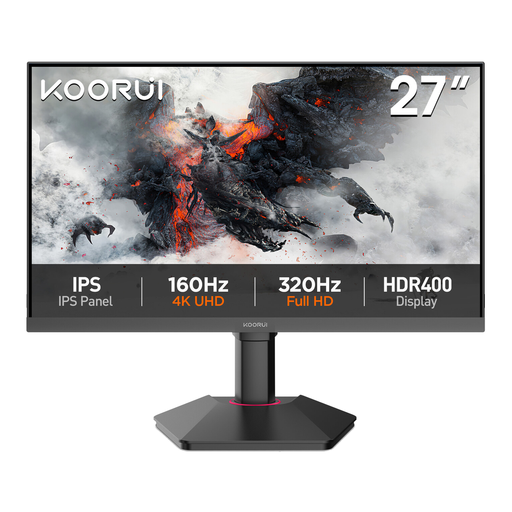
Why This Fits Their Persona: This monitor is ideal for UK users who split their time between office tasks and non-competitive gaming. The 27-inch QHD (2560x1440) resolution provides ample screen real estate and sharp text for productivity, while the 75Hz refresh rate offers a smoother experience than standard 60Hz monitors for casual gaming.
It avoids the "gaming tax" by focusing on practical, high-value features. Instead of paying a premium for a 144Hz+ refresh rate that may be overkill for casual use, you get a higher QHD resolution that enhances both work and entertainment.
Sharp QHD resolution on a 27-inch IPS panel for excellent detail and colour. Features like Low Blue Light mode and VESA mount compatibility add to its versatility.
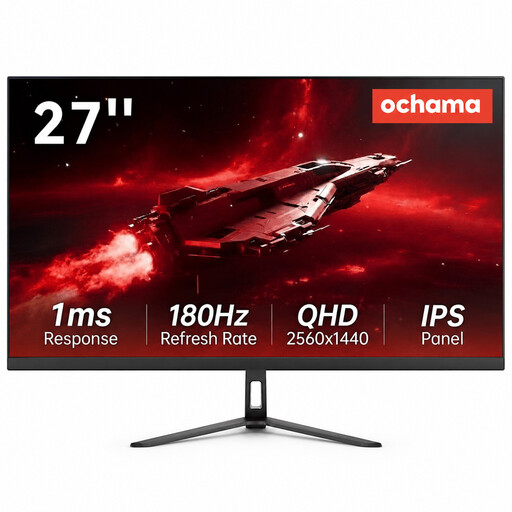
Why This Fits Their Persona: For the gamer focused on performance in fast-paced titles, this monitor delivers. The 180Hz refresh rate provides exceptionally smooth motion, giving a tangible advantage where reaction time is everything. The 2K QHD resolution ensures that the visuals remain sharp and detailed.
It avoids the trap of sacrificing one key spec for another. You get both an elite-level refresh rate (180Hz) and a high-detail resolution (QHD), a combination that provides a clear performance and visual upgrade without compromise.
An extremely high 180Hz refresh rate for fluid gameplay. The ultra-narrow bezel design is also ideal for creating a seamless multi-monitor setup.
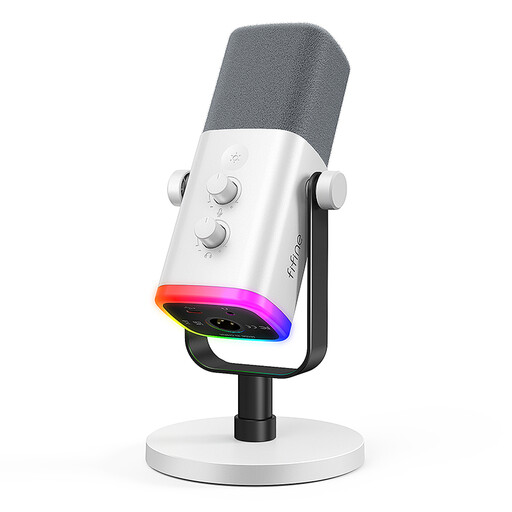
Why This Fits Their Persona: This microphone is perfect for someone starting their streaming journey. The dual USB and XLR connectivity offers incredible flexibility: start with the simple plug-and-play USB connection, then upgrade to an XLR setup with a mixer or audio interface later without needing to buy a new mic.
It sidesteps the "looks over substance" trap by offering genuine, high-quality features. It's a dynamic microphone, which is excellent for rejecting background noise in a typical home setup, and its dual connectivity is a practical, future-proofing feature.
Dual USB/XLR connection for ultimate flexibility. On-mic controls like a gain knob, mute button and headphone jack (for zero-latency monitoring) provide total control.
We have compiled a complete, real-time list of products that fully satisfy these strict selection criteria and UK safety regulations.
For players of fast-paced games like first-person shooters (e.g., Valorant, Apex Legends) or racing simulators, a 144Hz monitor is absolutely worth the investment. The increased smoothness provides a clearer picture during fast movements and can reduce input lag, offering a competitive edge. For those who primarily play slower-paced strategy or role-playing games, the benefit is less pronounced, and you might prefer to invest in a higher-resolution 60Hz or 75Hz monitor instead.
The main difference is convenience versus quality and control. A USB microphone contains a built-in pre-amp and converter, allowing you to plug it directly into your computer. It's simple and effective. An XLR microphone is an analogue device that requires a separate audio interface or mixer to connect to your PC. This setup offers superior sound quality, lower noise and the flexibility to use professional audio equipment, but it comes with a higher cost and complexity.
First, ensure your monitor is positioned correctly: the top of the screen should be at or slightly below eye level. Second, use an eye care monitor light bar, like the Thunderobot L1, to illuminate your desk space without creating glare on your screen. This reduces the harsh contrast between the monitor and your room. Finally, many modern monitors include a Low Blue Light mode and Flicker-Free technology, which are designed to reduce eye fatigue during extended use. Remember to take regular breaks using the 20-20-20 rule: every 20 minutes, look at something 20 feet away for 20 seconds.