What should you check before buying?
Start with where the connection fails, then decide whether the games will run on local hardware or through a cloud service. A network upgrade and a gaming-device purchase solve different parts of that decision.
| Priority |
What to check |
Your needs |
| One fixed device |
Check for an Ethernet socket, a practical cable route to the router and a free router port. Ofcom says a wired connection is usually faster and more reliable than Wi-Fi; it changes the connection for the cabled device, not Wi-Fi elsewhere. |
I play from one desk or TV and want a steadier connection while other people use the household network. |
| Several weak-signal rooms |
Check which rooms need coverage, where mesh nodes can sit and whether Ethernet can connect the nodes. TP-Link says Ethernet backhaul avoids a wireless link between its Deco units; results still depend on the home and connected devices. |
Gaming is only part of the problem: phones, handhelds or other devices also need usable Wi-Fi away from the router. |
| Powerline route |
Confirm that the intended sockets share an electrical circuit and identify any existing adapter standard. TP-Link says its G.hn adapters are incompatible with HomePlug AV/AV2 adapters; performance depends on wiring and network conditions. |
A long cable through the rooms is impractical, but my fixed gaming device needs an Ethernet connection at its location. |
| Local games and access |
Check the device, intended games, storage and online-multiplayer requirements. PlayStation says most PS4 and PS5 online multiplayer games require PlayStation Plus; requirements differ by platform and game. |
I want games to run on a local console or PC rather than depend on cloud-streaming access for each session. |
| Cloud gaming |
Check eligible games, device, account, membership tier and the provider’s speed and latency requirements. For example, NVIDIA specifies less than 80 ms latency to its data centre for GeForce NOW; PlayStation lists separate speed minimums for Portal cloud streaming. |
I could use a supported device instead of a high-spec local gaming PC or console, provided the service and household connection suit the games I intend to play. |
Joybuy networking options
These options cover multi-room mesh Wi-Fi and a powerline connection for a fixed device. Choose between them according to where the connection problem occurs; they are not a comparison of gaming consoles or cloud services.
 Image unavailable
TP-Link Deco BE22 BE3600 mesh Wi-Fi 7 system (3-pack)
A three-unit mesh option to consider when Wi-Fi coverage is needed in several rooms. Check node placement and, if you intend to connect units by cable, confirm the wired-backhaul setup before buying.
View on Joybuy
 Image unavailable
NETGEAR Orbi 370 RBE373 BE3600 WiFi 7 mesh system (3-pack, white)
A three-unit mesh system for considering Wi-Fi coverage across rooms. The product name specifies dual-band WiFi 7 and 2.5 Gbps Ethernet; confirm the port arrangement and wired-backhaul support if you plan to connect devices or mesh units by cable. Coverage in your home will depend on its layout and network conditions.
View on Joybuy
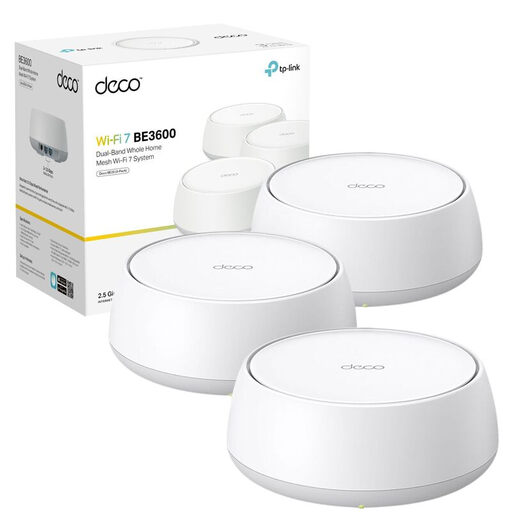 Image unavailable
TP-Link Deco BE25 whole-home mesh WiFi 7 system (3-pack)
Consider this three-unit mesh system for weak Wi-Fi across several rooms rather than a problem confined to one fixed console. Plan where the units would sit, and confirm wired-backhaul capability if you need a cable link between them.
View on Joybuy
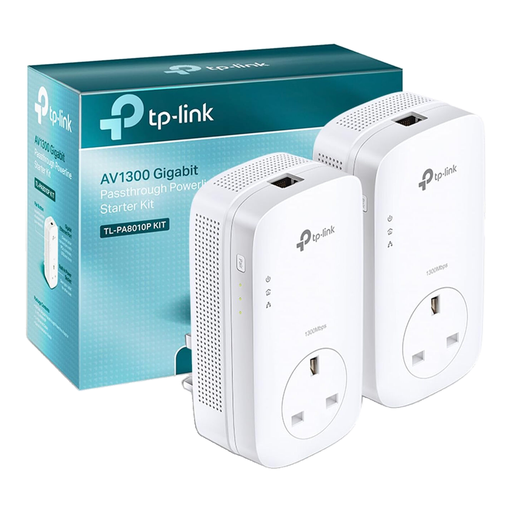 Image unavailable
TP-Link TL-PA8010P KIT AV1300 Gigabit passthrough powerline kit
A powerline option for a fixed PC or console where running a long Ethernet cable is impractical. TP-Link says both adapters need sockets on the same electrical circuit; check the home’s wiring and compatibility with any existing powerline equipment. AV1300 is not a guarantee of gaming performance.
View on Joybuy
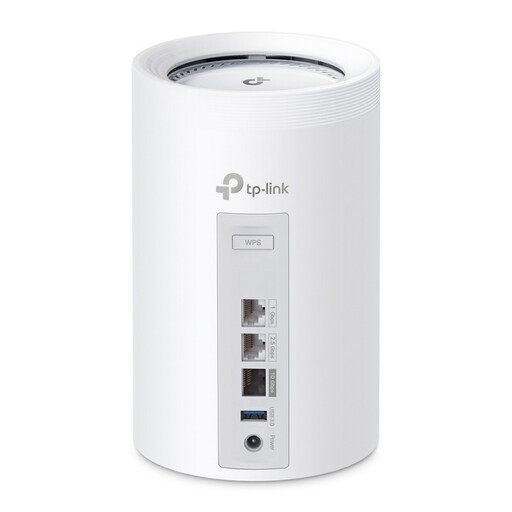 Image unavailable
TP-Link Deco BE65 BE9300 tri-band Wi-Fi 7 mesh system (3-pack)
A three-unit mesh option for a household considering Wi-Fi coverage across rooms. If a wired gaming connection or cable between mesh units matters, confirm the Ethernet ports and backhaul arrangement for this variant before choosing it; plan placement around the rooms that need coverage.
View on Joybuy
Frequently asked questions
When should I use Ethernet rather than upgrade Wi-Fi?
Use direct Ethernet when one stationary PC or console is the priority and you can run a cable to the router. Ofcom says a wired connection is usually faster and more reliable than Wi-Fi. If weak coverage affects several rooms and mobile devices, a router or mesh upgrade addresses that wider problem instead.
Can powerline adapters stand in for a long Ethernet cable?
They can provide an Ethernet connection at the gaming location, but suitability depends on the home. TP-Link says both adapters must be on the same electrical circuit; check the intended sockets and compatibility with existing adapters. Actual performance depends on the wiring and network conditions.
What does PlayStation Portal cloud streaming require in the UK?
PlayStation specifies a Portal, an adult PlayStation account, PlayStation Plus Premium and broadband access. It lists 5 Mbps to establish a session, 7 Mbps for 720p and 13 Mbps for 1080p. Check that the games and functions you want are available through Portal cloud streaming.
What should I check for Xbox cloud gaming?
Check device and game support, then confirm access through an eligible Game Pass Essential, Premium or Ultimate membership or a supported free-to-play game, as described by Xbox. Review the current plan’s cloud-playtime and streaming conditions separately from any online console multiplayer requirement.
What connection does GeForce NOW need?
NVIDIA lists 15 Mbps for HD at up to 60 FPS, 25 Mbps for FHD at 60 FPS and 45 Mbps for 4K at 120 FPS, with different requirements for other modes. It recommends Ethernet or a 5 GHz Wi-Fi router and requires latency below 80 ms to an NVIDIA data centre. Check the intended device, games and membership features as well as the connection.


