Quiet late-session player
You play while someone nearby may be sleeping, studying or working. A headset keeps game audio personal, provided it works with your platform and you listen at a comfortable volume.


Choose the display around what your console, laptop or PC can output and where the screen will fit. In a shared room, personal audio and a compact keyboard may be more useful than speakers or extra peripherals, but check headset compatibility, the keys you need and how each device will charge.
You play while someone nearby may be sleeping, studying or working. A headset keeps game audio personal, provided it works with your platform and you listen at a comfortable volume.
Your desk also serves another purpose, so screen placement, keyboard width and room for the mouse matter more than adding peripherals you rarely use. In bedrooms, studies and shared family spaces, tidiness and noise affect setup choices.
You already have a console, gaming laptop or desktop PC and want a screen that can use its intended output. PlayStation and Xbox Support describe different display checks, while a laptop’s USB-C connection needs its own video-output check.
Start with the device you play on and the space available for its display. Then decide which matters most in daily use: keeping sound to yourself, preserving desk room or making cables and charging easier to manage.
| Concern | What to check | Who this matters to |
|---|---|---|
| Quiet play | Check the headset’s exact platform and connection method, along with microphone and volume controls. | If someone nearby needs quiet, I want game sound through a headset without turning it up to compete with background noise. Around 29% of consumers put avoiding disturbance first. |
| Display compatibility | Match the intended resolution and refresh rate to the source device, display port, cable and settings. For a laptop display adapter, check whether its USB-C port carries video. | When changing screens, I need to know that my existing gaming device can use the display mode I have in mind. Roughly 29% of consumers make that compatibility their primary concern. |
| Desk and mouse space | Measure the space for the display and compare a 60% keyboard with a tenkeyless layout, including which keys need shortcuts. | My desk has to remain usable for other tasks, and I still need room to move the mouse. About 24% of consumers prioritise usable desk space. |
| Cables and charging | Plan where devices will connect and charge; check a hub’s host-port requirements before relying on it for a display. | If I clear the surface after playing, separate leads and chargers make that routine harder. Around 18% of consumers place cable and charging organisation first. |
The screen specification alone cannot establish which mode your console or computer will output. Xbox Support says Series X gaming at 4K and 120 frames per second requires a Series X, an Ultra High Speed HDMI cable and an HDMI 2.1 TV.
Decide which resolution and refresh rate you intend to use, then check the source device, display connection, cable and settings together. PlayStation provides a way to test supported PS5 1440p modes on a connected display.
Compatibility can change between variants in the same range. SteelSeries states that its Nova 3P Wireless is not compatible with Xbox.
Check the full model name against your platform, including its supplied receiver or cable and the microphone connection you need.
A hub cannot provide display output if the laptop’s USB-C port does not carry video. Belkin specifies a video-enabled USB-C port for its USB-C 4-in-1 Core Hub.
Check the laptop’s port specification and intended display mode before choosing the hub and cable arrangement.
Keeping sound away from other residents does not mean listening at an uncomfortable level. Royal Free London NHS Foundation Trust advises that noise-cancelling headphones can reduce the temptation to raise volume against outside noise.
Use a comfortable volume and take breaks during extended listening.
These product lines illustrate different checks for a shared-space setup; a feature of one named model should not be assumed across its brand’s range.
A monitor line to consider when comparing desk-based display connections and output modes.
A headset range to examine when choosing a connection for more than one gaming platform.
A reference for comparing compact keyboard layouts on a restricted desk.
A reference for players considering a 60% mechanical keyboard to leave more room beside the mouse.
A reference for laptop players considering a compact adapter for a display and desk connections.
These choices cover compact keyboard input, personal audio, PS5 controller charging and desk-based displays. Choose only the parts that fit your existing gaming device and the room you share.
 No image available
Consider this for a narrow desk when leaving room for mouse movement matters more than having every key immediately available. Its 60% layout and analogue optical switches are identified in the product name; check whether using key combinations for some navigation suits your other desk tasks.
 No image available
A personal-audio option for playing near other residents if a cable works at your seat. This is the wired Gen 2 variant; check its connection against your gaming device and use a comfortable listening volume.
 No image available
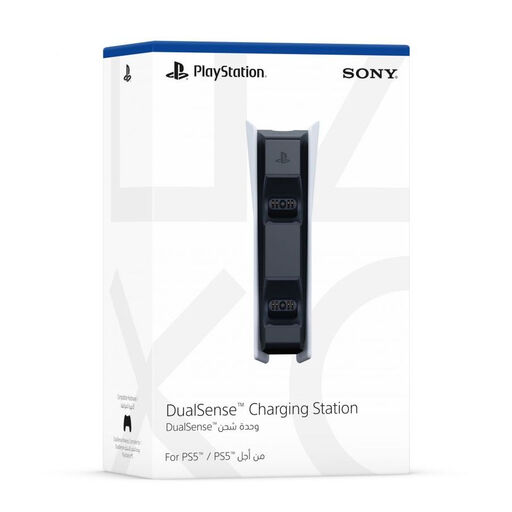
Consider a dedicated charging place if DualSense controllers otherwise occupy a shared surface. This station is for PlayStation 5 DualSense controllers; controllers are not included, and you should confirm the supplied power arrangement before buying.
 No image available
Consider this for desk-based play if a 27-inch screen fits the available surface. The named variant has a Nano IPS panel and dual-mode 240 Hz/480 Hz specification; confirm which resolution and refresh-rate combination your source device, cable and settings can use.
 No image available
Another desk-display option where a 27-inch screen fits. This named QHD OLED variant lists 240 Hz; check its physical dimensions and whether your console or computer can use the display mode you intend.
Not for every display mode. Xbox Support says Series X gaming at 4K and 120 frames per second requires a Series X, an Ultra High Speed HDMI cable and an HDMI 2.1 TV. PlayStation lets PS5 owners test supported 1440p 60 Hz and 120 Hz modes on a connected display; decide which mode you want before matching the equipment.
No: the laptop’s particular USB-C port must support video output. Belkin specifies a video-enabled USB-C port for its USB-C 4-in-1 Core Hub, so check your laptop’s port specification and supported display mode before choosing a hub.
No; support depends on the exact headset and connection method. SteelSeries explicitly says its Nova 3P Wireless is not compatible with Xbox, so check the full variant name and supplied connection against your console.
Keep listening at a comfortable level and take breaks. Royal Free London NHS Foundation Trust notes that noise-cancelling headphones can help reduce the urge to raise volume against outside noise; a headset should not make louder listening the default.