Shared-TV console players
If you want to keep using your existing console while someone else has the television, a directly connected personal monitor may help; for eligible PS5 use, Sony's Portal offers a Remote Play option.


If someone else needs the shared TV, choose a compatible separate display or a handheld system; a headset changes the audio, not access to the screen. Start with the games and system you already use, then check display inputs, game compatibility and the exact headset or controller connection; PS5 Remote Play also depends on a paired PS5 and a network connection.
If you want to keep using your existing console while someone else has the television, a directly connected personal monitor may help; for eligible PS5 use, Sony's Portal offers a Remote Play option.
If you want to take both the screen and controls elsewhere, check that your preferred games suit the handheld system and play mode. Nintendo documents handheld options for Switch 2, while Valve provides game compatibility ratings for Steam Deck.
If screen access is already sorted but room speakers disturb others, check that the headset connection suits your system. Microsoft and SteelSeries specify compatibility for particular headset models.
| Concern | What to check when buying | Who this matters to |
|---|---|---|
| Access to a screen | Match the display input and video mode to your console or PC. For Portal Remote Play, check the paired PS5 and network requirements. | When I need to keep using my console while someone else has the TV, a separate screen is the priority; around 36% of consumers put screen access first. |
| Handheld play | Check each intended game's compatibility and the system's supported play modes; do not assume a game carries over from another platform. | If I want the screen and controls to move with me, I would check that my games suit the handheld; around 29% of consumers prioritise handheld play. |
| Personal game audio | Check exact console support, the wired connection or dongle, microphone needs and where chat audio is routed. | When I can use a screen but need game audio away from room speakers, personal audio matters; around 21% of consumers put quieter game audio first. |
| Controller readiness | Match the console generation and controller to the charging dock or grip, and verify accessory compatibility. | If screen and sound are settled but controllers need to be ready for shared sessions, I would check the exact model match; around 14% of consumers prioritise controller readiness. |
A headset changes where the audio goes, but it does not provide another display for the existing console.
Decide whether the problem is screen access, sound, or both before choosing an accessory.
Remote Play has PS5 and network requirements, while handheld systems have their own game compatibility and play-mode conditions.
List the games you intend to play and check the relevant system, mode and account requirements before choosing.
Nintendo specifies different dock and charging-grip compatibility across Switch generations. Microsoft's Xbox Wireless Headset does not have a 3.5 mm connection.
Match the full console generation, controller model and connection method to the accessory.
Nintendo offers handheld, tabletop and TV play on Switch 2, alongside handheld-focused Switch Lite models.
PlayStation offers Portal for specified PS5 Remote Play uses and charging accessories for particular controllers.
Microsoft's Xbox Wireless Headset is a personal-audio option for listed Xbox consoles and other specified devices.
The Arctis Nova 7X is a model-specific headset option for households using more than one listed system.
The S2725DSM illustrates a personal desk-display route with HDMI connectivity and an adjustable stand.
Steam Deck OLED provides a handheld route for players whose preferred PC games suit Deck play.
These Joybuy options cover personal displays, personal audio, a PS5 Remote Play device and handheld play. Match the route to whether the shared-home issue is screen access, sound or both.
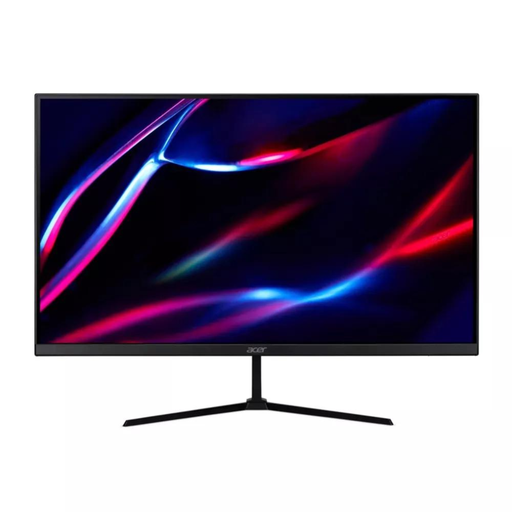 Image unavailable
Consider this separate display if your existing console or PC can connect to a monitor and you have desk space; games remain on that device.
The product title lists a 27-inch QHD IPS display, 180Hz, 1ms/0.5ms (GTG, Min.), 350nits, 2x HDMI, DP, audio out, HDR400 and FreeSync Premium.
Check that your device supports the intended input mode and decide how to route audio; a separate display does not by itself address room noise.
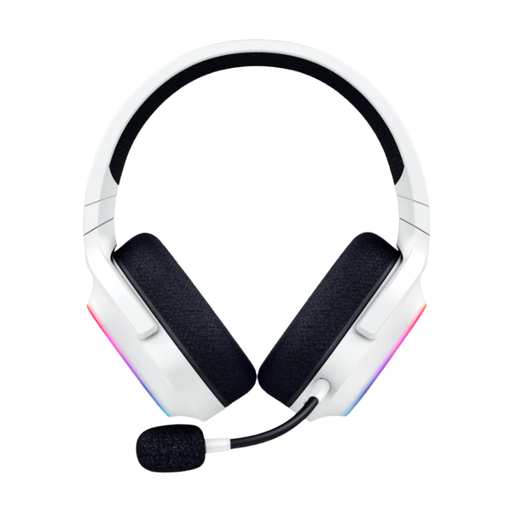 Image unavailable
Consider personal audio if screen access is already available and game sound is the issue; a headset does not free up the shared screen.
The product description lists 2.4 GHz wireless, Bluetooth 5.2, a 3.5 mm wired option and a detachable microphone, with PC, PlayStation and Nintendo Switch among the supported platforms.
Check compatibility and the preferred connection for your exact device.
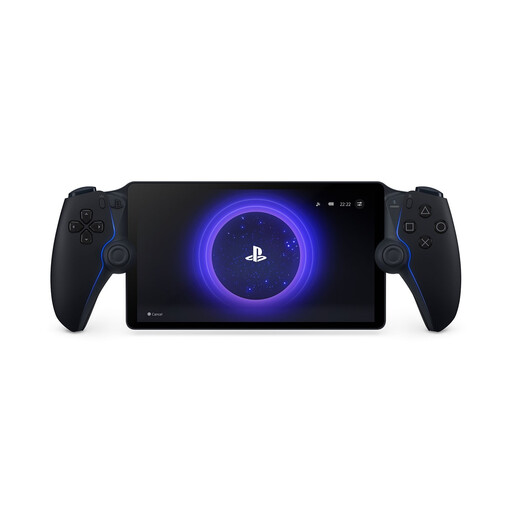 Image unavailable
Consider this route for compatible PS5 games away from the TV when you have the required PS5 and Wi-Fi connection.
The product description lists an 8-inch Full HD display and DualSense controls. Sony's Remote Play guidance specifies a paired PS5 and network requirements.
Check that the games you intend to play are compatible; Remote Play depends on the PS5 and network rather than running those games independently on the device.
 Image unavailable
Consider handheld play if you want to move the screen and controls away from the shared TV. Nintendo documents handheld and tabletop modes for Switch 2.
Nintendo notes that some Nintendo Switch games may not be supported or fully compatible with Switch 2.
Check the games you want to play and their compatibility with this system.
 Image unavailable
Consider this separate display if your compatible console can connect to a monitor and you have space for a desk setup.
The product title lists a 27-inch QD-OLED 2560 x 1440 display, 240Hz, 0.03ms and Adaptive-Sync. The product description lists HDMI 2.1 inputs and PS5 and Xbox console modes.
Check the supported input mode for your own device rather than assuming the monitor's listed ratings describe its output in every setup.
No: a headset changes the audio route, not where the game picture appears. To play while someone else uses the TV, consider a separately connected display or a compatible handheld or Remote Play arrangement.
Nintendo says the original Switch dock is not compatible with Switch 2. Joy-Con 2 charging grips and original Joy-Con charging grips fit their corresponding controller types, so check the accessory generation before buying.
For Remote Play of compatible games installed on a PS5, yes: Sony requires a paired PS5 that is on or in Rest Mode and connected to broadband. Sony's UK listing describes cloud streaming separately for selected PS5 games with an eligible adult PlayStation Plus Premium account, so check which option and games apply.
Check the headset's exact connection and supported system, or the dock's specified controller generation. Microsoft says its Xbox Wireless Headset cannot use a 3.5 mm lead, while Sony specifies DualSense and DualSense Edge controllers for its named charging station.
For most online purchases, GOV.UK guidance says consumers can tell the seller within 14 days of receiving an item that they wish to cancel, then have another 14 days to return it; exceptions include certain sealed hygiene goods once opened. Faulty or misdescribed goods have separate statutory remedies, so change-of-mind rules do not remove those rights.