Who needs more game storage?
The useful upgrade depends on which games you want to keep ready to play and which device you use.
PS5 and Xbox Series X|S players
If you regularly move or delete current-generation games, distinguish storage that launches them directly from USB space used to keep them for later transfer. PlayStation and Xbox Support set different direct-play requirements for their consoles.
Nintendo Switch and Switch 2 digital-library players
Downloadable games, updates, DLC and captures can make card capacity relevant. Nintendo UK distinguishes the original Switch’s supported microSD types from the microSD Express requirement for Switch 2.
PC players considering an internal SSD
More room for installed games is useful only if the drive fits the computer. Crucial advises checking the actual M.2 slot and its supported interface and configuration, rather than relying on the M.2 label alone.
What should you check before choosing?
Start with the games you want to launch directly, then check the device’s connection requirements and the space your library uses.
| Priority | What to check | Your needs |
|---|
| Playing from the drive |
PlayStation says PS5 games cannot launch from USB extended storage, although PS4 games can. Xbox Support says Optimised for Xbox Series X|S games need the internal SSD or a Storage Expansion Card to play. |
I want my current-generation games ready to launch without moving them back from a USB archive. |
| Internal SSD fit |
For PS5, check Sony’s PCIe Gen4x4 M.2 NVMe, size and heat-dissipation requirements; its 5,500 MB/s sequential read figure is a recommendation, not a fit guarantee. For a PC, check the system’s M.2 slot, supported SATA or PCIe interface and physical size, as Crucial advises. |
An internal upgrade makes sense for me only if the exact drive fits my PS5 or computer. |
| Nintendo card type |
Nintendo UK lists microSD, microSDHC and microSDXC for original Switch models. Switch 2 requires microSD Express for expandable game storage and supports cards up to 2 TB. |
I need a card for my particular Switch model, rather than assuming a card used with an original Switch will expand Switch 2 games. |
| Usable capacity |
Review the games and captures you keep, plus free space already available. Xbox Support notes that some headline internal capacity is reserved for system functions; check individual game requirements before choosing card or drive capacity. |
I would rather size the upgrade around the games I keep installed and the recordings I save than the capacity printed on the console. |
| Formatting and files |
Check setup instructions before connecting a drive containing files. Xbox Support warns that setting up USB game storage reformats the drive; Nintendo UK advises backing up important card data before formatting because it cannot then be recovered. |
My screenshots or recordings need another copy before I format storage for a console. |
Relevant brand references
These brands illustrate different storage and compatibility questions; a brand name alone does not establish fit for a particular device.
Seagate
Seagate makes a Storage Expansion Card for the Xbox Series X|S expansion slot, distinct from a general USB drive.
- Seagate says its card can store and play Xbox Series X|S and legacy Xbox games directly; Xbox Support confirms the expansion-card route for Optimised titles.
- This is a platform-specific option. Check the exact card and its current availability before ordering.
Samsung
Samsung offers PCIe 4.0 NVMe M.2 SSDs relevant to compatible PC upgrades and to PS5 expansion checks.
- Samsung lists up to 7,450 MB/s sequential read speed for its 990 PRO with Heatsink 4TB, subject to system configuration.
- That figure does not establish PS5 fit for another 990 PRO variant. Check the exact drive’s dimensions and cooling against Sony’s requirements.
Crucial
Crucial’s SSD guidance is useful when checking whether a PC or laptop supports a proposed M.2 upgrade.
- Crucial explains that M.2 drives may use SATA or PCIe and directs buyers to their system documentation.
- That guidance does not mean every Crucial drive fits every PC or console; confirm the host system and exact drive configuration.
Joybuy gaming storage options
These options cover Switch memory cards, an internal SSD and external drives for keeping or transferring games. Match each one to your device’s play-from-storage rules before choosing.
 No image available
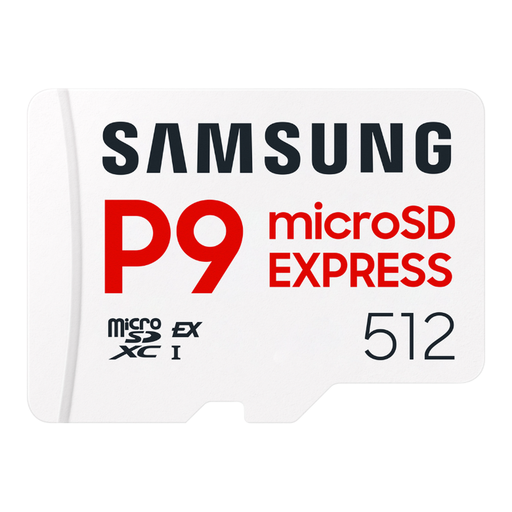
Samsung P9 Express 512GB microSD
For Switch 2 game-library expansion, this 512GB microSD Express card has the card type Nintendo UK requires. Back up important existing card files before formatting.
View on Joybuy
 No image available
Western Digital WD BLACK P10 Game Drive 6TB, Black
This external game drive offers 6TB for a library you want to keep or transfer. PlayStation says PS5 games cannot launch from USB storage; Xbox Support says Optimised for Xbox Series X|S games need internal SSD storage or a Storage Expansion Card to play.
View on Joybuy
 No image available
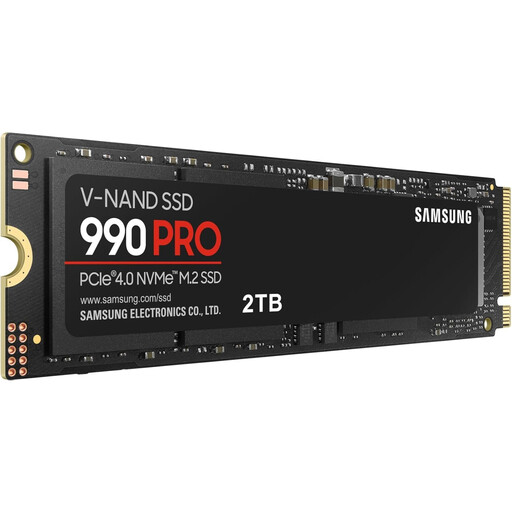
Samsung 990 PRO PCIe 4.0 NVMe 2TB
This internal 2TB SSD is an option for a PC with a compatible M.2 slot and interface. If considering it for PS5, verify this exact variant’s dimensions and effective cooling against Sony’s requirements; the interface alone does not establish fit.
View on Joybuy
 No image available
SanDisk Extreme 2TB Portable SSD for PlayStation 5 and PC
This 2TB portable SSD suits keeping PS5 games for later transfer, not launching them from USB. PlayStation requires those games to be moved to console storage or a compatible internal M.2 SSD before play; back up files before formatting a drive for console use.
View on Joybuy
 No image available
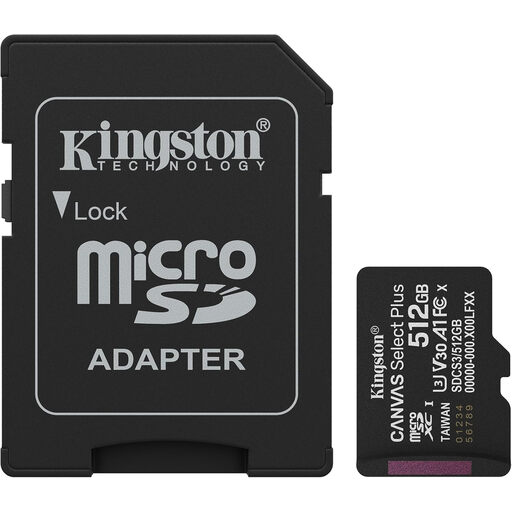
Kingston Canvas Select Plus 512GB microSDXC with SD Adapter
This 512GB UHS-I microSDXC card is a type supported by original Nintendo Switch models; confirm compatibility with your particular console. It is not microSD Express, the type Nintendo UK requires for Switch 2 game expansion.
View on Joybuy
Gaming storage questions
Can I play PS5 games from an external SSD or hard drive?
No. PlayStation says USB extended storage can hold PS5 games, but you must copy them to console storage or a compatible internal M.2 SSD before playing. PS4 games can be played directly from PS5 USB extended storage.
What should I check for a PS5 internal SSD?
Check Sony’s PCIe Gen4x4 M.2 NVMe Key M requirement, supported 250 GB–8 TB capacity, physical dimensions and effective heat dissipation. PlayStation recommends sequential read speed of at least 5,500 MB/s but does not guarantee every drive meeting its published specifications.
Can a USB drive run Optimised for Xbox Series X|S games?
No. Xbox Support says those games need the console’s internal SSD or a Storage Expansion Card to play. A suitable USB drive can store them for transfer, while supported Xbox One and backward-compatible games can be played from external storage.
Do Switch and Switch 2 take the same game-storage cards?
No. Nintendo UK lists microSD, microSDHC and microSDXC for original Switch models, while Switch 2 requires microSD Express for expandable game storage. Check the designation on the exact card rather than assuming a standard microSD card will expand Switch 2 games.
Will any M.2 SSD fit my PC or laptop?
No. Crucial explains that M.2 drives can use SATA or PCIe and that systems may require a particular interface or configuration. Check your computer’s documentation for its available slot, supported interface and physical drive size before choosing an SSD.


