Handheld gaming players
You prioritise a manageable tablet size and hardware aimed at native Android gaming over a larger screen for viewing from across the room.


Choose around the platform games you intend to play: a compact gaming-focused Android tablet suits handheld play, a larger Android tablet suits room-based viewing, and an iPad Air makes sense when your games are available for iPad or through Apple Arcade. Check each game’s device and controller compatibility, prepare downloads before travelling, and do not make hotel Wi-Fi your only way to play.
You prioritise a manageable tablet size and hardware aimed at native Android gaming over a larger screen for viewing from across the room.
You expect to play with the tablet on a desk or stand and want more screen space and local storage for downloaded games and media.
You want games available for iPad or through Apple Arcade and plan to prepare compatible offline games before leaving home.
Choose when: Handheld size and hardware aimed at native mobile gaming matter most; Lenovo’s Legion Tab 3rd Gen is an 8.8-inch example.
Trade-off: Its smaller screen gives you less viewing area, and a 165Hz display does not mean every game runs at that frame rate.
Choose when: Screen space for playing at a desk or from a stand and storage for downloads take priority. Samsung lists a 10.9-inch display and microSD support for the Galaxy Tab S10 FE.
Trade-off: A larger tablet is a different handheld proposition; Samsung also says the Tab S10 FE does not include a travel adapter.
Choose when: Your intended games are available for iPad or in Apple Arcade, whose games Apple says can be played online or offline.
Trade-off: Check each game’s controller support and regional availability; the iPad Air has no microSD expansion.
| Concern | What to check | Who this matters to |
|---|---|---|
| Games and offline access | Look up each intended game on the specific tablet and check its download, sign-in and offline requirements. | I want my chosen games ready when the hotel connection is unreliable, rather than depending on a download after arrival. Around 42% of consumers put playable games and offline readiness first. |
| Performance and controls | Compare the exact model’s hardware, then check each game’s supported settings and controller options; display refresh rate alone cannot establish game frame rate. | If responsive play or a controller is central to my sessions, I need those options to work in the actual games I play. For around 33% of consumers, performance and controls are the primary concern. |
| Hotel-room setup | Compare screen size, listed weight, storage and what charging equipment comes with the exact model. | I may hold the tablet or set it on a desk, so its size and the equipment I need to pack shape my choice. A manageable room-and-travel setup comes first for around 25% of consumers. |
A 90Hz or 165Hz screen does not establish a particular game’s frame rate, graphics settings or controller support.
Make a list of the games you will play and check their device, controller and offline requirements individually.
Hotel connectivity may not suit large downloads or streaming. The National Cyber Security Centre also warns that public or insecure networks can expose mobile-device traffic to interception or modification.
Install games and updates before travelling where possible, rather than making streaming your only playing option.
Samsung says the Galaxy Tab S10 FE and FE+ do not include a travel adapter.
Check the in-box list for the exact tablet and whether the charger you plan to pack is suitable.
You may need a suitable adapter if you do not already have one.
Downloaded games and updates take local space, while microSD expansion varies by model.
Check the installed sizes of your intended games and select sufficient internal storage; consider a microSD card only for a model that supports it.
The Legion Tab 3rd Gen represents the compact, gaming-focused Android route.
The Galaxy Tab S10 FE represents a larger-screen Android choice with expandable storage.
The 11-inch iPad Air is relevant when the games you want are available in the iPad ecosystem.
These Android tablets offer screen sizes for different hotel-room setups. Check your intended games against the exact device before treating any display or processor specification as evidence of game performance.
 No image available
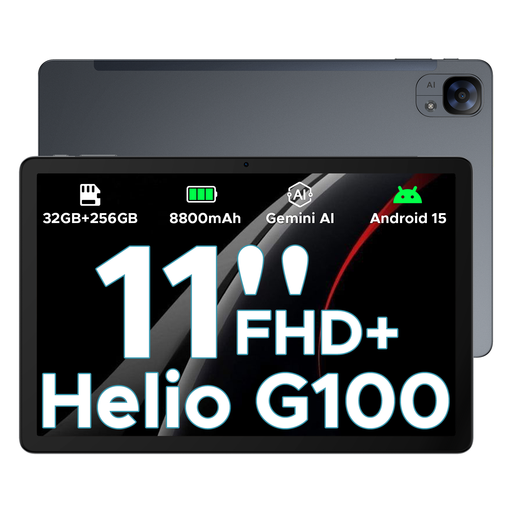
Consider its 11-inch screen for playing with the tablet set down in your room. The title lists an FHD+ 90Hz display, Helio G100 and 256GB storage; confirm the exact storage configuration, suitable charging equipment and support for your games.
 No image available
The listed 512G storage may be relevant if you plan to keep games downloaded for a trip. Check your games’ availability, offline requirements and controller support, along with the tablet’s weight and supplied charging equipment.
 No image available
Its listed 13.4-inch 120Hz display is worth considering if you plan to set the tablet down while playing; the listed 720g weight matters more if you expect to hold it. Confirm the chipset before buying, because the listing names conflicting processors, and check each game’s compatibility.
 No image available
The listed 12-inch FHD+ 90Hz display offers more screen area for room-based play than the 11-inch Tab E3. Confirm the storage configuration supplied with this SKU, the charger’s UK plug suitability and whether your games work offline or with your controller.
 No image available
Consider the listed 12.7-inch 2K screen if you expect to play with the tablet propped up. The title also specifies Android 15 and Helio G99; check the refresh rate, weight, charging contents and compatibility of your intended games before choosing it for travel.
Prepare downloads and updates before travelling where possible, rather than depending entirely on hotel Wi-Fi. Connection quality can affect large downloads and streaming, while the National Cyber Security Centre warns that public or insecure networks can expose mobile-device traffic to interception or modification.
Check the individual game’s listing or publisher guidance for the device you plan to use. Apple says a controller icon on an Apple Arcade game page indicates support for that Apple device; Google Play can help identify Android-device compatibility, but controller support still needs its own check.
Check whether your chosen setup calls for a subscription, controller, stand, supported microSD card or charging equipment. Apple Arcade is a subscription service, and Samsung says the Galaxy Tab S10 FE and FE+ do not include a travel adapter.
Take an old tablet to an appropriate electrical-waste collection point rather than putting it in household rubbish. GOV.UK advises that electrical products and batteries should be collected for recycling; treat a built-in battery as part of the tablet rather than attempting to remove it.