What matters when choosing?
For RPG play in a coach seat, decide whether you will hold the tablet or support it, then check the requirements of the games you intend to play. Prepare downloads and charging equipment before travelling rather than relying on facilities onboard.
| Concern |
What to check |
Who this matters to |
| Portable game performance |
Check the exact processor, physical RAM and storage configuration against your RPG’s requirements. A high display refresh rate alone does not establish the game’s frame rate. |
If I play demanding RPGs, I need a configuration suited to those games without giving up a tablet I can carry comfortably. Around 31% of consumers put portable game performance first. |
| Hand-held comfort |
Compare listed weight and dimensions, and decide whether you can use a tray or stand without interfering with your seat belt. |
When I expect to hold the tablet through much of the journey, a manageable grip and small-bag fit take priority. Hand-held comfort comes first for around 31% of consumers. |
| Map and text space |
View your RPG’s interface on the intended screen size if possible; compare display dimensions rather than assuming a larger diagonal makes every game’s text clear. |
Dense maps, dialogue and inventory panels make me willing to support a larger tablet instead of holding it throughout. Around 25% of consumers put interface space first. |
| Offline and connection planning |
Check the exact SKU’s storage options and Wi-Fi or cellular capability. Download games and updates ahead of time, and check the box contents for charging equipment. |
If I want my games ready without coach Wi-Fi, I need enough usable storage and a connection plan for anything that must stay online. These preparations lead the choice for around 13% of consumers. |
Joybuy tablet choices
These tablets cover compact hand-held play and larger screens for RPG maps and menus. Compare each one against the games you intend to install and how you will use it in a coach seat.
 No image available
Xiaomi Pad 8 Pro Grey, 12GB RAM and 512GB storage
Consider this configuration if you want storage for downloaded games alongside room to view RPG maps; check the game’s requirements and how you would support the tablet in your seat.
The product name specifies 12GB RAM and 512GB storage.
Joybuy
 No image available
DOOGEE Tab E3+ Black Android 15 tablet
The larger display may appeal if you spend time reading RPG maps and menus; check whether its size works in your seat and whether your games support this Android model.
The product name lists a 12-inch FHD+ 90Hz display, Helio G100 processor, SIM card slot and 8,800mAh battery. It describes a 32GB+256GB memory and storage configuration; check how much of the stated memory is physical RAM before comparing it with other tablets.
Joybuy
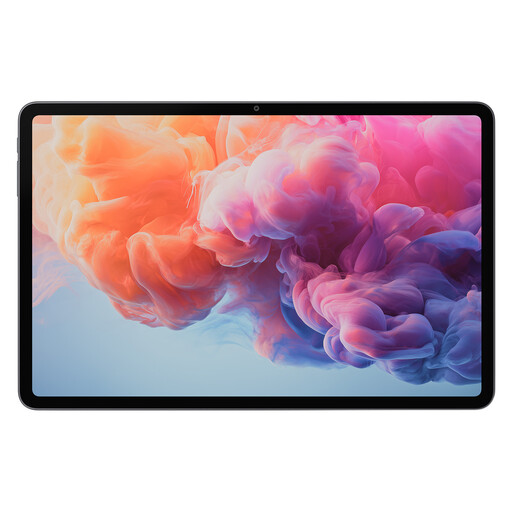 No image available
ALLDOCUBE iPlay 70 Pad Pro, 8GB RAM and 128GB storage
Its screen size is worth considering for maps and dialogue if you can support the tablet during play; check your RPG’s compatibility and download size.
The product name lists a 12.1-inch display, MediaTek G100 processor, 8GB RAM, 128GB storage and 10,000mAh battery. It states that a charger is not included.
Joybuy
 No image available
Apple iPad Mini 7 (A17 Pro), 512GB, Space Grey
This compact iPad option suits a plan to play hand-held, provided your RPG is available on iPadOS and its interface remains comfortable on a smaller screen.
The product name specifies an A17 Pro chip and 512GB storage. Confirm the exact connectivity variant if you need mobile data.
Joybuy
 No image available
TECLAST ArtPad Pro 2025 Edition, 256GB storage
Consider its larger screen if map and text space take priority and you have a practical way to support the tablet. Check the requirements of your chosen RPG before relying on it for play.
The product name lists a 12.7-inch 2K display, Helio G99 processor, 8GB physical RAM plus 12GB virtual memory, 256GB storage and dual-SIM 4G LTE. Virtual memory is not equivalent to physical RAM; the stated 5G Wi-Fi is not cellular 5G.
Joybuy
Frequently asked questions
Is an 8-inch or a larger tablet easier to use for RPGs on a coach?
Choose an 8.3–8.8-inch tablet if you expect to hold it for much of the journey; consider 10.9 inches or more if reading maps, dialogue and inventories is your priority and you can support the device. Apple UK lists the iPad mini Wi-Fi model at 293g, while Lenovo UK lists the Legion Tab Gen 3 at 350g; check the weight of the exact variant you buy.
Do I need a 5G tablet for a coach journey?
Not if your games and other content can be downloaded for offline use before departure. If you need mobile data, confirm both the tablet variant and your service arrangements; Samsung UK lists separate Wi-Fi and 5G Galaxy Tab S10 FE variants, and a cellular model still depends on coverage.
Will a charging adaptor be included?
Check the box contents for the exact tablet rather than assuming an adaptor is included. Samsung UK states that the Galaxy Tab S10 FE and S10 FE+ do not include a travel adaptor, and the ALLDOCUBE iPlay 70 Pad Pro product name also states that no charger is included.
Can I use a tablet while wearing a seat belt on a coach?
Position the tablet so you can wear a fitted seat belt correctly. GOV.UK says a seat belt must be worn where one is fitted in the seat you are using, subject to limited exceptions; check your coach operator’s arrangements separately if you intend to use a tray table or charge onboard.
What should I check before charging a tablet while travelling?
Use the supplied charger or a genuine, compatible replacement from a trusted supplier, and avoid damaged charging equipment. London Fire Brigade also advises against covering a device or charger while charging and against charging in extreme temperatures.


