For racing games at an airport, choose a compact gaming-focused Android tablet if a high-refresh display matters most, or an iPad mini if low carry weight and iPadOS matter more. A larger Android tablet gives you more room for on-screen controls but takes up more space in your bag. Whichever route you prefer, check that your game runs on the tablet, supports your intended controls and can be ready to play without depending on airport Wi-Fi.
Who each tablet suits
Performance-first mobile racers
If racing games are the main reason for buying, a compact gaming-focused tablet may appeal more than a larger general-purpose screen. Lenovo lists an 8.8-inch, 165Hz display, Snapdragon 8 Gen 3 and cooling hardware for its Legion Tab Gen 3; those specifications do not establish the frame rate of your chosen game.
Light-travel iPad players
If you prefer iPadOS and want to minimise what you carry, the iPad mini is the compact option here. Apple specifies an 8.3-inch display and a weight of 293g for the Wi-Fi model. Apple also supports compatible controllers, provided the game recognises them.
Large-screen multipurpose travellers
If you want more space for on-screen controls and will also use the tablet for media or everyday tasks, consider a larger model. Samsung specifies a 10.9-inch, 90Hz display and microSD support up to 2TB for the Galaxy Tab S10 FE, with more to carry than the compact models above.
What matters when choosing
Check your racing game and preferred controls before comparing screens. Then decide whether compact carry, locally stored content or a larger display matters most for your trip.
| Concern |
What to check |
Who this matters to |
| Game and control response |
Confirm the game runs on the chosen operating system and supports your intended touch or controller input. Treat the display refresh rate separately from actual game frame rate. |
If quick steering and braking inputs are my priority, I want the game and controls to work together before choosing a tablet for its screen specification. Around 34% of consumers put this need first. |
| Compact carry |
Compare the exact variant’s dimensions and weight, including the case and any controller you plan to pack. |
When moving between a queue and a gate seat, I would rather carry less, even if that leaves less room for on-screen controls. Roughly 33% of consumers make portability their primary concern. |
| Downloads and travel power |
Check game-install size and offline functionality; download required content before travel. Check your airline’s current rules if you bring a power bank. |
I want my game ready during a long wait without relying on airport connectivity, so local storage and a charging plan come first. Around 20% of consumers prioritise that readiness. |
| Screen area and other uses |
Compare display size with the space available in your bag and where you expect to use the tablet. |
If I will also use the tablet for media or everyday tasks, I may accept more bulk for a larger view of the track and controls. About 13% of consumers place screen area and versatility first. |
Mistakes to avoid
-
Choosing by screen size alone
A 10.9-inch display offers more room for a racing-game interface but occupies more space than an 8.3- or 8.8-inch tablet when you are carrying or using it at the gate.
Compare the exact tablet’s dimensions and weight with the case and controller you intend to bring. Choose the larger format only if its viewing area is worth the extra bulk to you.
-
Equating refresh rate with game frame rate
Lenovo specifies a 165Hz display for the Legion Tab Gen 3 and Samsung specifies 90Hz for the Galaxy Tab S10 FE. Neither figure tells you what frame rate a particular racing game will deliver.
If a particular frame-rate experience is essential, look for testing of that game on the exact tablet rather than relying on the display specification alone.
-
Buying a controller before checking the game
Apple says a compatible controller can connect to an iPad by Bluetooth or cable, but a connection to the tablet does not mean every racing game accepts controller input.
Check the game’s current listing, support information and control settings for both game-level support and compatibility with your chosen tablet.
-
Packing a power bank without checking travel rules
Airline instructions for carrying spare batteries and power banks affect how you pack charging equipment, so a setup that works at home may need rearranging before a flight.
Check your airline’s current instructions for your journey and keep the tablet and charging equipment accessible for any security or boarding checks.
Relevant brands to consider
Lenovo
The Legion Tab Gen 3 represents a compact, gaming-focused Android option.
- Lenovo specifies an 8.8-inch, 165Hz display, Snapdragon 8 Gen 3, 12GB RAM and 256GB storage for its UK Legion Tab Gen 3 model.
- Those specifications and Lenovo’s cooling claims are not independent racing-game results. Check your game’s Android and controller support.
Apple
The iPad mini with A17 Pro is a compact iPadOS option for travellers who prioritise carry weight.
- Apple specifies an 8.3-inch display and 293g weight for the Wi-Fi model, and documents Bluetooth or wired connection for compatible controllers.
- The smaller screen leaves less space for touch controls than a 10.9-inch tablet, and controller support still depends on the game.
Samsung
The Galaxy Tab S10 FE represents a larger Android option for gaming alongside other tablet uses.
- Samsung specifies a 10.9-inch, 90Hz display and microSD support up to 2TB for the Galaxy Tab S10 FE.
- Its larger format takes more space to carry and use at an airport than the 8.3-inch iPad mini or 8.8-inch Legion Tab Gen 3.
Joybuy tablets for airport gaming
These choices cover a compact iPad mini and larger Android tablets. Decide how much screen you want to carry, then check your specific racing game’s availability, controls and offline requirements before choosing a model.
 No image available
Apple iPad Mini 7 (A17 Pro), 512GB, Space Grey
Consider this compact iPadOS option if carrying a smaller tablet matters more than having a large racing-game display.
This variant is listed with an A17 Pro chip and 512GB storage. Check that your chosen game supports the controls you intend to use.
Joybuy
 No image available
Xiaomi Pad 8 Pro, Gray, 12G RAM/512G ROM
Consider this Android tablet if your airport setup does not depend on carrying the smallest possible screen.
The listed variant has 12G RAM and 512G ROM. Check its dimensions and weight alongside the game and controller you plan to use.
Joybuy
 No image available
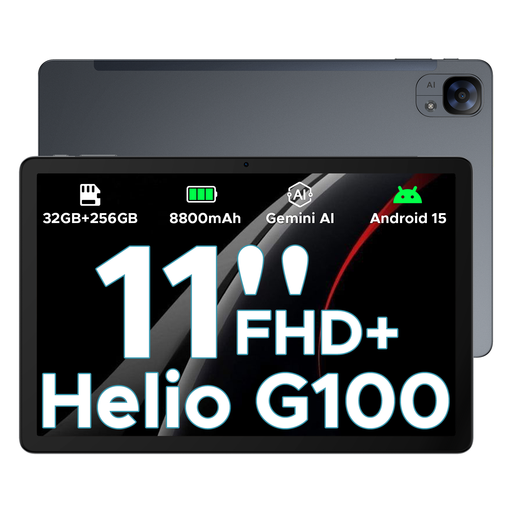
DOOGEE Tab E3, 11-inch FHD+ 90Hz, 256GB, Gray
The 11-inch format is worth considering if you want more room for on-screen controls and can accommodate a larger tablet in your travel bag.
The product name specifies Android 15, an FHD+ 90Hz display, Helio G100 and 256GB storage with expansion up to 2TB. Check the tablet’s weight and whether your game works offline.
Joybuy
 No image available
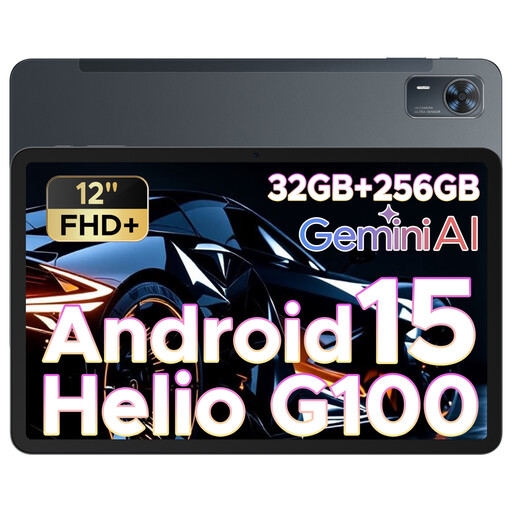
DOOGEE Tab E3+, 12-inch FHD+ 90Hz, 256GB, Gray
Choose this larger format only if screen area for racing and other uses matters more to you than a compact airport carry.
The product name specifies Android 15, a 12-inch FHD+ 90Hz display, Helio G100, 256GB storage and an 8,800mAh battery. Check its dimensions, weight and game compatibility before buying.
Joybuy
Questions about gaming while travelling
Should I keep my gaming tablet in hand luggage at a UK airport?
Keep it accessible in hand luggage and follow the security staff’s instructions. GOV.UK’s air-travel checklist says tablets should be removed from hand luggage for separate X-ray screening, while British Airways advises carrying small electronic devices in cabin baggage.
Where should I pack a power bank for the tablet?
Check your airline’s current power-bank rules before deciding where to pack it. Keep it accessible if your carrier requires it in cabin baggage, and check any applicable restrictions before departure.
Will any Bluetooth controller work with an iPad mini?
No; both the controller and the racing game need to be compatible. Apple documents Bluetooth and wired connections for compatible iPad controllers, but you should check the particular game’s controller support before buying an accessory.
Should I use airport Wi-Fi to install a racing game?
Install the game and its required updates before travelling if you want to avoid depending on airport Wi-Fi. Check how much storage the complete installation needs, then confirm whether the game can launch and play offline if that matters for your journey.


