Long-session puzzle players
If you like to keep a grid and its clues in view for a relaxed session, consider a roomier screen and whether you can prop the tablet on a table or stand.


For hotel-room word puzzles, choose screen space and handling comfort before gaming specifications. A compact tablet makes more sense if you pack light or also play demanding games; a 10.9- or 11-inch screen gives grids and clues more room, though it takes more space in your bag. Whichever size you favour, test your chosen puzzle app offline and check what charging equipment comes with the exact tablet.
If you like to keep a grid and its clues in view for a relaxed session, consider a roomier screen and whether you can prop the tablet on a table or stand.
If bag space and handheld use matter most, compare compact tablets with larger models before committing to a screen size.
If word games share the tablet with demanding Android games, gaming-focused hardware may be relevant. Balance that interest against the space available for puzzle grids and clues.
Decide whether you would rather hold a smaller tablet or prop up a larger puzzle board. Then check your app’s offline behaviour and whether your other games call for gaming-focused hardware.
Consider it: when light packing and handheld sessions matter, or when you also want to play demanding games.
Trade-off: an 8.8-inch screen leaves less space for a large grid and clue list than a 10.9- or 11-inch screen.
Consider it: when a roomier puzzle layout matters more than holding the tablet throughout a session.
Trade-off: the larger format takes more bag space; consider how you will support it in the room.
| Concern | What to check | Who this matters to |
|---|---|---|
| Grid and clue space | Compare screen size and resolution, then consider whether you will hold the tablet or use a stand. | If I play for longer stretches, I want clues and a grid I can read comfortably without giving up room for larger text. Around 33% of consumers put screen comfort first. |
| Size for travel | Check the exact variant’s dimensions and weight, including any case you plan to carry. | When I pack for a short trip, I want a tablet that fits easily in my bag and feels manageable in my hands. Roughly 25% of consumers prioritise portability. |
| Access away from home | Test your chosen app in aeroplane mode, including its puzzle packs and progress saving; use hotel Wi-Fi cautiously. | I do not want a hotel connection to decide whether I can start a puzzle or keep my progress. About 25% of consumers put offline access first. |
| Other games | List the demanding games you intend to play before comparing gaming processors and storage. | If I also play demanding games, I need to judge the tablet against those games rather than word puzzles alone. Around 17% of consumers prioritise broader gaming capability. |
Lenovo lists a 165Hz display for the Legion Tab Gen 3, but a high refresh rate is not an established requirement for word puzzles. Its 8.8-inch screen also leaves less space for clues than a larger tablet.
Choose gaming-focused hardware if you expect to use it for other demanding games. Otherwise, compare screen comfort, handling and availability of your chosen apps.
A tablet’s Wi-Fi capability cannot tell you whether a particular app needs a connection for downloads, account checks or saved progress. The National Cyber Security Centre also warns that public or insecure Wi-Fi can expose data to attackers on the same network.
Install your chosen app and try its essential features in aeroplane mode before travelling. Treat hotel Wi-Fi as an untrusted network for sensitive account activity.
Samsung says the Galaxy Tab S10 FE does not include a travel adaptor, while Apple lists a USB-C charge cable with the iPad Air. A cable does not by itself provide a way to charge from a wall socket.
Check the exact bundle and the maker’s charging guidance, then pack a compatible adaptor and cable if you need them.
Samsung offers Wi-Fi and 5G versions of the Galaxy Tab S10 FE. Connectivity, storage and included accessories can change what you are actually choosing.
Compare the exact screen size, storage, connectivity and package contents. Choose a cellular variant only if offline downloads and available Wi-Fi do not meet your travel needs.
The 11-inch iPad Air is a larger-screen iPadOS option for word puzzles.
The Galaxy Tab S10 FE is a 10.9-inch Android option available in Wi-Fi and 5G versions.
The Legion Tab Gen 3 is a compact Android option for travellers who also want gaming-focused hardware.
These tablets cover compact travel choices and larger screens for hotel-room puzzle sessions. Check the exact puzzle app and bundle before choosing between them.
 No image available
Consider this 11-inch format if you want more room for a puzzle grid and clues while playing in the hotel room.
The product name specifies an FHD+ 90Hz display, Helio G100 processor, Android 15 and 8800mAh battery. Check its weight if carrying comfort matters, and test your chosen puzzle app offline.
 No image available
Consider this compact iPad if packing light matters more to you than a roomier puzzle board.
The product name identifies the A17 Pro variant with 512GB storage. Check how your chosen grid and clue layout feels on its screen, and test the app offline before travelling.
 No image available
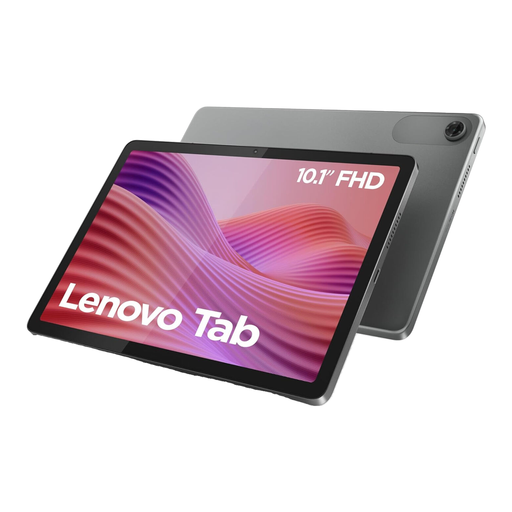
Consider the 10.1-inch screen if you want puzzle space without choosing a 12-inch tablet.
The product name specifies 64GB storage. Confirm the exact regional configuration and test your chosen puzzle app offline before travelling.
 No image available
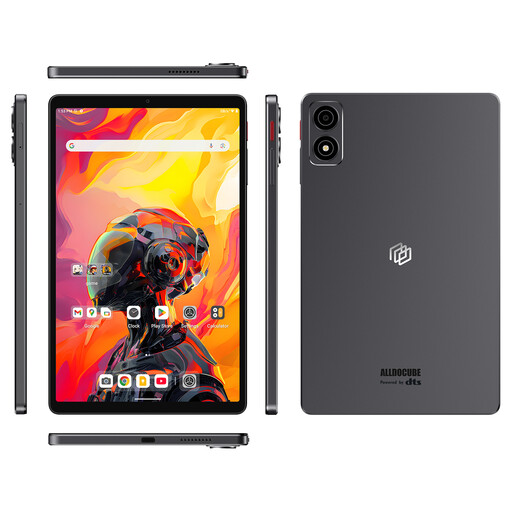
Consider this compact format if you pack light but also want hardware aimed at games beyond word puzzles.
The product name specifies Android 14, a Snapdragon 7+ Gen 3 processor and a 7300mAh battery. It states that no charger is included, so check your charging equipment; also check its weight and your puzzle app’s offline behaviour.
 No image available
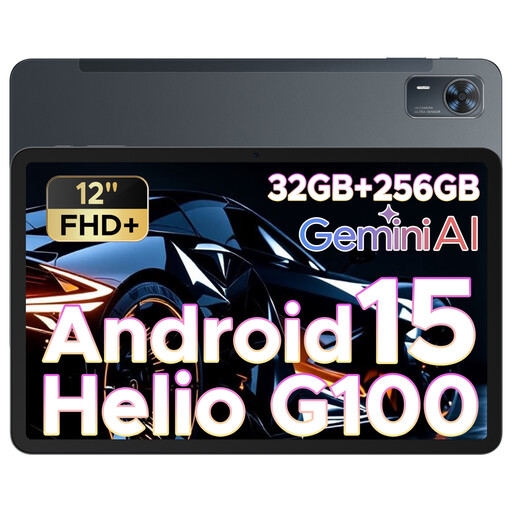
Consider the 12-inch format if a spacious puzzle layout matters more than keeping the tablet compact in your bag.
The product name specifies an FHD+ 90Hz display, Helio G100 processor, Android 15 and 8800mAh battery. Decide how you will support the larger tablet during play, and test your chosen app offline.
No high refresh rate is established as a requirement for word puzzles. Start with a screen and format you find comfortable for the grid and clues; consider gaming-focused specifications if you also intend to play demanding games.
Do not rely on hotel Wi-Fi without checking what your chosen app needs. Try opening puzzles and saving progress in aeroplane mode before the trip. The National Cyber Security Centre warns that attackers on public or insecure Wi-Fi may be able to intercept or modify data.
It depends on the exact tablet and bundle. Samsung says the Galaxy Tab S10 FE does not include a travel adaptor, and Apple lists a USB-C charge cable with the iPad Air. Check the package contents and whether you have a compatible mains adaptor before you travel.
For UK online purchases, GOV.UK says customers can normally cancel within 14 days of receiving an item even if it is not faulty, then have another 14 days to return it after telling the seller. Faulty or misdescribed goods have separate remedies; check the retailer’s return instructions without treating its voluntary policy as a replacement for statutory rights.