Map-first strategy players
If your games keep maps, unit controls and information panels on screen together, you may value physical display space more than a tablet you can easily hold.


Choose screen size and the availability of your intended games before comparing refresh rates. A larger tablet gives maps and menus more physical space, while a compact model is easier to carry and hold; for longer sessions, also compare the exact configuration, charging arrangements and game requirements.
If your games keep maps, unit controls and information panels on screen together, you may value physical display space more than a tablet you can easily hold.
If you often play away from a desk, carrying weight and how the tablet feels in your hands may matter more than the largest possible map view.
If you play demanding titles for extended periods, compare the exact model’s processor, memory, storage, cooling design and charging arrangements rather than relying on a gaming label.
Start with the games you intend to play and how you normally hold or support a tablet. Then compare screen space, the exact hardware configuration and the accessories you need.
| Concern | What to check | Who this matters to |
|---|---|---|
| Map and text visibility | Compare physical screen size alongside resolution and weight; inspect screenshots of your intended game at a similar size. | If maps, tooltips and controls compete for space, I want room to read them without giving up too much carrying comfort. Around 31% of consumers put map and text visibility first. |
| Long-session hardware | Compare the exact variant’s processor, physical RAM and storage with the game’s stated requirements; do not treat display refresh rate as a promised game frame rate. | For demanding games and longer sessions, I need to know that the configuration fits my game and library rather than trust a gaming label. Long-session hardware comes first for around 31% of consumers. |
| Handheld portability | Check listed weight and dimensions, allowing for any case or stand you plan to use. | When I play while travelling or hold a tablet through a long session, its size and weight can decide whether it suits me. Roughly 23% of consumers prioritise handheld portability. |
| Games and accessories | Check each game’s operating-system availability and controller support, then confirm the selected bundle’s contents and charging requirements. | If my chosen games or controller will not work as I expect, extra screen space will not solve the problem. Game and accessory fit is the primary concern for around 15% of consumers. |
Lenovo lists a 165Hz display for the Legion Tab Gen 3, while OnePlus lists up to 144Hz for the Pad 3. Neither figure tells you the frame rate or controls available in a particular strategy game.
Check game availability, device requirements and interface usability before using refresh rate to distinguish otherwise suitable tablets.
A smaller display leaves less physical room for maps, tooltips and persistent controls, even when its resolution is high.
Look at gameplay screenshots and the game’s text-scaling or accessibility options before choosing an 8–9-inch tablet for a dense interface.
The OnePlus Pad 3 UK in-box list names a cable, while Lenovo offers a wall charger separately with its Legion Tab Gen 3 listing.
Check the exact bundle and the tablet’s charging requirements before choosing a compatible adapter.
You may need a separate wall adapter if the selected bundle does not include one.
Apple supports connecting compatible wired or Bluetooth controllers to an iPad, but controller features depend on the game.
Check controller controls and any cross-save behaviour for each strategy title before buying accessories around them.
These product lines illustrate different screen-size and operating-system choices; check the specifications of the particular model and variant you intend to buy.
The Legion Tab Gen 3 is a compact Android option for handheld strategy play. Lenovo lists an 8.8-inch 2,560 × 1,600 display, Snapdragon 8 Gen 3, 12GB RAM and 256GB storage for its UK configuration.
The OnePlus Pad 3 is a large Android alternative. OnePlus lists a 13.2-inch, 3,392 × 2,400 display and 256GB or 512GB storage options in its UK specifications.
An iPad is worth considering when your intended strategy games are available for iPadOS. Apple lists an 11-inch iPad Air with an M4 chip and an 8.3-inch iPad mini with A17 Pro.
Samsung’s UK Galaxy Tab S11 range provides another Android route for players considering a larger workspace and an included S Pen.
These 11–14-inch Android tablets are options to compare when physical space for strategy-game maps and menus is a priority. Check the selected variant and your intended games before buying.
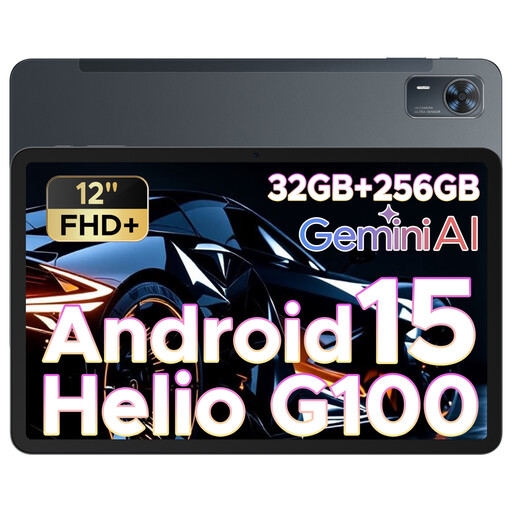 Image unavailable
Consider its larger screen if you usually play with the tablet supported rather than held throughout a session.
The product title specifies a 12-inch FHD+ display. Confirm the selected memory and storage configuration, along with your game’s Android requirements.
 Image unavailable
Consider this configuration if local storage is important for the games and other apps you keep on the tablet.
The product title identifies 12G RAM and 512G ROM. Check its weight if you expect to play handheld, and confirm your intended game’s Android requirements.
 Image unavailable
Its larger display is worth considering if maps and information panels take priority over compact carrying size.
The title specifies a 12.7-inch 2K display, Helio G99 processor and 256GB storage. Its 8GB physical RAM is listed separately from 12GB virtual memory; check the tablet’s weight and your game’s requirements before buying.
 Image unavailable
Consider a supported or seated setup if you want a broad view of strategy-game maps on its 14-inch display.
The product title lists a 1,920 × 1,200 display, 256GB storage and 8GB physical RAM plus 12GB virtual memory. Confirm the selected tablet’s operating-system and battery specifications, and check your intended game’s requirements.
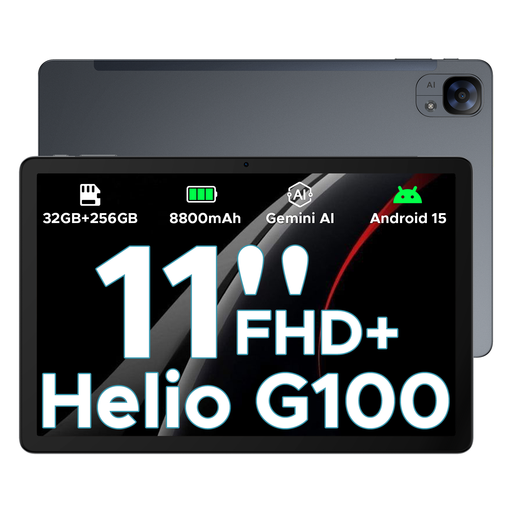 Image unavailable
Its 11-inch format is an option if you want more physical map space than a compact tablet without choosing the largest screen here.
The product title specifies an FHD+ display. Confirm the supplied memory and storage variant, its handling weight and your intended game’s Android requirements.
No: a larger screen gives maps and panels more physical room, but carrying weight can make extended handheld play less appealing. OnePlus lists the 13.2-inch Pad 3 at 675g, compared with Lenovo’s 350g for the 8.8-inch Legion Tab Gen 3; choose the size around how you actually play.
You can connect a compatible Bluetooth or wired controller to an iPad, but the game must support the controls you want. Apple limits button customisation to supported games, so check each title before buying a controller for it.
Check the exact bundle rather than assuming it will. OnePlus’s UK Pad 3 in-box list names a Type-C cable rather than a power adapter, and Lenovo offers a wall charger separately with its Legion Tab Gen 3 listing; any adapter you use should meet the tablet’s charging requirements.
Check the tablet manufacturer’s charging requirements and whether the charger is appropriate for the product and market. GOV.UK states that businesses can use UKCA or CE marking under relevant Great Britain product regulations; a marking does not, by itself, establish compatibility with your tablet.