What should you check?
Start with the console and games you use, trace the connection to the TV, then weigh gaming modes against the room’s everyday viewing needs.
| Priority | What to check | Your needs |
|---|
| Refresh rate and VRR |
Check 120Hz output support on the intended input, whether your games offer that mode, and whether both the console and TV support VRR. PlayStation says PS5’s 120Hz output applies to compatible TVs and games. |
I play fast-paced games and want to use their supported higher-frame-rate modes. I would check VRR compatibility rather than assume a high refresh-rate figure guarantees it. |
| HDMI connection |
Identify the capable TV socket, cable and any AV receiver in the signal path. Xbox Support specifies an HDMI 2.1 TV and Ultra High Speed HDMI cable for Xbox Series X at 4K and 120Hz; Sony says supported BRAVIA models may need Enhanced Format on the connected port. |
My console may share inputs with other devices, so I need to know which socket can carry the mode I plan to use. |
| Game Mode |
Check how to select the TV’s gaming picture mode and whether the modes you want remain available in that setting. Confirm the result in the console’s video-output information after installation. |
I want a straightforward switch between games and the household’s usual viewing settings. |
| Shared-room fit |
Compare the screen dimensions with the available space and seating arrangement. Assess picture, sound, smart-TV functions and input allocation as well as gaming features. |
This will be our main TV, so I need a screen that works for films and programmes as well as console play. |
Joybuy TV options
These 4K television options span 50 to 85 inches for a living-room setup. Choose a size for the room, then confirm the console modes and input you need for the particular model.
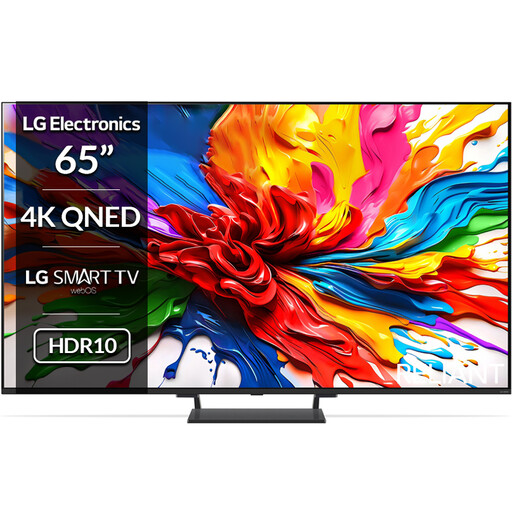 Image unavailable
LG 65QNED93A6A 65-inch QNED Evo MiniLED 4K TV
Consider the 65-inch screen for a shared room where its dimensions suit the space. Check the console-facing HDMI input and supported 4K/120Hz and VRR modes before choosing it for fast-paced play.
View on Joybuy
 Image unavailable
TCL 55P8K 55-inch QLED 4K HDR PRO Smart TV
This 55-inch model is an option for a shared TV with Google Cast and an ONKYO 2.1 sound system named in the product title. Its Game Accelerator claim does not establish a 4K/120Hz console mode; confirm that mode on the intended HDMI input.
View on Joybuy
 Image unavailable
TCL 50Q6C-UK 50-inch QD-Mini LED 4K HDR Google TV
The 50-inch size is worth considering where a larger screen would not fit the planned space. The title states a 144Hz native refresh rate, but check the intended input’s 4K/120Hz and VRR support together before relying on either for console play.
View on Joybuy
 Image unavailable
Hisense 55U7QTUK Pro 55-inch Mini LED 4K HDR VIDAA TV
This 55-inch VIDAA model combines the stated Mini LED 4K HDR format with a Game Mode Ultra label. Check the resolution and refresh rate accepted by your chosen HDMI input; the Game Mode label alone does not confirm your console’s output mode.
View on Joybuy
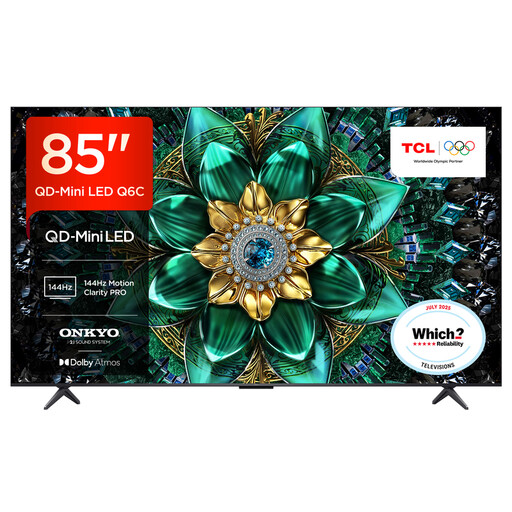 Image unavailable
TCL 85Q6C-UK 85-inch QD-Mini LED 4K HDR Google TV
Consider the 85-inch screen only after checking the wall or stand space and seating arrangement. Its title states a 144Hz native refresh rate and an ONKYO 2.1 sound system; confirm the intended HDMI input’s 4K/120Hz and VRR modes separately.
View on Joybuy
Frequently asked questions
Do I need HDMI 2.1 to play console games?
Not for every game or display mode. For Xbox Series X gaming at 4K and 120Hz, Xbox Support specifies an HDMI 2.1-capable TV and Ultra High Speed HDMI cable. Check the particular TV socket and any AV receiver in the connection path.
Will a 120Hz TV make every PS5 game run at 120 frames per second?
No. PlayStation says PS5’s 120Hz output is for TVs and games that support a 120Hz frame rate. Check the game’s available modes and the console’s video-output settings as well as the TV specification.
What does VRR change for console play?
Variable refresh rate lets a compatible display adjust its refresh behaviour to changing console output. PlayStation specifies an HDMI 2.1 VRR-compatible TV or monitor for its PS5 VRR feature, so check both the console and the exact TV input rather than relying on a general gaming label.
What if 4K at 120Hz does not appear after connection?
Check the console’s video-output information, the TV socket, cable and any AV receiver first. Sony says supported BRAVIA TVs may need Enhanced Format enabled on the connected port; Xbox Support specifies an Ultra High Speed HDMI cable and HDMI 2.1 TV for Xbox Series X at 4K and 120Hz.
Does playing console games require a UK TV Licence?
Console gameplay itself is not the activity identified in GOV.UK’s TV Licence guidance. GOV.UK says a licence is required to watch or record programmes as they are broadcast, or to watch on-demand BBC programmes on iPlayer; consider those uses if this is also the household’s main TV.


