What matters when choosing?
Check the room and sofa positions before narrowing the gaming specification: a refresh-rate claim cannot tell you whether every player will see the screen comfortably.
| Concern |
What to check |
Who this matters to |
| Daylight visibility and reflections |
Look for reflection-control details for the exact size and variant. Assess the screen against the lounge windows and lights if possible. |
If daylight or reflected lamps obscure darker parts of a platformer, I need to see the playfield before worrying about extra gaming modes. Around 31% of consumers put visibility and reflections first. |
| Shared-sofa readability |
Measure the seating span and viewing distance; assess the picture from the left and right seats, not just straight ahead. |
When players sit across the sofa, I need each person to follow the action from their own seat. For around 25% of consumers, shared viewing takes priority. |
| Console compatibility |
Check 4K/120Hz, VRR and ALLM on the intended HDMI input, alongside the console, game and required settings. |
If we also play compatible faster-paced games, I want the TV and console to use the same output modes. Console compatibility comes first for around 25% of consumers. |
| Picture and room fit |
Check the supplied stand or mount, dimensions and energy label for the exact model and size. |
If the TV also serves films, I need to balance the picture I want with where the set will actually go. Around 19% of consumers chiefly weigh picture preferences against installation practicalities. |
Brands to consider
These brands offer relevant lines to investigate; the features below apply to the named products or supporting guidance, not every TV bearing the brand.
LG
Consider selected G6 OLED variants if evening contrast matters and you can confirm how the chosen screen handles reflections.
- LG UK describes high brightness, Perfect Black and up to 165Hz in 4K on its G6 pages, and names Reflection Free Premium for specified wall-mount variants.
- Those are LG’s product claims. Check the exact size, reflection treatment and stand or wall-mount version before ordering.
Samsung
Consider the named Neo QLED line if an explicit glare-control claim is important in your lounge.
- Samsung UK markets the QN90F with a Glare Free feature and describes gaming connections and modes across applicable gaming TVs.
- Check the selected size and model page for its screen treatment, HDMI inputs and gaming modes rather than applying range-wide descriptions to every TV.
TCL
Consider its QD-Mini LED lines when comparing local dimming and gaming specifications for a bright-room shortlist.
- TCL UK lists QD-Mini LED dimming and a 144Hz native refresh rate for the P8L.
- TCL notes that specifications can vary by model, size and region. Confirm the chosen screen finish, ports and refresh-rate conditions.
Sony
Consider supported BRAVIA models if clear guidance on console setup is a priority.
- Sony UK explains the roles of 4K/120Hz, VRR and ALLM and the settings needed on compatible BRAVIA TVs.
- Support is model-specific: check the shortlisted TV and its HDMI input rather than relying on the BRAVIA name alone.
Joybuy product choices
These Mini LED models are options to assess for the bright-lounge setup. Before choosing a size, check your seating positions, available space and how the exact screen handles reflections; their inclusion does not settle the Mini LED versus OLED decision for every household.
 No image available
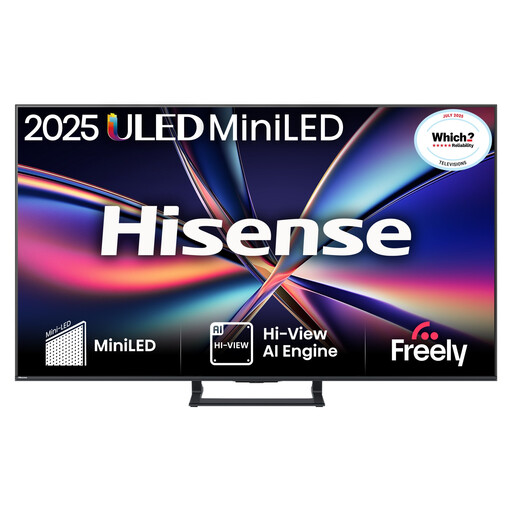
Hisense 65U7QTUK Pro 65-inch Mini LED TV
Consider this for a shared sofa where a 65-inch screen fits the viewing distance and available space.
The title specifies 4K and 165Hz Game Mode Ultra. Check the screen finish for your lounge lighting and confirm which console modes the intended HDMI input supports.
View on Joybuy
 No image available
TCL 75Q6C 75-inch QD-Mini LED TV
Consider the 75-inch size if it suits the seating distance and the room has space for the set.
The title specifies 4K, a 144Hz native refresh rate and up to 512 dimming zones. Check reflection handling and the HDMI modes needed by your console.
View on Joybuy
 No image available
TCL 98Q6C-UK 98-inch QD-Mini LED TV
Consider this large-screen option only after measuring the viewing distance, installation space and seating positions.
The title specifies 4K and up to 512 dimming zones. Check the exact refresh-rate specification before relying on a gaming mode, as the product details give conflicting rates; assess its screen finish in the planned lighting too.
View on Joybuy
 No image available
TCL 75Q7C 75-inch QD-Mini LED TV
Consider it if a 75-inch screen fits the sofa arrangement and evening picture preferences also influence your choice.
The title specifies 4K, a 144Hz native refresh rate and up to 2048 local dimming zones. Check reflection handling and confirm VRR, ALLM and the intended HDMI input if those console features matter to you.
View on Joybuy
 No image available
Hisense 75E8QTUK 75-inch Mini LED TV
Consider this size if several players share the sofa and the screen fits the room.
The title specifies 4K and 144Hz Game Mode PRO. Check the exact screen finish and console-compatible HDMI modes, including VRR or ALLM if you intend to use them.
View on Joybuy
Frequently asked questions
Do couch co-op platformers need a 120Hz TV?
No, not every couch co-op platformer needs 120Hz. It matters more if your household plays games that offer that output: PlayStation confirms PS5 supports 4K 120Hz, but the game, TV, selected HDMI input and settings must support it too. In a bright lounge, check visibility from the sofa before making refresh rate the deciding feature.
Which gaming settings should I check after connecting a console?
Use an HDMI input that supports the modes you want, then check the TV and console settings for 4K/120Hz, VRR and a low-latency game mode where compatible. Sony UK notes that supported BRAVIA models may require Enhanced Format on the connected input and that VRR needs to be enabled.
Should I compare energy labels for different TV sizes?
Yes—compare the label for each exact model and size rather than assuming a rating applies across a whole range. GOV.UK identifies an A–G efficiency-rating scale for televisions.
Do I need a TV Licence just to play games?
Playing games alone is not the use identified by TV Licensing as requiring a licence. Its guidance covers watching or recording live TV on any service and using BBC iPlayer, including on a smart TV or games console; check the household’s actual viewing habits.
What can I do with the old TV?
Arrange an electrical-waste route for the old set. GOV.UK says waste electrical products can be taken to a local household waste recycling centre; check collection arrangements separately if you need the old TV removed when the new one arrives.


