What to prioritise when choosing
For a screen shared between console gaming and household viewing, compare the signal your games can use with the way and place the display will be watched.
Gaming-focused TV
Choose when: You want sofa-distance or group viewing and your console and games can use features such as 120 Hz output or VRR.
Trade-off: Advertised TV refresh rates do not guarantee that a console game will output at the same frame rate; prolonged static images also warrant attention with OLED models.
General TV with gaming features
Choose when: One screen must serve everyday viewing as well as games, and you want to prioritise the gaming features your console and games actually use.
Trade-off: An HDMI input alone does not establish support for 4K at 120 Hz, VRR or game-mode switching, so check the model and input you plan to use.
Monitor for desk-based play
Choose when: You normally play close to a desk rather than sharing the screen from a sofa.
Trade-off: A monitor’s size and viewing arrangement differ from a living-room TV, and its listed refresh rate alone does not confirm that every console mode will work.
| Concern |
What to check when buying |
Who this matters to |
| Fast-play compatibility |
Check console and game output, the exact HDMI input’s supported signal, VRR or ALLM support, and any input setting required. |
If I want the display to use the modes my games can output, I would check the whole console-to-screen connection. Around 36% of consumers put fast-play compatibility first. |
| Shared viewing |
Compare picture and sound for everyday content, viewing positions, available space and the connections household devices need. |
When several people use the screen, I want it to suit their viewing as well as gaming. Around 29% of consumers prioritise a display for shared-room use. |
| Room and picture fit |
Consider seating, screen placement and daylight or lamp reflections; check model-specific guidance on static images where relevant. |
If the room has particular lighting or seating constraints, I would assess the screen in that setting rather than choose by panel label alone. Around 21% of consumers put room and picture fit first. |
| TV or desk monitor |
Decide where you usually sit, who needs to see the display, and whether the monitor’s video inputs and audio suit your console. |
If I mostly play at a desk, I would compare a monitor with a sofa-oriented TV before settling on a screen size. Around 14% of consumers prioritise a desk-sized display. |
Joybuy product choices
These Joybuy choices are gaming-focused TVs for console play alongside living-room viewing.
 No image available
TCL 55P8K QLED 4K HDR PRO Smart TV, 55P8K-UK
A 55-inch 4K TV for a living-room setup where console features and shared viewing both matter.
QLED; HDMI 2.1, VRR and ALLM are listed for gaming. The listing also names Google TV and an ONKYO 2.1 sound system.
Joybuy
 No image available
TCL 65Q7C QD-Mini LED 4K HDR Smart Google TV
A 65-inch TV option for a larger shared-room display where the listed refresh specification is part of the comparison.
QD-Mini LED; 144 Hz native refresh rate as listed. The listing also names Google TV and Audio by Bang & Olufsen.
Joybuy
 No image available
Sony 42-inch BRAVIA A90 OLED 4K HDR Smart Google TV, XR42A90K
A 42-inch OLED TV option to compare when a smaller screen is being considered for console play and shared viewing.
The listing names 4K OLED, 120 Hz, VRR and ALLM via HDMI 2.1, alongside Google TV and Acoustic Surface Audio+.
Joybuy
 No image available
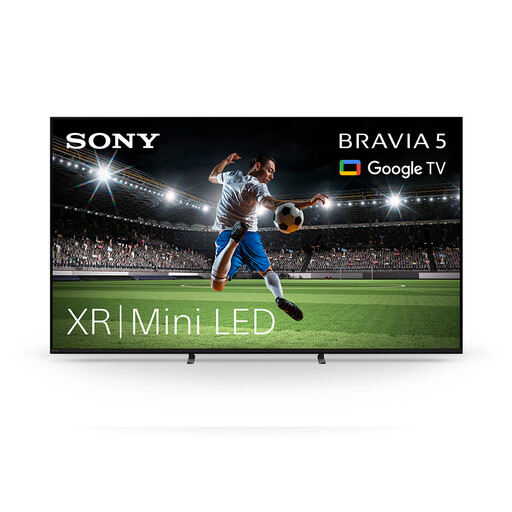
Sony 55-inch BRAVIA 5 Mini LED 4K HDR Smart Google TV, K55XR55BP
A 55-inch TV option for a shared living room where screen size and console use both factor into the decision.
Mini LED and 4K HDR; the listing also names Google TV and Acoustic Multi-Audio. Check the exact input and console modes you need before buying.
Joybuy
 No image available
TCL 55V6C Direct LED 4K HDR Smart Google TV
A 55-inch 4K TV to consider when gaming features need to sit alongside general living-room use.
The listing names HDMI 2.1, VRR and ALLM. Its 120 Hz Game Accelerator specification is stated for FHD, not 4K.
Joybuy
Frequently asked questions
Does a PS5, Xbox Series X or Switch 2 always need a 4K 120 Hz TV?
No; the useful display mode depends on the console and game. PlayStation says 120 Hz output requires a compatible TV and game; Xbox lists specific requirements for Series X 4K at 120 Hz; Nintendo UK says Switch 2 frame-rate support varies by software and 4K output is capped at 60 fps. Match the display to the modes you expect to use.
Why might a TV not show 4K at 120 Hz after I connect my console?
The console, cable, selected HDMI input and input settings all need to support the intended signal. Xbox specifies an Ultra High Speed HDMI cable and an HDMI 2.1 TV for its Series X 4K 120 Hz setup; Sony’s BRAVIA support guidance says to enable Enhanced Format on the input in use.
What should I consider when gaming on an OLED TV?
Avoid leaving a paused game or another static image on screen for prolonged periods. LG Support identifies prolonged static imagery as a possible cause of burn-in; check the image-care guidance for the exact TV rather than assuming all OLED models have identical routines.
Does using a monitor for console games change UK TV Licence requirements?
The device type does not remove the requirement for covered viewing. TV Licensing says you need to be covered if you watch or record live TV through a TV service or streaming service, or use BBC iPlayer, including through a games console.
What if a TV bought online does not fit the room?
For applicable UK distance sales, GOV.UK says you generally have 14 days from receiving the item to tell the seller you wish to cancel, followed by another 14 days to return it. Exceptions may apply, and remedies for faulty goods are separate; check the applicable seller arrangements and keep your order details.


