Groups with widely spaced seats
If players watch from a sofa, chairs or floor positions, check how the picture looks away from the centre. RTINGS.com identifies viewing angle as important for wide seating arrangements.


Start with where everyone will sit: if players spread across a sofa and chairs, compare independent viewing-angle results for the exact TV before prioritising headline refresh rates. Then check whether the model, HDMI input and console support the gaming modes you intend to use. In a shared flat, measure the screen and stand against the available space, and check the tenancy agreement before planning a wall mount.
If players watch from a sofa, chairs or floor positions, check how the picture looks away from the centre. RTINGS.com identifies viewing angle as important for wide seating arrangements.
If responsive play is a priority, check the exact TV and source device for Game Mode, variable refresh rate (VRR), Auto Low Latency Mode (ALLM) and any 4K/120Hz mode you intend to use. HDMI.org, Sony UK and Samsung UK describe features whose operation depends on compatible equipment and settings.
Consider the TV’s stand, access to its connections and how it would move if the room changes. For a rented home in England, Citizens Advice recommends checking the tenancy agreement; do not assume drilling for a wall mount is permitted.
| Concern | What to check | Who this matters to |
|---|---|---|
| Picture from side seats | Compare independent horizontal viewing-angle tests for the exact model with your seating layout. | When players spread across a sofa and chairs, I want side seats to see a usable picture. Around 40% of consumers put off-centre viewing first. |
| Console responsiveness | Check the intended HDMI input for Game Mode, VRR, ALLM and 4K/120Hz if your console and games can use it. | If my console and games support higher-frame-rate play, I want the TV to accept the mode I will use. Roughly 40% of consumers prioritise console responsiveness. |
| Room and rental fit | Measure the TV and stand, allow access to connections, and check the tenancy agreement before drilling. | In a compact shared room, I need a screen I can place and move without assuming a wall mount is possible. Around 20% of consumers put practical setup first. |
A promoted refresh rate may apply only at Full HD or in a particular gaming mode. Joybuy Insights distinguishes those claims from native 4K/120Hz support.
Check the exact model’s panel refresh rate, supported 4K HDMI modes and VRR conditions before choosing it for high-frame-rate console play.
Sony UK and Samsung UK describe gaming features that depend on the selected model, HDMI port and settings.
Use the specified input and a suitable cable, then follow the TV’s instructions for its HDMI signal format and gaming settings.
Players sitting to the side may see a different picture. RTINGS.com highlights viewing angle as a consideration for wide seating arrangements.
Map out the outermost seats and compare independent viewing-angle results for the exact TV.
An old television needs an appropriate electrical-waste collection route.
Check local recycling arrangements or ask about retailer take-back. GOV.UK states that a retailer must accept an old like-for-like electrical product free of charge when you buy a new one.
LG’s UK TV range is relevant if you want to compare OLED gaming models with its other TV lines.
Samsung’s UK range offers several TV lines to compare if console connections and gaming menus matter to the household.
BRAVIA models are worth checking for households that want TV gaming settings designed to work with a compatible PS5.
These TVs cover different screen sizes and named gaming features for shared-room play. Compare each exact model’s viewing angle, room fit and intended console mode before deciding.
 Image unavailable
Consider this model if console gaming features matter alongside shared seating; compare viewing-angle tests for the exact model if players sit off-centre.
The title names a 288Hz Game Accelerator, but that name alone does not establish native 4K/120Hz input. Check the mode available on the HDMI input you plan to use.
 Image unavailable
This is a model to compare if straightforward shared-room play matters more to you than an assumed 4K/120Hz mode. Check its viewing angle from the seats you expect to use.
Its named 120Hz Game Accelerator is specified for Full HD (FHD); do not treat that as native 4K/120Hz support. Measure the intended space and check the connections you need.
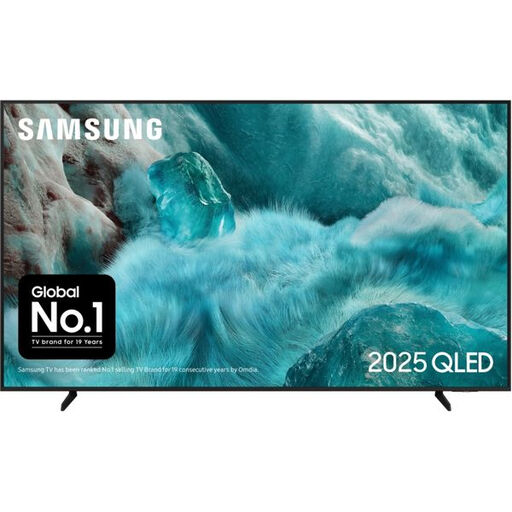 Image unavailable
Only consider a screen of this size once you have checked the room, furniture and route for moving it into place. Side-seat picture quality still needs an exact-model viewing-angle check.
Check which HDMI input accepts the console mode you intend to use rather than inferring it from the TV’s gaming branding.
 Image unavailable
If you are considering an 83-inch TV for co-op play, measure the placement and moving route before choosing it. Compare independent off-axis results for this exact model if seats are spread out.
Confirm the required console mode on the HDMI input you will use, including 4K/120Hz if that matters to your games.
 Image unavailable
Compare this larger V6C variant if the room can accommodate it; check the stand space and picture from your side seats.
As with the 55V6C, the title limits its 120Hz Game Accelerator claim to Full HD (FHD). Check the exact HDMI modes and connections before planning a console setup.
No. A promoted gaming mode can be limited to a different resolution; Joybuy Insights distinguishes a Full HD-only 120Hz Game Accelerator from native 4K/120Hz support. Check the exact model’s panel refresh rate and supported HDMI input modes.
Not necessarily: both the TV and source must support the relevant feature. HDMI.org describes ALLM as a request from a compatible source to enter a low-latency mode, while Sony UK advises checking the HDMI port, cable, settings and firmware for applicable gaming modes.
Use an appropriate electrical-waste collection route rather than household rubbish. GOV.UK states that, when you buy a new electrical product, the retailer must accept an old like-for-like product free of charge.