Large-screen party players
Several people share one screen, so you need to judge whether players at the sides and farther back can follow their characters and any split-screen details.


Choose a screen size and seating layout that let everyone follow the action before deciding between OLED and QD-Mini LED. OLED is worth considering when contrast is a priority; a QD-Mini LED model is worth comparing for a bright room. If you play on PS5, check the exact TV input and the games you use before treating a 144 Hz panel as a reason to buy: PlayStation specifies 4K output at up to 120 Hz.
Several people share one screen, so you need to judge whether players at the sides and farther back can follow their characters and any split-screen details.
You want to know whether your console, games and chosen HDMI input can use features such as 4K at 120 Hz, variable refresh rate (VRR) or auto low latency mode (ALLM).
You usually play with daylight or room lights on and want to compare display options in those conditions, rather than choosing by the OLED or QD-Mini LED label alone.
For a large-group platformer session, settle the screen position and seating spread first. Then compare the display in your room and check gaming features against the console and games you actually use.
| Concern | What to check | Who this matters to |
|---|---|---|
| Shared-screen visibility | Measure the available space, stand footprint and viewing distance; consider the seats farthest from the screen and to either side. | When several of us play together, I need everyone to see their character and on-screen details comfortably. Around 36% of consumers put shared-screen visibility first. |
| Console and HDMI features | Check the exact model's input-by-input support for 4K at 120 Hz, VRR and ALLM, alongside the console and game modes you intend to use. | If I use a PS5 for games with higher-frame-rate modes, I do not want to choose a TV on its panel refresh figure alone; around 29% of consumers prioritise console compatibility. |
| Bright-room viewing | Consider daylight, lamps and reflections where you play; compare the exact OLED and QD-Mini LED models in conditions relevant to your room. | With daylight across our shared room, I care about how easily the group can follow the picture. Bright-room viewing comes first for around 21% of consumers. |
| Ownership arrangements | Check delivery access, installation and retailer return terms; plan how an old TV will be recycled. Check TV Licence rules if you also watch live TV or use BBC iPlayer. | Before a large TV arrives, I want to know how it will get into place and what happens to the old one; around 14% of consumers put ownership arrangements first. |
PlayStation specifies PS5 video output at up to 4K 120 Hz. Whether a higher-frame-rate mode is useful also depends on the game and the connected display.
Check the modes of the platformers you play and the TV input you will use before giving extra weight to a high-refresh specification.
Gaming features can differ between sockets. Sony lists VRR on HDMI 3 and 4 for its K-55XR8M2, but ALLM on HDMI 1, 2, 3 and 4.
Read the specification for your exact model and plan connections for the console, soundbar and other devices.
Brightness, dimming-zone and refresh figures describe particular models under manufacturers' stated conditions; they do not establish how every seat will see the picture in your room.
Start with the room lighting, screen size and seating positions, then compare the specifications of the models that fit.
A large screen needs an accessible route into the room and a suitable installation position. Replacing a TV also leaves an electrical item to dispose of.
Check delivery and installation terms, the retailer's arrangements for returns or collection, and an appropriate recycling route for the old TV. For a faulty purchase, the Consumer Rights Act 2015 addresses remedies separately from a retailer's change-of-mind policy.
LG's UK C5E range includes a 65-inch OLED model for a shared-room screen comparison.
Samsung's UK 65-inch S90F is an OLED model to consider where a larger shared display and its stated gaming refresh feature are relevant.
Sony's UK K-55XR8M2 illustrates why an input-by-input specification is useful when planning console connections.
TCL's UK 65C7K-UK is a QD-Mini LED model to compare when a bright shared room shapes the choice.
These large-screen TCL and Samsung TVs offer QD-Mini LED, QLED and OLED options for comparing a shared-screen setup. Measure your room and check the exact model's HDMI inputs before choosing for a console.
 Image unavailable
Consider this model where the group can accommodate a 98-inch screen; measure the installation space and delivery route before ordering.
The product title specifies 4K HDR, a native 144 Hz refresh rate and up to 512 dimming zones. Check the exact HDMI inputs and the modes your console games support.
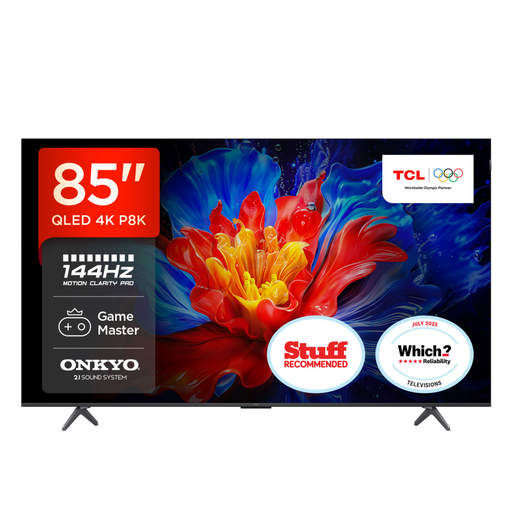 Image unavailable
The 85-inch screen is an option for a group with space for a large shared display; check the stand position and seating spread.
The product title states 4K HDR PRO and a native 144 Hz refresh rate. Confirm the exact HDMI gaming features and their input allocation for your console.
 Image unavailable
This 75-inch model gives a group a QD-Mini LED option to assess against the available wall or furniture space and their seating positions.
The product title specifies 4K HDR, a native 144 Hz refresh rate and up to 512 dimming zones. Confirm its stand footprint and input-specific console features before buying.
 Image unavailable
Consider the 83-inch screen if you want a large OLED option and have checked that it fits both the room and the delivery route.
The product title identifies a 4K Ultra HD smart TV. Check the exact model's refresh and HDMI input specifications against your console requirements.
 Image unavailable
This 75-inch QD-Mini LED model is another size to compare against your group's seating layout and available installation space.
The product title states 4K HDR, a native 144 Hz refresh rate and up to 2,048 local dimming zones. Confirm the stand footprint and whether the HDMI inputs provide the console features you need.
No, playing games on a TV does not by itself require a TV Licence. TV Licensing says you need one to watch or record live TV on a channel or streaming service, or to use BBC iPlayer; check those rules if you will also use the screen for either activity.
A 144 Hz TV panel does not make PS5 output 144 Hz. PlayStation specifies up to 4K 120 Hz video output for PS5; the available game mode, console settings and compatible TV input determine what you can use.
Use an input that the exact TV model specifies for the gaming features you need. For Sony's K-55XR8M2, Sony lists VRR on HDMI 3 and 4, while ALLM is listed on all four inputs; another model may allocate features differently.
Arrange an appropriate electrical-equipment recycling route when replacing it. GOV.UK explains that waste electrical and electronic equipment rules are intended to reduce disposal to landfill or incineration; check local collection or retailer arrangements before the new screen arrives.
Contact the retailer and keep your order details and evidence of the fault. The UK Consumer Rights Act 2015 addresses remedies for faulty goods; those rights are distinct from a retailer's voluntary change-of-mind returns policy.