Shared-screen quiz hosts
If prompts, answers and scores need to be visible from several seats, start with the seating layout and screen size. TCL’s viewing-distance guidance offers a starting point, not a fixed rule for every room.


For family quiz games, choose a screen that people in the furthest seats can read comfortably and that fits the room before prioritising high refresh rates. A dimmed room may favour the deep-black presentation of an OLED model, while a room used in daylight calls for a closer look at glare handling; check the exact TV’s connections if a console or sound system will share the screen.
If prompts, answers and scores need to be visible from several seats, start with the seating layout and screen size. TCL’s viewing-distance guidance offers a starting point, not a fixed rule for every room.
If the TV will also serve film nights and console play in a dimmed room, weigh picture presentation against the connections needed for the console and any external audio system.
If quizzes happen with lamps or daylight on, consider screen reflections alongside gaming features. Check glare-related claims on the exact model rather than assuming they apply across a brand’s range.
Settle the shared viewing position first, then decide how the room’s lighting and connected devices affect the choice.
| Concern | What to check | Who this matters to |
|---|---|---|
| Screen visibility | Measure the nearest and furthest seats, then check the screen and stand dimensions against the available space. | If I host a group quiz, everyone needs to read the answer choices, including people at the back. Around 33% of consumers put shared-screen readability first. |
| Console connections | Match the console or PC’s output to the exact TV’s HDMI ports and gaming modes; account for an audio connection if needed. | When our console shares the TV with other devices, I want the gaming features to work through the ports we can actually use. Roughly 27% of consumers prioritise those connections and responsiveness. |
| Films and audio | Consider the usual room lighting and whether a soundbar or receiver needs an eARC connection. | If film nights matter as much as the quiz, I care about the picture in our viewing conditions and how the sound system connects. Around 27% of consumers make cinema viewing and audio their primary concern. |
| Room light | Look for reflections from windows and lamps at playing time, and check the exact model’s glare-related features. | Our room is not always dark, so reflections could make prompts harder to follow. About 13% of consumers put visibility under ambient light first. |
A high refresh-rate label will not make small quiz text readable from the furthest chair. TCL’s viewing-distance figures are a starting point rather than a rule for every seating layout.
Measure the regular viewing positions and available wall or furniture space before settling on a screen size.
Gaming and audio features can depend on the socket and model. Sony lists variable refresh rate, or VRR, on HDMI ports 3 and 4 of the K-55XR5.
Check the exact TV’s port table and plan where the console, soundbar or receiver, and other devices will connect.
Samsung says its highest advertised 4K refresh modes require compatible PC games and graphics hardware. That maximum is not a promise about a family quiz title or an unsupported console.
Check the modes your own games and connected hardware can output before giving a high refresh figure priority.
A large TV needs a suitable stand or mounting arrangement. Electrical Safety First advises keeping televisions on a flat, stable surface away from moisture and heat.
Check the TV’s dimensions and weight, the mounting requirements, and what any installation or old-TV removal service covers.
Wall mounting and old-TV removal may need separate arrangements.
LG’s OLED C5E is an example to examine for a dimmed cinema room that also hosts console games.
Samsung’s Neo QLED models offer a route to examine when quizzes also take place in a lit room.
Sony’s BRAVIA 5 K-55XR5 is a useful specification example when a console and home-cinema audio equipment share the TV.
TCL’s C7K-UK range is worth examining when a larger shared screen is the starting requirement.
These 55-inch and 65-inch TVs are options to assess against your seating layout, room lighting and connected gaming equipment. Their different screen sizes and named gaming modes are not interchangeable.
 No image available
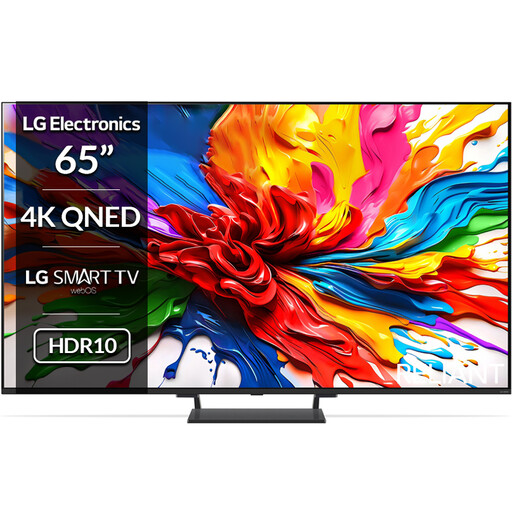
Consider the 65-inch screen for group play if it fits the furthest seat’s viewing distance and the available installation space.
The title lists a 165Hz Game Mode Ultra; check the modes supported by your connected games and hardware. Confirm the audio connections if you plan to use a soundbar or receiver.
 No image available
The 65-inch format is worth considering for a shared screen once you have checked the seating distance and room width.
For a console and external audio setup, check this exact model’s HDMI port allocation and the connections your devices require.
 No image available
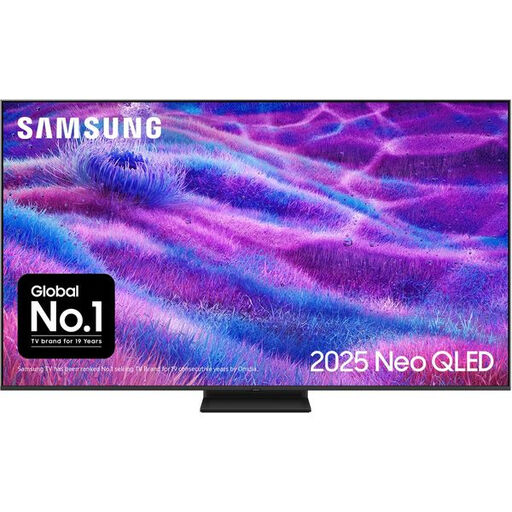
Consider the 55-inch screen if it keeps quiz text readable from your regular seats and suits the available space.
The title names a 288Hz Game Accelerator and an Onkyo 2.1 sound system. Check the accelerator’s applicable resolution and mode before treating its figure as a gaming requirement.
 No image available
This 65-inch model is a shared-viewing option if the screen size suits the seating layout and installation space.
Check the exact HDMI port specification against your console and sound-system connections before setting up the room.
 No image available
Assess this 65-inch screen against the furthest quiz seat and the room’s available width.
Its title specifies a 120Hz Game Accelerator at FHD; do not treat that as a 4K 120Hz specification. Check the output modes your gaming device needs and the audio connection if adding external speakers.
No particular high refresh rate is a starting requirement for choosing a family quiz TV; prioritise readable screen size and compatible connections. A higher mode matters when the connected game and hardware can use it. Samsung, for example, limits its highest advertised 4K refresh modes to compatible PC games and graphics hardware.
Use a socket that supports the features your console needs on the exact TV model. Sony lists VRR on HDMI ports 3 and 4 of the K-55XR5, while ALLM is listed on ports 1 through 4; Sony also advises enabling Enhanced Format on the relevant port when setting up 4K at 120Hz.
Place it according to the manufacturer’s instructions on a suitable, stable surface or compatible mount. Electrical Safety First advises keeping televisions away from moisture and heat; check the screen’s dimensions and weight before choosing furniture or a wall mount.
Check a retailer take-back service or your local authority’s electrical-waste route rather than putting the TV in ordinary household waste. UK government guidance identifies the Waste Electrical and Electronic Equipment Regulations 2013, as amended, as the framework for this type of equipment.