Bedroom couch-match players
You want two to four people to play football in the same room. Check that everyone can see the screen from their seat and that you have enough compatible controllers.


Measure the bedroom and seating position before choosing a screen: Hisense’s UK size guide suggests 40–43 inches as a bedroom-oriented starting point, while PlayStation says PS5 can output 4K at 120Hz. A compact TV may suit close seating, whereas a larger screen needs more space; if reflections or PC gaming matter, assess those needs separately. Check the exact HDMI input and gaming modes, and count the controllers needed for everyone playing.
You want two to four people to play football in the same room. Check that everyone can see the screen from their seat and that you have enough compatible controllers.
You want to make use of your console’s supported video output. Check 4K at 120Hz, variable refresh rate (VRR), auto low-latency mode (ALLM) and the HDMI input on the exact TV model.
You also connect a gaming PC, so a refresh-rate capability above 120Hz may matter to you. Keep its PC conditions separate from the TV’s console capabilities and make sure the screen fits the room.
For bedroom football matches, settle the screen position and number of players first, then check console output and any lighting or PC requirements.
| Concern | What to check | Who this matters to |
|---|---|---|
| Room fit and shared play | Measure the available width, stand or mounting position and seating distance. Count the players and compatible controllers. | If several of us play in one bedroom, I need everyone to see the match without the screen crowding the space. Roughly 42% of consumers put room fit and shared play first. |
| Console responsiveness | Check 4K at 120Hz, VRR and ALLM on the exact model and HDMI input; confirm the output your console detects. | For fast console matches, I want to know which gaming modes the connected TV can actually accept. Around 33% of consumers place responsive console play above their other concerns. |
| Reflections and PC use | Look at light sources facing the screen. If connecting a PC, check its supported resolution, refresh rate and input requirements separately. | Daylight or lamps may reflect in my screen, or I may also want to connect a gaming PC. About 25% of consumers make reflection handling or PC flexibility their primary concern. |
A rate above 120Hz may apply only to PC-connected content. Samsung says the S90H’s 4K at 165Hz capability has that restriction; PlayStation describes PS5 support for 4K at 120Hz output.
For console football, check the TV’s 4K at 120Hz, VRR and ALLM support on the intended HDMI input before considering a higher PC refresh rate.
Hisense’s UK size guide suggests 40–43 inches for bedrooms, but seating and furniture still determine the fit. Sony lists its 50-inch K-50XR38M2 as approximately 111.1 cm wide without the stand.
Measure the planned screen position, stand depth or wall-mount location, and the distance to each player’s seat.
Sony advises checking the exact model’s supported HDMI inputs. A TV’s feature list alone does not tell you which socket to use.
Check the model’s input specifications, connect the console to an appropriate port and set up the required gaming or enhanced-signal mode.
PlayStation lists EA SPORTS FC 26 for two to four local players on PS5. Each person needs an available compatible controller.
Count controllers before ordering, and check whether your planned connection or mounting arrangement needs anything else.
Additional compatible controllers may be needed when more people join the match.
The 42-inch OLED evo AI C6 is a compact OLED example for someone using both a PC and a console.
The 42-inch S90H is a compact OLED example to consider when light reaches the bedroom screen.
The 50-inch BRAVIA 3 II K-50XR38M2 is a larger LCD example for a bedroom with space for several connected devices.
These TVs cover 43-inch starting points and larger screens for bedrooms that can accommodate them. Check each model’s console-facing refresh rate and HDMI inputs rather than assuming that a gaming feature in its name means 4K at 120Hz on your console.
 Image unavailable
The 43-inch screen is a bedroom-oriented starting point if it fits your furniture and seating position.
The named 120Hz Game Accelerator is specified for FHD; do not assume it establishes 4K at 120Hz console output. Check the intended HDMI input and console mode.
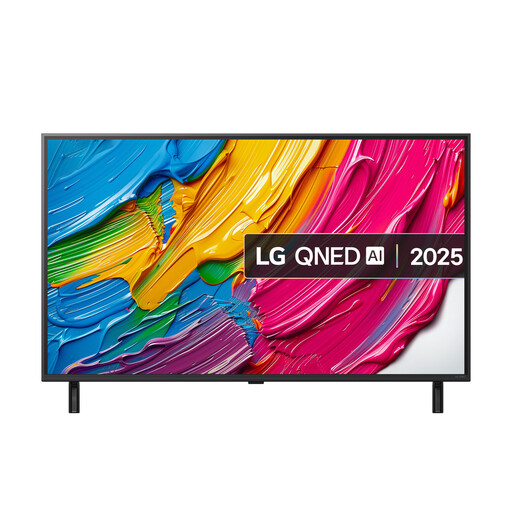 Image unavailable
This 43-inch option suits a measured bedroom space where 4K at 120Hz console output is not a requirement.
Its supplied model information describes native refresh and VRR as limited to 60Hz. Check the exact HDMI input and console capabilities before choosing it for fast play.
 Image unavailable
Consider the 50-inch screen only after measuring the bedroom location and the distance to the players’ seats.
Its named 120Hz Game Accelerator applies to FHD. Check the supported HDMI input and console mode before relying on 4K at 120Hz output.
 Image unavailable
This larger screen is worth considering only if the planned position and seating distance accommodate 55 inches.
The advertised 288Hz Game Accelerator does not establish that a console game will run at that rate. Confirm the resolution, refresh rate, VRR and ALLM available on the HDMI input you intend to use.
 Image unavailable
Choose this 55-inch size only if measurements show that the screen and seating arrangement work in the bedroom.
The named 120Hz Game Accelerator is specified for FHD, not as confirmation of 4K at 120Hz console output. Check the exact HDMI input and console mode.
No, not for every match. PlayStation says PS5 supports 4K at 120Hz output, but using it requires a compatible game, TV input and connection; check what the console detects and whether VRR and ALLM matter to your setup.
Do not treat 165Hz as a PS5 output promise. Samsung says the S90H’s 4K at 165Hz capability is limited to PC-connected content, while PlayStation describes PS5 support for 4K at 120Hz output.
Plan for one compatible controller per player. PlayStation lists EA SPORTS FC 26 as supporting two to four local players on PS5, so check how many controllers you already have before inviting everyone to play.
Choose according to the measured space and seating positions, not the diagonal alone. Hisense’s UK size guide suggests 40–43 inches for bedrooms; for comparison, Sony lists its 50-inch K-50XR38M2 as approximately 111.1 cm wide without its stand.
Check the exact product, seller, plug arrangement and documentation before buying. The Office for Product Safety & Standards says the Electrical Equipment (Safety) Regulations 2016 set requirements for electrical equipment placed on the Great Britain market; that general rule does not establish whether a particular listing meets them.