Hosts with seats spread around the TV
You regularly play with several people and need to judge screen size, seating positions and lighting from more than the central seat.


Choose the screen size and seating layout before choosing by refresh-rate number: everyone needs to be able to follow the pitch, including players seated to the sides. For console football, check that the exact TV and HDMI input support the modes your console uses, including 4K/120Hz, variable refresh rate (VRR) and Auto Low Latency Mode (ALLM) where available; room reflections and installation space can change which screen makes sense.
You regularly play with several people and need to judge screen size, seating positions and lighting from more than the central seat.
You want responsive local matches and are prepared to check the TV’s gaming modes, HDMI input and console settings together.
Daylight or overhead lights are part of your usual setup, so you need to assess reflections as well as how a large screen fits the room.
For group football, start with where everyone will sit and how the console will connect. Use those requirements to narrow the screen choice, then assess the lighting and the practicalities of fitting and using a large TV.
Consider it when: A large OLED fits your seating layout; LG lists a 77-inch C6, while Samsung describes gaming features for its S90H range.
Check before choosing: Confirm the exact size, reflections in your room and the console modes supported by the intended HDMI input. A 165Hz specification is more relevant to a compatible PC than to a console limited to 120fps output.
Consider it when: Your seating arrangement calls for a larger diagonal; Sony lists a 115-inch BRAVIA 9 II RGB LED option, while Mini LED models also appear among the TV choices below.
Check before choosing: A technology label cannot settle side-seat visibility or reflections. Check the exact model’s installation dimensions, picture performance across your seats and supported gaming inputs.
| Concern | What to check | Who this matters to |
|---|---|---|
| Shared view and screen fit | Measure the furniture or wall space and check the TV’s dimensions with its stand. Map the furthest and widest seating positions. | If several of us are following one pitch, I need to see it clearly from my seat, not just from the middle of the sofa; around 31% of consumers put the shared view first. |
| Responsive console play | Check 4K/120Hz, VRR, ALLM and Game Mode for the exact model and HDMI input you plan to use. | When a match gets fast, I want controls to feel responsive and the image to remain stable; responsive play is the main concern for around 31% of consumers. |
| Visibility in room lighting | Identify windows and lamps facing the screen, then assess reflection information for the exact model and size. | We often play before dark, so I need to follow the ball without room reflections getting in the way; around 23% of consumers make lighting their primary concern. |
| Installation and ongoing use | Check stand or wall-mount requirements, the energy label’s consumption figure and arrangements for an outgoing TV. | Before replacing our TV, I need to know it can be installed safely and what using and removing it involves; those practicalities come first for around 15% of consumers. |
A 120Hz, 144Hz or 165Hz label does not establish which resolution and gaming features work together through the input connected to your console.
Check the exact TV model, compatible HDMI port, console output and any Game Mode or enhanced-input setting. Sony’s gaming setup guidance, for example, instructs owners to enable Enhanced Format for 4K/120Hz on supported BRAVIA TVs.
A large screen still needs suitable furniture or mounting space, and players at different positions need to be able to follow the match.
Measure the TV’s full dimensions with its stand, the intended surface or wall, and the spread of seats before choosing a size.
Wall mounting or an alternative stand can also add installation work.
Windows and lamps may affect what players can see; an OLED, RGB LED or Mini LED label alone does not describe how a particular screen will look in your room.
Note where light falls during your usual matches and assess reflection information for the exact model. Consider whether blinds or a different light position would help.
Screen choices can have different labelled energy consumption, and replacing a large TV also means planning what happens to the old one.
Compare the energy label’s on-mode SDR consumption in kWh per 1,000 hours. GOV.UK says retailers must offer take-back of waste equipment of the same type as the item purchased; ask your retailer how its service is arranged.
Its OLED range includes large gaming-focused models such as the S90H.
The C6 OLED range includes a 77-inch option to assess for a group seating layout.
Its BRAVIA range offers very large RGB LED screens, including a listed 115-inch BRAVIA 9 II.
These large-screen TVs offer different starting points for a shared football setup, from a 98-inch QLED to 75-inch Mini LED and Direct LED models. Check each one against your seating layout, lighting and console connection rather than choosing by diagonal alone.
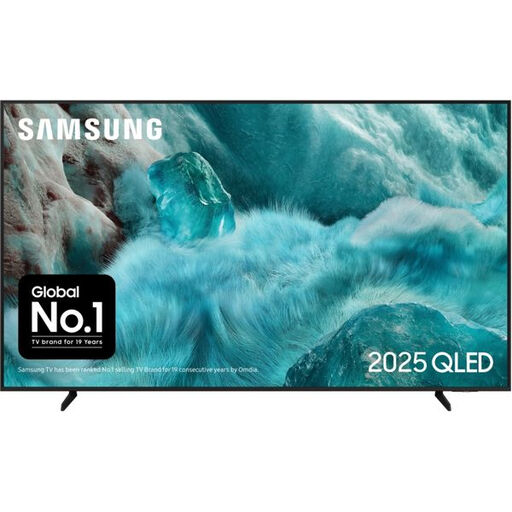 No image available
Consider this 98-inch screen if your group is spread across a spacious room. Measure the installation area and check visibility from the side seats, reflections and the console modes available through your intended HDMI input.
 No image available
The 83-inch size is worth assessing when several players need to share the view but a larger screen may not fit. Check stand dimensions, room reflections and whether the selected HDMI input supports your console’s intended settings.
 No image available
Assess this 75-inch model if it fits the available wall or furniture space and gives every player a usable view. Check its exact gaming-input modes, stand arrangement and current energy label before deciding.
 No image available
This 75-inch model is an option to assess where the group needs a substantial shared image. Its title lists a 144Hz native refresh rate; confirm the resolution, refresh rate and gaming features available together on the HDMI input used by your console. Measure its full installation footprint too.
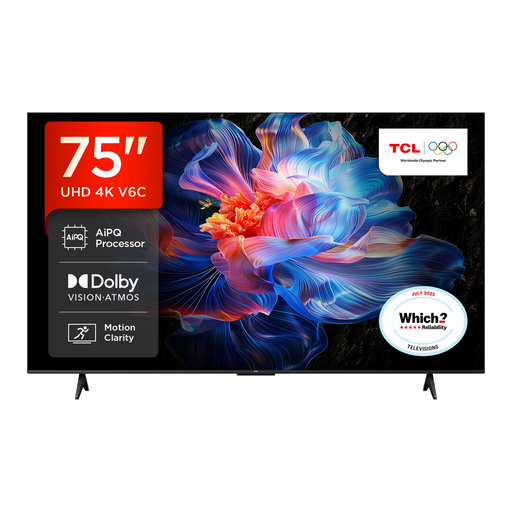 No image available
Consider the 75-inch screen for a shared setup, but match its gaming mode to what you expect from your console. The named 120Hz Game Accelerator is specified for FHD, so do not assume it provides 4K/120Hz; check the supported signal and HDMI input, as well as the TV’s installation dimensions.
No: 165Hz is not a requirement for the console setup described here. RTINGS notes that current Xbox Series X|S, PS5 and Switch 2 consoles offer up to 120fps gaming, so check the TV’s supported 4K/120Hz path and gaming settings; a higher refresh specification may be more relevant if you also use a compatible PC.
The TV, chosen HDMI port, cable and console settings all need to support the intended signal. Check the instructions for your exact model: Sony, for example, directs owners to enable Enhanced Format on supported BRAVIA inputs for 4K/120Hz.
Compare on-mode SDR consumption in kWh per 1,000 hours for the specific TVs you are considering. GOV.UK identifies this figure on television energy labels; keep screen size and usage mode in mind when comparing figures.
GOV.UK says retailers must offer take-back of waste electrical equipment of the same type as the item purchased. Ask your retailer how to arrange the return of your old TV and whether home collection is offered.
Playing a console game alone is not among the viewing activities for which TV Licensing says a UK TV Licence is needed. A licence is required if anyone on the premises watches live TV on a TV or streaming service, or uses BBC iPlayer.