Couch-versus hosts
Several players need to follow characters, hazards and scores from different seats. Choose a screen that suits the seating layout, not just a large diagonal.


Choose a gaming TV by checking whether its HDMI input can handle the 4K/120Hz and variable refresh rate (VRR) features your console and games can use, then match the screen size to where everyone will sit. A higher refresh-rate figure alone does not establish console compatibility, and a larger screen still needs to fit the room.
Several players need to follow characters, hazards and scores from different seats. Choose a screen that suits the seating layout, not just a large diagonal.
PS5 or Xbox Series X|S owners playing fast arena games may want to use compatible 4K/120Hz and VRR modes. PlayStation and Xbox support guidance makes the console, game, TV input and connection worth checking together.
Households leaving several consoles, a PC or a sound system connected need enough HDMI sockets with the right capabilities for each device.
Start with the signal your games and console can use. Then check whether the screen works from every player’s seat and whether your devices can stay connected.
| Concern | What to check | Who this matters to |
|---|---|---|
| Fast action and console compatibility | Check the exact input’s 4K/120Hz and VRR modes, plus the game and console settings. PlayStation and Xbox describe 4K/120Hz output under compatible conditions. | If fast movement is my priority, I want the TV to accept the mode my console and game actually offer. Around 36% of consumers would put this compatibility need first. |
| Shared-screen readability | Measure the viewing distance and check sightlines from side seats, as well as the TV’s width and placement. | From a side seat, I still need to follow small score information without crowding the screen. For roughly 29% of consumers, that shared view would be the primary concern. |
| Room lighting | Note where windows and lamps reflect on the proposed screen; compare the exact models’ picture and reflection-related features. | If we play with the room lights on, I want to see the action clearly from our usual seats. Room-light usability would come first for around 21% of consumers. |
| Ports and cables | Assign each device an HDMI socket, checking which sockets offer the required gaming modes and where an eARC sound system connects. | With more than one console and a sound system, I want a setup that does not require swapping connections. Roughly 14% of consumers would make device setup their first priority. |
A gaming mode or motion-processing label does not establish that the TV accepts a 4K/120Hz signal. Joybuy Insights notes that some Game Accelerator modes specify Full HD rather than 4K.
Check the native panel refresh rate, supported resolution and refresh rate on the intended HDMI input, and VRR compatibility for the exact model.
A larger screen still has to work from the group’s actual seats; a smaller one may make on-screen details harder to follow at a distance.
Measure the viewing distance, check side-seat sightlines and allow space for the TV’s width, stand or wall position. Treat size-distance charts, including Hisense’s guidance, as a starting point.
Gaming features may be limited to particular sockets. Sony’s support guidance, for example, identifies specified ports for VRR-enabled Enhanced Format on some models.
Check the exact TV manual and plan connections for consoles, other devices and any eARC sound system before buying.
For a longer Xbox Series X connection, a certified Ultra High Speed HDMI cable may be needed if its supplied two-metre cable does not reach.
An OLED route for comparing gaming connections on specific models.
OLED and Neo QLED/Mini LED ranges to compare by exact model.
QLED and QD-Mini LED models in a range of screen sizes.
QLED and Mini LED models with gaming features on selected versions.
BRAVIA models for which PS5-oriented HDMI setup guidance is available.
These large-screen TCL TVs are options to assess for local play. Match their dimensions to the group’s seating arrangement, and check the exact HDMI input modes before relying on a refresh-rate label for console gaming.
 No image available
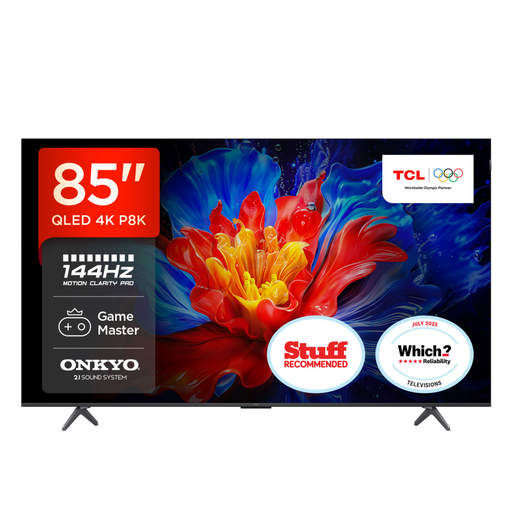
Consider this 85-inch screen if the room and seating distance accommodate it. The product name specifies a 144Hz native refresh rate; check which HDMI inputs accept the 4K/120Hz and VRR modes your devices need.
 No image available
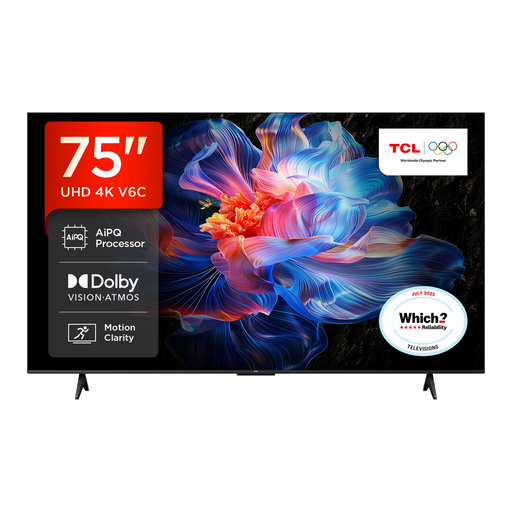
Consider the 75-inch format for a shared view if it fits the seating layout. The product name specifies a 144Hz native refresh rate and up to 512 dimming zones; confirm the intended HDMI input’s 4K/120Hz and VRR modes separately.
 No image available
This 75-inch TV is worth assessing where several players need to share the screen. Its named 120Hz Game Accelerator is specified for Full HD (FHD), not as a 4K/120Hz input mode; check the supported 4K HDMI modes before choosing it for that purpose.
 No image available
Assess this 75-inch model against your room layout if group visibility matters. Its product name specifies a 144Hz native refresh rate and up to 2048 dimming zones; confirm 4K/120Hz, VRR and ALLM support on the inputs you plan to use.
No: a 60Hz TV can display games, while a 120Hz-capable TV is relevant if you want to use a compatible game’s 120Hz output mode. PlayStation and Xbox support guidance describes 4K/120Hz under compatible console, display and connection conditions, so check the game and the TV input as well as the panel label.
Use a socket that the exact TV manual identifies as supporting the 4K/120Hz and VRR modes you want. Sony’s support guidance notes that VRR-enabled Enhanced Format is limited to specified ports on some models; LG specifies four 48Gbps HDMI 2.1 ports on its 55-inch OLED55G45LW.
Use a suitable supplied console cable if it reaches the TV. Xbox Support says the Series X includes a two-metre Ultra High Speed HDMI cable supporting HDMI 2.1 features, including 4K gaming at 120Hz; for a longer run, check a certified Ultra High Speed HDMI cable.
For a TV sold for use in Great Britain, check the seller’s product and safety information for the particular model rather than treating a listing description as proof of conformity. GOV.UK describes the Electrical Equipment (Safety) Regulations 2016 framework for electrical equipment placed on the Great Britain market.