Large-group party hosts
If several players gather around one screen, you need to plan sightlines as well as the console connection. Nintendo UK describes Switch TV mode as a way to play together on a larger, HDMI-connected screen.


For large-group party games, choose a TV around the seating layout and room light first: a model with documented reflection handling is worth considering for daytime play, while an OLED model may suit a room also used for films and evening viewing. Check the exact TV’s HDMI inputs alongside the console, game and controller requirements; a high refresh-rate figure alone will not settle whether everyone can see and join in.
If several players gather around one screen, you need to plan sightlines as well as the console connection. Nintendo UK describes Switch TV mode as a way to play together on a larger, HDMI-connected screen.
Windows or lamps reflecting in the screen can change what works for your room. Samsung UK describes glare handling on its QN90F model, but that feature should be checked on the exact TV you intend to buy.
If you alternate between a console and cloud games, check both setups separately. Nintendo Switch TV mode uses an HDMI connection; Samsung says Gaming Hub needs an internet connection, a compatible controller and a Samsung account, and may need a gaming-service subscription.
For a TV used chiefly for large-group party games, establish where everyone will sit and how the game will connect before deciding whether additional gaming features matter to you.
| Concern | What to check | Who this matters to |
|---|---|---|
| Shared viewing | Measure the TV position and furniture space; assess whether players at the sides can follow the screen. | If friends will be spread around the room, I need everyone to follow the action without crowding the centre. Around 33% of consumers put shared viewing first. |
| Bright-room visibility | Look for reflection-handling information for the exact model and consider where windows and lamps face the screen. | Daytime play makes reflections my main concern, even if the seating layout works. Bright-room visibility comes first for around 27% of consumers. |
| Local-play setup | Check the accessible HDMI input, the game’s player limit and its controller requirements. For Nintendo Switch TV mode, plan for the dock, HDMI cable and AC adapter. | I want guests to join without an input or controller conflict holding up the game. Around 27% of consumers prioritise getting local play working. |
| Other gaming features | Check VRR, ALLM and refresh-rate support on the exact TV input against the console or PC games you use. | If I also play compatible console or PC titles, gaming features beyond party games may influence my choice. They are the primary concern for around 13% of consumers. |
A high refresh-rate claim does not tell you whether people at the sides can see clearly or whether the TV fits its intended position.
Plan the seating and console connection first. Treat VRR, ALLM and higher refresh rates as relevant when the games and devices you use can take advantage of them.
Nintendo UK says up to eight wireless controllers can normally pair with a Switch, but connecting Bluetooth audio limits the console to no more than two wireless controllers.
Check the game’s player limit and test your intended controllers and audio arrangement before hosting a large group.
Gaming support can differ by input. Sony UK lists VRR on HDMI 3 and 4 of the K-55XR5, while ALLM is listed on all four HDMI inputs.
Check the port-by-port specification of your exact TV and decide where each device will connect before mounting it or concealing cables.
Gaming Hub cannot provide a console-only party game merely because the TV supports cloud gaming. Samsung says service content and availability vary by country.
Check that your group’s games are available through a supported service, and keep an HDMI-connected console in the plan for games that require one.
A separate gaming-service subscription may also be required.
LG’s OLED evo AI C6 range is one OLED option to examine if the TV will serve both party gaming and evening viewing.
Samsung has Mini LED models to investigate for rooms where reflections matter, as well as Smart TVs with Gaming Hub for households interested in cloud games.
Sony’s BRAVIA 5 specifications provide a model-specific example of why console players should check individual HDMI inputs.
TCL’s P8K QLED line is worth examining when you want documented gaming features without making OLED a requirement.
These TV choices include models for a shared gaming room across OLED, QD-Mini LED and QLED options. Compare each one with your seating space, room light and console setup rather than assuming its panel type or gaming label settles the choice.
 No image available
Consider this 75-inch model where a group will share one screen, after checking the viewing positions and available space.
Confirm reflection handling and which HDMI input provides any gaming features you intend to use.
 No image available
This 83-inch option may suit a group with space for a larger shared screen; measure the intended position before choosing it.
Check the exact model’s reflection handling and HDMI gaming features for your room and devices.
 No image available
Consider this 55-inch model if its dimensions and the seating positions work for your group.
Check reflection handling and the gaming capabilities of the HDMI input you plan to use.
 No image available
For a group gathered around a very large TV, check that this model’s dimensions and installation requirements suit the room.
The product name states a native 144Hz refresh rate. Confirm reflection handling for the chosen position, and check the exact dimming specification before relying on a zone count.
 No image available
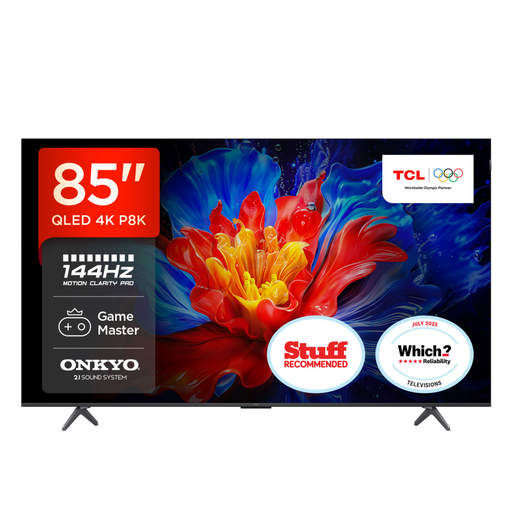
This QLED model is an option to assess when the group needs a large shared screen and you also use games that can benefit from higher refresh rates.
The product name states a native 144Hz refresh rate. Check the TV’s dimensions, reflection handling and the gaming features available on your intended HDMI input.
Not necessarily: shared visibility and a working console connection come first for large-group party play. Check higher refresh rates, VRR and ALLM against the other console or PC games you actually use and the features supported by the exact TV input.
Nintendo UK’s TV-mode guidance calls for a Switch dock, HDMI cable, AC adapter and TV. Connect the dock to an HDMI input and select that input on the TV; check the particular game’s local-player and controller requirements separately.
Nintendo UK says up to eight wireless controllers can normally pair, subject to the controller types and features in use. With Bluetooth audio connected, no more than two wireless controllers can connect, so test the intended audio and controller setup before the gathering.
Only if the games your group wants are available through supported services. Samsung UK says Gaming Hub needs an internet connection, compatible controller and Samsung account, may require a gaming-service subscription, and has content that varies by country; a console-only game still needs its console.
Use the manual for the exact model, particularly when planning HDMI connections or installation. Samsung UK describes its e-Manual as a source of detailed instructions for its TVs; other models should be checked against their own documentation.