Players seeking 4K at 120Hz
If you use a supported PlayStation or Xbox game mode, check the console, cable, TV and intended HDMI input as one connection path. The console’s video-output screen can then show what the connected setup reports.


Choose a screen size that suits your usual seat, then check whether the exact TV model and HDMI input can carry the modes your console and games use. A 4K TV with a suitable Game Mode may cover casual play; 120Hz and variable refresh rate (VRR) matter more when you play supported high-frame-rate games. Compare OLED and LED-family TVs by their individual picture and connection specifications, not the panel name alone.
If you use a supported PlayStation or Xbox game mode, check the console, cable, TV and intended HDMI input as one connection path. The console’s video-output screen can then show what the connected setup reports.
Measure from the usual seats and check furniture or mounting space. Everyday viewing, available inputs and energy information matter alongside gaming features.
If your games do not use high-frame-rate or VRR modes, focus on screen fit, the picture and a usable Game Mode before treating additional gaming features as deciding factors.
Start with the room and the games you play, then check the exact model’s inputs rather than relying on a general gaming label.
| Priority | What to check | Your needs |
|---|---|---|
| Screen fit | Measure from seated eye position to the planned screen; check TV width, stand footprint or mounting requirements. TCL’s UK size guide gives 55 inches at 1.7 m and 65 inches at 2.0 m as starting points, not fixed rules. | I want game detail to be comfortable to see from my usual seat without the screen crowding the room. |
| Console connection | Check the exact HDMI input, compatible cable, console settings and game mode for the output you want. Xbox Support and Sony UK both describe conditions for 4K at 120Hz; Xbox Support warns that some TV inputs support lower resolutions. | I play games with a supported 4K/120 mode and want that mode to work through the port I will actually use. |
| Gaming modes | Confirm whether the model and input support 120Hz, VRR and a low-latency Game Mode, and whether the desired combination works together. Which? identifies refresh rate and VRR as differences between HDMI-equipped gaming TVs. | For fast-action games with supported modes, smoother frame delivery and responsive controls matter to me; otherwise, I may prioritise other TV features. |
| Panel and energy | Compare the exact OLED or LED-family model’s picture and gaming specifications. Review energy information for similarly sized candidates rather than inferring energy use from gaming features. | This TV will also be used for films or everyday viewing, so I need a picture and screen size that suit the room as well as console play. |
A compatible TV can still have inputs with different capabilities. For 4K/120, the console, cable and selected game mode also matter.
Check the exact UK model’s manual for the intended input and signal combination. Once connected, inspect Xbox 4K TV Details or the PS5 video-output information.
A screen that fits on a wall or unit may not feel comfortable from the seats used for gaming.
Measure eye-to-screen distance from the usual seat, then check the TV’s physical width, stand footprint or mounting requirements.
OLED, QLED and Mini LED describe display technologies, not a guarantee of 4K/120, VRR or a particular HDMI-port arrangement.
Compare the exact model and size for refresh-rate support, VRR, Game Mode and the input needed by your console.
Which? notes that TV energy use can differ with screen size, display type and model. A gaming-feature list does not describe that difference.
When comparing TVs of a suitable size, review each model’s energy label and product information alongside its gaming specifications.
LG’s UK range includes OLED gaming TVs; compare individual models for the refresh rate, VRR and connections you need.
Samsung offers OLED and LED-family TVs with model-dependent gaming functions.
BRAVIA models with compatible gaming features are relevant to PlayStation setups, but capabilities differ by TV.
These OLED and LED-family televisions offer different screen sizes for a living-room console setup. Use the model and input checks above to judge whether a particular TV suits your seat and the modes you play.
 No image available
Consider this 55-inch TV if that diagonal suits your usual seat and furniture. Its title lists QLED, 4K HDR PRO and an ONKYO 2.1 sound system; check the exact HDMI input and supported console modes before choosing it for high-refresh play.
 No image available
The 50-inch diagonal offers another size to assess against your viewing distance. The title identifies QD-Mini LED and 4K HDR, but its 144Hz native-refresh wording conflicts with the supplied 120Hz and up-to-144Hz VRR descriptions. Confirm the supported modes and HDMI input for this model.
 No image available
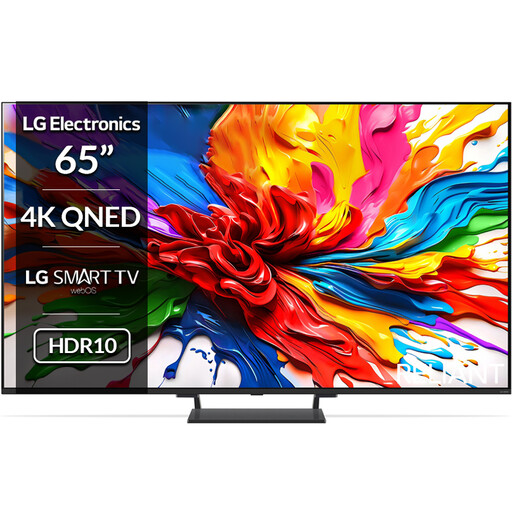
Check whether a 65-inch screen fits both the main seat and the space available for the TV. This QNED Evo MiniLED model is identified as 4K; confirm the intended HDMI input and combined gaming modes, and compare its energy information with other TVs on your shortlist.
 No image available
For a larger-screen setup, confirm this model’s stated diagonal and physical dimensions against your room measurements. Its title identifies QD-Mini LED and 4K HDR, but the supplied descriptions disagree on HDMI 2.1 input counts and refresh rate. Check the model manual for the ports and console modes you intend to use.
 No image available
This 42-inch OLED model is worth checking for a shorter viewing distance or more limited screen space. Its title lists 4K HDR and Google TV; verify the exact HDMI input and the gaming modes available with your console, cable and games.
An HDMI connection allows console play, but it does not establish support for 4K/120 or VRR. Xbox Support and Sony UK describe additional console, TV, connection and game-mode requirements; check the exact input in the TV manual and inspect the console’s output information after setup.
No. It becomes relevant when you want a supported 4K/120 setup: Xbox Support specifies a compatible Xbox Series X, Ultra High Speed HDMI cable and HDMI 2.1-capable TV, while Sony UK sets out corresponding TV, connection and game requirements for PS5. Check the requirements for the mode you intend to use.
Measure from your eyes at the usual seat to the planned screen position, then check the TV’s width and stand or mounting space. TCL’s UK guide gives 55 inches at 1.7 m and 65 inches at 2.0 m as reference points; other seats and your comfort with a larger view also matter.