Large-room co-op hosts
When several people need to read the same clues or map, consider the screen from every planned seat, not just the one directly in front of it. Check that the TV and its stand or mount fit the space.


For a large cooperative puzzle-game group, choose a screen that fits the seating layout and lets everyone follow clues without distracting reflections before prioritising higher refresh-rate claims. A glare-conscious Mini LED model is worth considering in a bright room, while an OLED model may suit a controlled-light room where contrast matters more; whichever route you take, check the exact TV’s connections, dimensions and placement against your equipment and room.
When several people need to read the same clues or map, consider the screen from every planned seat, not just the one directly in front of it. Check that the TV and its stand or mount fit the space.
Daylight and lamps can put reflections over on-screen details. Samsung describes the QN90F range as having a glare-free screen, but the finish of a particular TV cannot replace a check of your room’s lights and seating positions.
If consoles, a PC and audio equipment share the TV, plan which device needs which input. Sony’s HDMI guidance explains VRR, ALLM and eARC, but the ports that provide the features you need must be checked on the exact model.
Start with what the group can see from its seats, then assess room light, device connections and the practicalities of installing and replacing the TV.
| Concern | What to check | Who this matters to |
|---|---|---|
| Shared visibility | Map the seating positions and measure the TV space; confirm the exact screen and stand dimensions before choosing a size. | If everyone needs to read small clues from different seats, I would put screen placement ahead of extra gaming modes. Around 40% of consumers put shared visibility first. |
| Reflections | Check windows and lamps facing the screen, and assess the exact screen finish in comparable lighting where possible. | When we play with the lounge lights on, I need clues to remain visible without moving the whole group. Roughly 30% of consumers make reflections their primary concern. |
| Gaming connections | Count the required inputs and check which ports on the exact TV support the modes your consoles, PC and audio equipment need. | If several devices stay connected, I need the right features on the ports they will actually use. About 20% of consumers prioritise gaming connections. |
| Installation and replacement | Check access routes, stand or mount requirements, the precise model’s energy label and the seller’s old-TV collection arrangements. | For a large TV, I need to know it can get into place and what happens to the old one. Around 10% of consumers put installation and replacement planning first. |
A bigger picture will not help the group if the TV obstructs the room, cannot fit on the furniture or is poorly positioned relative to the side seats.
Measure the display location and access route, then check the exact model’s dimensions with and without its stand and its wall-mount requirements.
A larger set may also call for different furniture, mounting equipment or help with delivery and installation.
Features such as 4K at 120 Hz, variable refresh rate (VRR), auto low latency mode (ALLM) and enhanced audio return channel (eARC) depend on compatible equipment and the particular inputs used. TCL advises checking HDMI capability by model.
Draw up a connection plan for each console, PC and audio device, then compare it with the exact TV’s port specifications.
A screen described as glare-free or anti-reflective does not establish how the picture will look from every seat in your room.
Look for light sources opposite the planned screen and inspect the exact model in similar lighting if you can; curtains or repositioned lamps may also change the setup.
Replacing a television means making space for the new set and arranging what happens to the old electrical equipment.
Compare the energy label for the precise model and ask the seller about its recycling or collection arrangements before delivery.
GOV.UK says qualifying in-store electrical-waste take-back is free, while transport for home collection may carry a charge.
These product ranges illustrate different features to investigate; a brand name alone does not establish how a particular screen will work in your room.
The QN90F Neo QLED Mini LED range is a reference point for bright-room viewing.
The OLED C5 range offers a contrast-focused option to examine for a controlled-light room.
The 85C805K is a large-screen QD-Mini LED example with specified gaming features.
The BRAVIA 5 range offers large-screen Mini LED models to consider alongside installation requirements.
These TVs offer screen-size and display-technology options for a shared gaming setup. Compare each one against your seating layout, lighting and connected devices rather than treating screen size or a listed gaming feature as a complete answer.
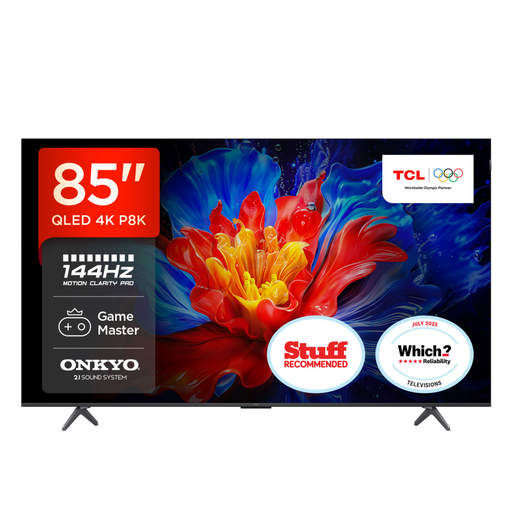 No image available
Consider this model if a large shared screen is central to the group’s setup. Its product title lists QLED, 4K HDR PRO and a 144 Hz native refresh rate; check which HDMI inputs support the modes your devices need, and measure the installation space before ordering.
 No image available
This is an option to examine when the group is spread across a large room. The title identifies a QD-Mini LED 4K HDR model; confirm its exact screen dimensions, delivery access and supported refresh-rate modes before planning the setup.
 No image available
The stated 75-inch screen is worth assessing if several players need to follow the same clues. Check the screen and stand measurements against your space, and confirm which inputs provide the gaming and audio connections your equipment requires.
 No image available
Consider this QD-Mini LED 4K HDR model only after confirming that its exact screen size works for the group’s seating positions. Check the 50Q6C-UK variant’s dimensions, refresh-rate modes and HDMI port features rather than relying on specifications stated for a different size.
 No image available
This 83-inch 4K OLED model is an option to assess when the group wants a large screen and can control the room lighting. Check reflections from the planned seats and confirm the HDMI features available to each connected device.
Do not assume they do. Sony’s HDMI guidance describes features including 4K at 120 Hz, VRR and ALLM, while TCL advises checking HDMI capability by model; compare the exact TV’s port specifications with the consoles, PC and audio equipment you intend to connect.
Only if a compatible source and the intended TV input can use the mode. For a group reading shared puzzle clues, check screen visibility, reflections and available connections as well as the refresh-rate specification.
Compare the energy label for the precise television and screen size you are considering. GOV.UK says dealers must display applicable labels clearly and make product information available to consumers; do not assume that different sizes in a range carry the same rating.
Arrange an appropriate electrical-waste route rather than putting the old TV out with ordinary rubbish. GOV.UK says a retailer providing qualifying in-store take-back must offer that service free, though home collection transport may carry a charge; check the seller’s arrangements or local recycling options before the new TV arrives.