Choose a TV around the console features and games you will actually use: verified 4K/120 and variable refresh rate (VRR) matter more if you play compatible high-frame-rate games, while a 4K/60 TV may suit a household focused on everyday viewing and 60 fps games. Measure the room before choosing a screen size, and check the intended HDMI input and any soundbar or receiver connection rather than treating a high refresh-rate headline as a guarantee.
Who is this TV for?
PS5 or Xbox Series X players using 120 Hz modes
If your games offer a high-frame-rate mode, check that the TV, the HDMI input you will use and the console settings support the output you want. PlayStation documents PS5 120 Hz and VRR settings; Xbox Support specifies a compatible HDMI 2.1 TV and Ultra High Speed HDMI cable for Series X gaming at 4K/120.
Households sharing one living-room screen
The TV needs to work from the usual sofa positions as well as for console play. Consider the seating distance, space for the set, room light and connections for other viewers’ devices before settling on a size or gaming feature.
Households with an Xbox Series S or older consoles
Check what your particular console and games can output before paying for TV features you may not use. A screen chosen for household viewing can still serve the console, provided its inputs support the modes you need.
What should you check before choosing?
Start with the console and games, then measure the viewing space and plan the connections. A TV’s advertised maximum refresh rate is not the same as the mode available through the HDMI input you intend to use.
| Priority |
What to check |
Your needs |
| Console modes |
Check resolution and refresh rate on the intended HDMI input. For 4K/120, confirm the TV, console, cable and game can use that mode; check VRR and auto low-latency mode (ALLM) separately. |
I play games with 120 Hz modes and want a TV input that can actually accept the console’s output. |
| Control response |
Look for Game Mode and comparable input-lag measurements made in the same resolution, refresh mode and test conditions. Check whether the settings you normally use change that mode. |
Timing matters to me in racing, fighting or other fast games; a picture-setting label alone will not tell me how a particular TV responds. |
| Screen fit |
Measure from the usual eye position to the planned screen location, as TCL’s UK size guidance advises. Check the TV’s overall dimensions, stand footprint and the other seats in the room. |
Our main sofa is not the only viewing position, and the screen also needs to fit the furniture or wall space. |
| Connections |
Check which HDMI ports carry the required gaming modes and where a soundbar or receiver will connect. Xbox Support notes that equipment between a console and TV can affect video features. |
I want the console and other devices connected without moving cables or losing the video mode I planned to use. |
| Everyday viewing |
Consider the room’s normal lighting, reflections, off-angle seats and the TV functions the household uses. Compare these on models that also meet your console requirements. |
Gaming is only part of what happens on this screen; films, streaming and daytime viewing need to work for the rest of the household too. |
Common setup mistakes
-
Assuming every HDMI socket has the same capabilities
Xbox Support warns that some TV inputs accept lower resolutions than others. A console plugged into the wrong input may not offer the expected video mode.
Use the model manual to identify the appropriate port and any enhanced-input setting. Then check the PS5 video-output information or Xbox 4K TV details screen with the console connected.
-
Treating a 144 Hz or higher label as a console benefit
A TV’s maximum refresh-rate claim does not establish that a console and game can output at that rate. For PS5 and Xbox Series X high-frame-rate use, the relevant check is support for the intended console mode, including 4K/120 where required.
Confirm 4K/120 and VRR on the chosen HDMI input, then check Game Mode and comparable input-lag information for the way you play.
-
Choosing size from the diagonal alone
A set can have an appealing screen size yet be awkward from the usual seats or too large for its TV unit or wall position.
Measure the viewing distance and available space. Compare the set’s full dimensions and stand footprint before choosing furniture or a mount.
-
Testing 4K/120 only through the full audio setup
Xbox Support notes that a receiver or soundbar between the console and TV can affect video features. An unsuitable replacement cable can add another point to investigate.
Test a direct console-to-TV connection with the supplied compatible cable first. If a longer cable is needed for an Xbox Series X 4K/120 setup, check that it is a certified Ultra High Speed HDMI cable; reconnect other equipment and check the video mode again.
Relevant TV ranges
These brand examples illustrate features to check on a specific model and size; a feature described for one set does not apply to every TV in its range.
Samsung
Samsung’s UK QE65S90F page describes a 65-inch OLED TV with Motion Xcelerator 144 Hz, making it a model to examine if that screen size suits the room.
- Samsung describes HDMI 2.1 and gaming-mode features across selected gaming TVs.
- Check the exact model, size and port specifications; the QE65S90F’s 144 Hz claim does not establish a console mode above the console and game’s output.
Sony BRAVIA
Sony’s PS5 setup guidance covers 4K/120 and VRR on compatible BRAVIA televisions.
- Sony publishes a series-specific table for 4K/120, VRR and ALLM support.
- Features differ between BRAVIA series; confirm the model and the HDMI input rather than assuming every port supports them.
LG OLED
LG’s OLED G6 is an example for households considering an OLED TV for both gaming and general viewing.
- LG lists up to 4K 165 Hz with G-SYNC compatibility and FreeSync Premium for its OLED G6 model.
- Those are model-specific, PC-oriented maximum-refresh claims. For console use, check the exact TV’s 4K/120, VRR and HDMI-input support.
TCL
TCL’s UK 98C7K is a large QD-Mini LED example with a listed 144 Hz native refresh rate and HDMI 2.1.
- Its 98-inch size gives buyers planning a particularly spacious setup a concrete model whose dimensions and connections they can check.
- TCL says HDMI 2.1 availability varies by model. The 98C7K’s features and room requirements should not be assumed for smaller TCL sets.
Joybuy TV options
These 55-, 65- and 75-inch televisions are options for a shared room where console gaming and everyday viewing both matter. Compare their stated gaming features with the modes your console uses, then check screen fit and the intended HDMI input on the exact model.
 No image available
Hisense 65U7QTUK Pro 65-inch Mini LED TV
Consider the 65-inch screen if its dimensions work from your usual seats and within the available space. The listing describes a 4K VIDAA TV with HDMI 2.1, VRR and ALLM, and states 165 Hz native refresh; check the console modes supported on the input you will use rather than relying on that maximum refresh figure.
View on Joybuy
 No image available
Hisense 55U7QTUK Pro 55-inch Mini LED TV
This 55-inch version is worth comparing when a 65-inch screen would not suit the seating or furniture layout. Its listing describes 4K, VIDAA, HDMI 2.1, VRR, ALLM and 165 Hz native refresh; confirm the required console mode on the particular HDMI input you plan to use.
View on Joybuy
 No image available
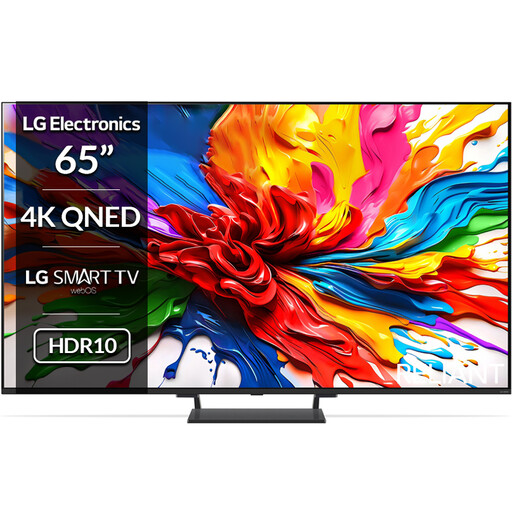
LG 65QNED93A6A 65-inch QNED evo MiniLED TV
For a 65-inch shared screen with several sources, the listing states four HDMI 2.1 ports, VRR and ALLM, alongside a 4K webOS TV. It also describes 4K at 120 Hz and 144 Hz; check which modes the chosen port supports with your console and whether the screen fits the room.
View on Joybuy
 No image available
TCL 55P8K-UK 55-inch QLED TV
This 55-inch 4K Google TV is an option when that size fits the shared seating area. The listing states four HDMI 2.1 ports, VRR and ALLM, but uses both 144 Hz and 120 Hz with up to 144 Hz VRR in its refresh-rate descriptions; confirm the exact console-supported mode and port before choosing it.
View on Joybuy
 No image available
TCL 75Q6C 75-inch QD-Mini LED TV
Consider this 75-inch 4K Google TV only after checking the usual viewing distance and installation space. Its listing describes HDMI 2.1, VRR, ALLM and 144 Hz native refresh; confirm the number and capabilities of the HDMI inputs needed for your console and other devices.
View on Joybuy
Questions about console TV setups
Do I need HDMI 2.1 for a PS5 or Xbox gaming TV?
Not for every game. If you want Xbox Series X gaming at 4K/120, Xbox Support specifies an HDMI 2.1 TV and Ultra High Speed HDMI cable; PlayStation also documents PS5 120 Hz output and VRR for compatible setups. Check your games, the console settings and the capability of the TV input before making HDMI 2.1 a requirement.
Why does my Xbox not show every feature advertised for the TV?
The HDMI input or another device in the signal path may limit the available mode. Xbox Support notes that TV inputs can differ and that an intermediary receiver or soundbar can affect video features. Check the model manual, the input and its settings, then review the console’s 4K TV details screen.
Should I connect the console through a soundbar or AV receiver?
Test the console directly on the intended TV input first so you can confirm its video modes. Xbox Support cautions that a soundbar or receiver between the console and TV can affect video features; if you add one, check the available modes again with the full setup connected.


