For cooperative puzzle games in a kitchen diner, choose a TV that fits the seating and screen position before paying for a higher refresh rate: reflected light can obscure clues, and every player needs a clear view. If you also use a console or PC, match its output to the TV’s game mode and specific HDMI inputs; 4K/120Hz and variable refresh rate (VRR) matter when the source, game and connection can use them.
Who is this setup for?
Players dealing with reflections
If daylight or overhead lights face the screen, check what you can see in it from your usual seats. Placement and reflection handling may affect your ability to read clues more than a higher refresh-rate specification.
Households sharing one screen
Several people need to read the board from different seats. Check sightlines and screen size alongside the space available around the dining furniture.
Casual players who also use a console or PC
If you play other compatible games as well as puzzles, check which HDMI inputs support the gaming features your device can use, rather than relying on the TV’s headline specification.
What matters when choosing?
Check the planned screen position and shared sightlines first. Then identify the console or PC features you will use and the HDMI inputs needed to use them.
| Concern |
What to check |
Who this matters to |
| Reflections and daytime visibility |
Look at the planned position when you normally play; check whether windows or lights appear in the screen and examine the exact model’s reflection-related claims. |
I need to read clues while daylight or pendant lights face the screen, so reflections could change where I place it. Around 31% of consumers put this need first. |
| Console compatibility |
Match your console or PC to the TV’s game mode, individual HDMI ports and any settings required for VRR or 4K/120Hz. |
I want responsive controls now and the option to use compatible higher-frame-rate games later. Roughly 31% of consumers make console compatibility their primary concern. |
| Shared-screen fit |
Measure the available wall or furniture space, the stand footprint, walking clearance and sightlines from each seat. |
Everyone at the table needs to see small puzzle details without the TV crowding the dining area. About 23% of consumers prioritise shared visibility and fit. |
| Paying for features you will use |
List the games and devices you plan to connect before weighing higher-refresh claims against room fit and the inputs you need. |
I would rather meet my room and gaming needs than choose a feature my setup cannot use. Approximately 15% of consumers place that decision first. |
Buying pitfalls
-
Choosing by refresh-rate headline alone
A high refresh-rate claim will not resolve reflections or help everyone see the board. Its gaming value also depends on the connected device, game, settings and HDMI input.
Check the planned screen position first, then compare the refresh rates your console or PC can actually output.
-
Assuming every HDMI socket has the same features
A console may connect to a socket without gaining the TV’s advertised VRR capability. Sony UK, for example, lists VRR on HDMI inputs 3 and 4 of the K-55XR5, rather than on every input.
Plan which socket will take the console and check whether the exact TV requires an HDMI setting to be changed for your chosen output.
-
Picking a diagonal before measuring the room
Screen size alone does not establish whether the stand fits, chairs retain their clearance or players can read clues from their seats.
Measure the intended surface or wall and compare it with the exact TV-with-stand dimensions before ordering.
-
Leaving the old TV’s disposal until delivery
Replacing a TV also means arranging a suitable route for the old electrical product.
Plan a recycling drop-off or ask the retailer how its like-for-like take-back process works.
Brands to consider
Samsung
A reference point for a Mini LED gaming TV with model-specific reflection claims.
- Samsung UK describes its QN90F as Glare Free and says its Neo QLED Mini LED technology uses local dimming to control backlight brightness and contrast.
- The QN90F claim does not establish reflection handling for other Samsung models or sizes. Check the exact screen and HDMI inputs against your room and devices.
LG
A reference point for OLED size choices and model-specific reflection and gaming features.
- LG UK lists C5E sizes from 42 to 83 inches. It describes the G6 as Reflection Free Premium and lists support for up to 4K/165Hz with compatible gaming sources.
- Those G6 claims do not apply to every LG OLED. Confirm the exact variant, placement and source-device compatibility.
Sony
A reference point when planning console connections around specified HDMI inputs.
- Sony UK lists 4K120, auto low latency mode (ALLM) and VRR for its K-55XR5 BRAVIA 5 specification.
- Sony UK specifies VRR on HDMI inputs 3 and 4 of that model. Check your connections if a console and other equipment will share the TV.
Joybuy product choices
These Mini LED, QD-Mini LED and QLED listings offer 55-, 65- and 75-inch screens to consider for shared play. Measure the intended position and check reflections there: a display-technology name alone cannot tell you how a particular screen will look in your kitchen diner.
 No image available
Hisense 65U7QTUK Pro 65-inch Mini LED 4K TV
Consider this 65-inch variant if its screen and stand fit the dining area and players’ sightlines. Its title specifies 4K and 165Hz Game Mode Ultra; check what your console can use and how the screen handles reflections in the intended position.
View on Joybuy
 No image available
Hisense 55U7QTUK Pro 55-inch Mini LED 4K TV
Compare this 55-inch variant with your available furniture space and the distance from each seat. Its title specifies 4K and 165Hz Game Mode Ultra; check the console connection and reflections before treating either feature as decisive.
View on Joybuy
 No image available
TCL 55P8K-UK 55-inch QLED 4K TV
The 55-inch screen is worth comparing with your shared seating and intended stand position. The title lists a 288Hz Game Accelerator; confirm what output and HDMI connection your own console can use, as well as how reflections appear in the room.
View on Joybuy
 No image available
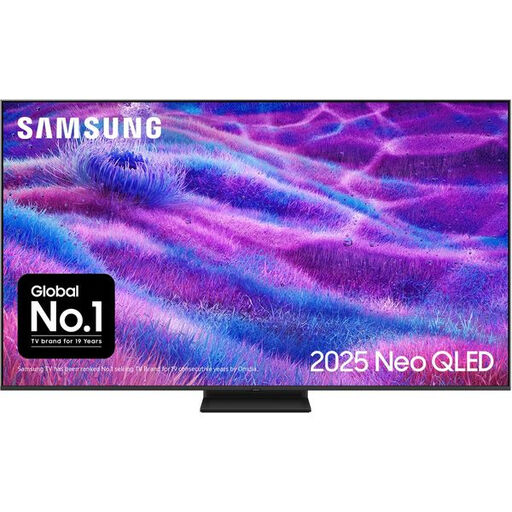
Samsung QE65QN80FAU 65-inch 4K TV, silver
Check whether a 65-inch screen fits the planned position and remains visible from all the seats used for puzzles. Assess reflections on this exact model rather than applying Samsung’s QN90F claims to it, and confirm the HDMI features needed by your console.
View on Joybuy
 No image available
TCL 75Q6C 75-inch QD-Mini LED 4K TV
A 75-inch screen needs a careful check of furniture, walking clearance and sightlines before it becomes a practical shared-screen choice. The title specifies 4K and a 144Hz native refresh rate; also check the exact stand dimensions, reflection handling and console input.
View on Joybuy
Common questions
Do cooperative puzzle games need a 120Hz TV?
Not necessarily: check shared visibility, reflections and fit before making 120Hz a requirement for this setup. HDMI Forum describes support for 4K120, but using it depends on a compatible source, game and TV connection.
Why check individual HDMI ports?
A TV’s gaming features may not be available on every input. Sony UK lists VRR on HDMI inputs 3 and 4 of the K-55XR5, so plan the console connection alongside any other devices.
Should I use Game Mode or ALLM?
Use a low-latency mode when controller response matters, then check whether you like the resulting picture in your room. HDMI.org says ALLM lets a compatible source switch the display into that mode automatically; some picture processing may stop while it is active.
Does using a TV for games require a UK TV Licence?
Playing games alone is not the deciding factor. TV Licensing says watching live TV requires licence coverage, so base the decision on what you watch rather than whether the screen is marketed for gaming.


