Shared-screen puzzle groups
If several people play locally, check that puzzle text, split-screen details and colour-coded clues are visible from the farthest and off-centre seats. Measure the seating layout before deciding on screen size.


Choose a screen that keeps clues readable from every regular seat, then match the display to the room: dark-scene viewing matters in a controlled-light cinema, while reflections need attention in a brighter space. Check 4K/120Hz, variable refresh rate (VRR) and automatic low-latency mode (ALLM) against your console, games and intended HDMI input rather than treating a refresh-rate headline as a result you will always see. Plan the soundbar connection and its physical clearance before choosing a stand or wall position.
If several people play locally, check that puzzle text, split-screen details and colour-coded clues are visible from the farthest and off-centre seats. Measure the seating layout before deciding on screen size.
If the same screen is used for films and games in a mostly controlled-light room, consider the exact model’s dark-scene picture claims alongside its gaming connections. Leave room in the setup plan for the audio equipment you intend to use.
If a PS5, Xbox or gaming PC will be connected, check the intended HDMI port, supported signal, console settings and game support. Sony UK’s guidance notes that a 4K/120 setup depends on compatible equipment and a game that supports it.
For cooperative puzzle games, work from the seats and room lighting towards the console and audio connections; a headline refresh rate cannot tell you whether everyone will see the clues comfortably.
| Concern | What to check | Who this matters to |
|---|---|---|
| Shared-screen readability | Compare screen dimensions and stand width with the wall, furniture and farthest regular seat; check views from the sides. | If several players must read small clues at once, I need the screen to work from every regular seat, not just the centre. Around 31% of consumers put shared-screen readability and room fit first. |
| Picture in the room’s lighting | Consider the exact model’s contrast and reflection claims alongside the light present when you normally play or watch films. | Dark scenes matter to me, but windows or lamps may reflect on the screen when the room is brighter. Picture and reflection handling come first for around 31% of consumers. |
| Console signal support | Check 4K/120Hz, VRR and ALLM on the intended HDMI input, then confirm the console settings, cable and game support. | I want to know which gaming signals my connected equipment can actually use before choosing a TV for its refresh-rate label. Around 23% of consumers make console compatibility their primary concern. |
| Audio and cable layout | Check eARC, available HDMI inputs and clearance for the intended soundbar or other audio equipment. | For group play, I need dialogue and sound cues to work with a practical connection layout. Audio and installation are the leading concern for around 15% of consumers. |
A supported rate can depend on resolution, input and connected hardware. Sony UK says 4K/120 play also needs compatible console settings, an HDMI 2.1 connection and game support; Samsung UK says some of its highest stated 4K rates require compatible PC games and graphics hardware.
Check the exact TV input and the signals supported by the console, cable and cooperative games you intend to use.
A player at the far end or off to one side may struggle with clues even when the picture looks clear from the central seat.
Mark the regular viewing positions, then check the TV’s full width, stand footprint and wall-mount requirements against the room.
Audio-format support alone does not tell you how clearly dialogue or game cues will be heard in your room.
Check the TV’s speakers and the eARC connection, HDMI layout and physical clearance if you intend to use a soundbar or receiver.
A separate soundbar, compatible cables or installation may be part of the planned setup.
Moving and storing a large outgoing television can complicate a room change.
Ask the retailer about its old-TV take-back or collection arrangements before delivery, and keep the agreed details with your order.
LG’s OLED AI B6 is an example to examine for controlled-light film viewing alongside console or PC gaming.
Samsung’s 65-inch S95H is a model to examine if reflections are a recurring issue where films and games are watched.
Sony’s BRAVIA 8 II K-65XR8M2 offers a specific connection layout to assess for a console and soundbar setup.
These TVs offer different stated screen sizes and display types for shared puzzle games. Compare each one with your seating layout, intended console signal and audio connections rather than choosing by refresh-rate wording alone.
 No image available
Consider this 55-inch screen where the regular seats are close enough for everyone to read puzzle details. Confirm the intended console signal and HDMI input before relying on particular gaming modes.
 No image available
The 83-inch screen is worth measuring against a larger group-viewing space before ordering. Check wall or stand fit and the intended console’s HDMI signal as part of the same decision.
 No image available
This 65-inch option gives a defined size to assess from each player’s seat. Its title states a 144Hz native refresh rate; check the resolution and HDMI signal your console can use rather than assuming every game will run at that rate.
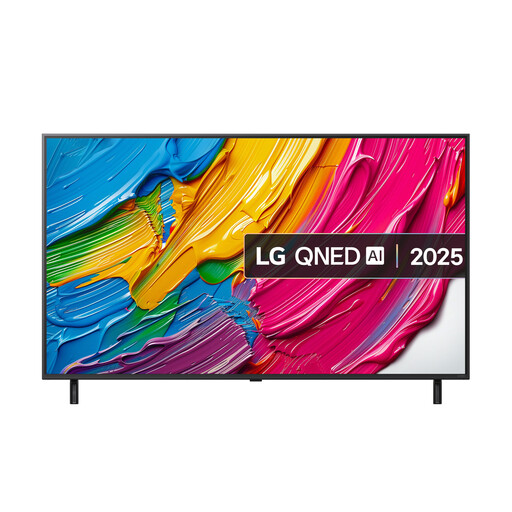 No image available
For shared viewing with a console and separate audio equipment, measure the 65-inch screen against the seats and plan the connections. The title identifies VRR, ALLM and eARC; if 4K/120 play matters, check this model’s supported refresh range before choosing it.
 No image available
Check whether the 65-inch screen keeps clues readable across your seating area. The stated 120Hz Game Accelerator is specified at FHD, so do not treat it as a claim of 4K/120Hz console output.
Not necessarily: prioritise readable clues and room fit unless your games and equipment can use a higher-rate signal. Sony UK says 4K/120 play needs a capable TV, suitable connection, enabled console output and a game that supports 120Hz.
Use a port that supports the signal you intend to send, checking the exact TV model rather than assuming all inputs are alike. On Sony’s K-65XR8M2, Sony UK specifies VRR on HDMI 3 and 4 and ALLM on all four inputs; also account for the connection required by your audio equipment.
An Atmos label alone cannot establish whether the TV’s built-in sound will suit your room or make game dialogue clear to the group. Check its speaker arrangement and, if you intend to add a soundbar, its connection compatibility and clearance.
Ask the retailer about its take-back or collection process before the new TV arrives. If you need collection from home, confirm how and when it will be arranged rather than assuming it forms part of delivery.
Contact the seller promptly and keep the order details, model number, delivery record and photographs of any damage. GOV.UK’s Consumer Rights Act 2015 guidance addresses faulty goods; do not assume that a manufacturer support route replaces your options with the seller.